
Integrations connect bluebarry to your store and to the tools you already use. Your webshop integration puts bluebarry live and keeps products in sync. Marketing integrations send what shoppers tell you (quiz answers, popup sign-ups, consent) to your email, ads and data tools, so you can act on it there.
Find your integrations
In the sidebar, go to Store data → Integrations. At the top you see your Tenant ID with a copy button: the webshop apps and plugins ask for it. Below are four sections.
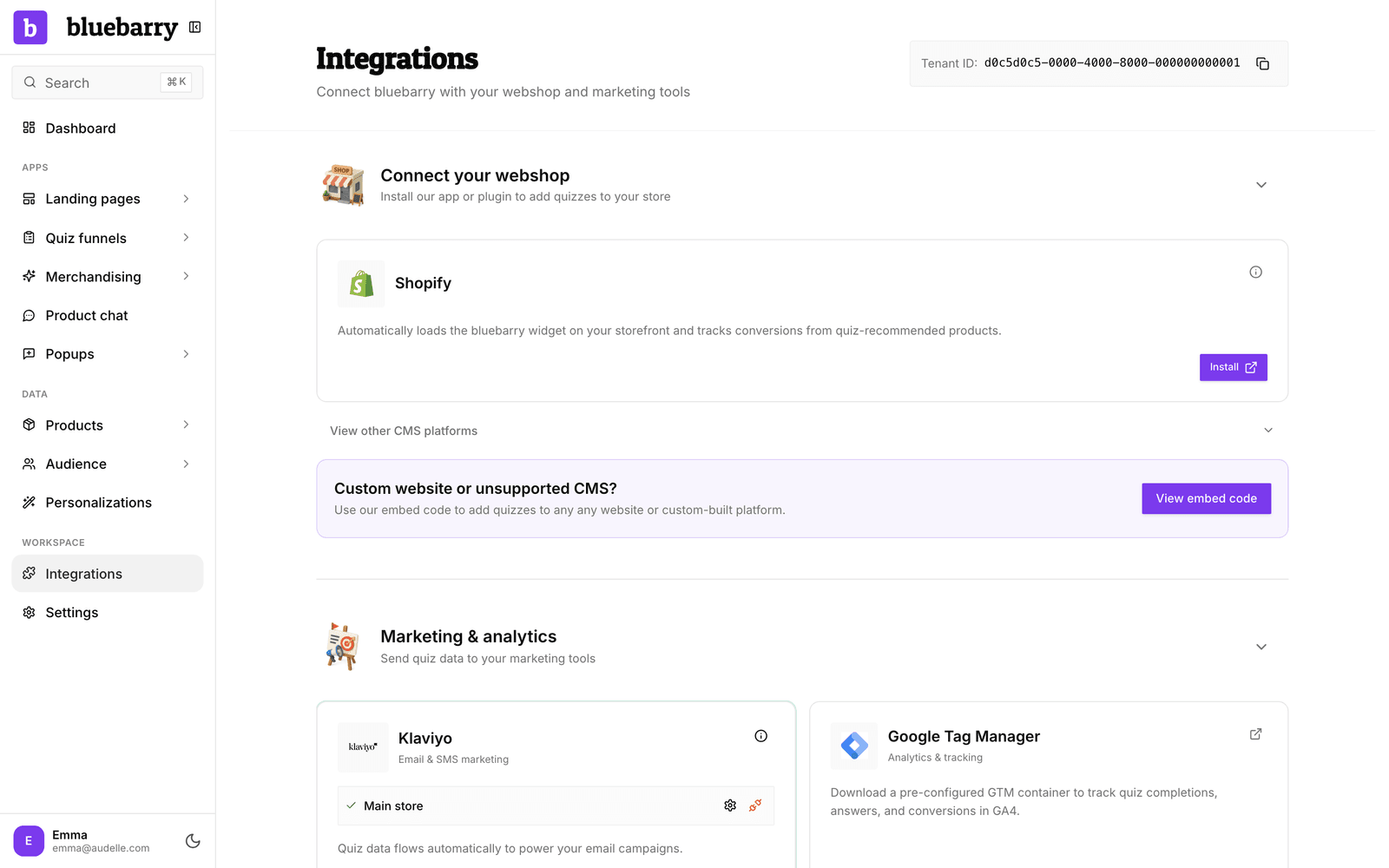
Connect your webshop
Your own platform is shown first. The others sit under View other CMS platforms. Each integration loads the bluebarry script on your store, which brings your quizzes, search, product chat and popups along. The card texts mention quizzes, but everything else comes with them.
| Platform | What it does |
|---|---|
| Shopify | App from the Shopify App Store. Loads bluebarry, syncs products, orders, languages and markets, tracks checkouts. |
| WooCommerce | WordPress plugin. Loads bluebarry, syncs products (live or by feed) and orders, places product chat and recommendations, turns discounts into coupons. |
| Magento 2 | Module for Magento and Adobe Commerce. Loads bluebarry, syncs products and orders, places product chat and recommendations, turns discounts into coupon codes. |
| Lightspeed | App from the Lightspeed eCom app store. Adds quizzes, tracks orders, syncs products. |
| CCV Shop | App from the CCV Shop app store. Loads bluebarry, syncs products and orders, places product chat and recommendations, turns discounts into discount codes. |
Another platform or a custom site? Click View embed code under Custom website or unsupported CMS? and see Add your quiz funnels to your store.
Marketing and analytics
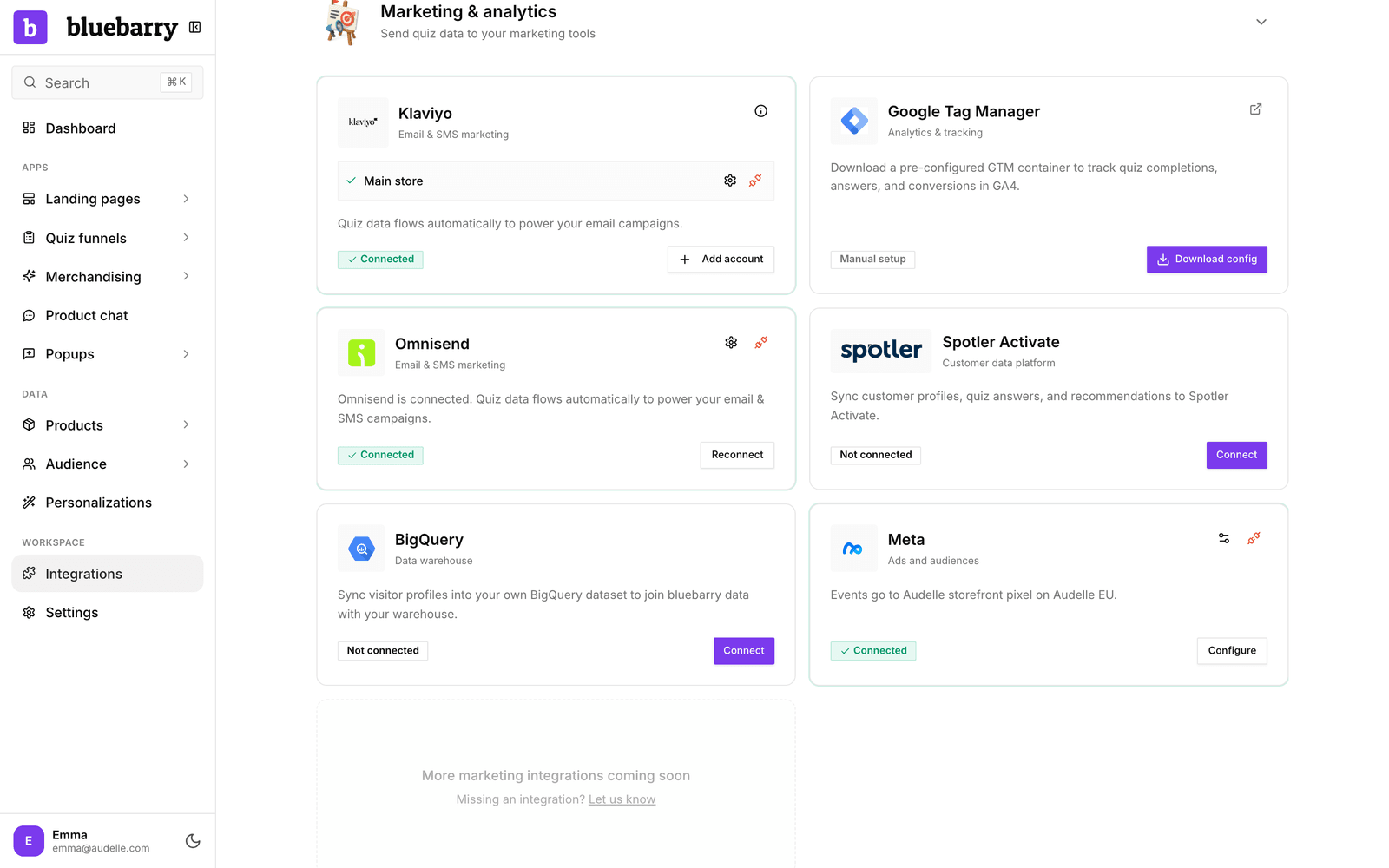
| Integration | Type | What it does |
|---|---|---|
| Klaviyo | Email and SMS marketing | Sends profiles with quiz answers and consent, plus quiz events for flows. |
| Omnisend | Email and SMS marketing | Sends contacts with quiz answers and recommendations, plus quiz events. |
| Spotler Activate | Customer data platform | Syncs customer profiles, quiz answers and recommendations. |
| BigQuery | Data warehouse | Syncs visitor profiles into your own BigQuery dataset. |
| Meta | Ads and audiences | Sends quiz events to your Meta pixel and keeps your segments in sync as Custom Audiences. |
| Google Analytics 4 | Analytics | Add your Measurement ID and bluebarry search sends its searches and product clicks straight to your GA4 property. |
| Google Tag Manager | Analytics and tracking | A ready-made container that sends quiz events to Google Analytics 4. |
Missing a tool? Click Let us know at the bottom of the section.
Automation platforms
- Zapier connects bluebarry to thousands of apps. You can start a Zap right from the card. See Use Zapier with bluebarry.
- Make.com is a visual automation builder for multi-step workflows. See Set up Make.com.
Developer area
The Developer area at the bottom opens with a click. It holds API keys (for the Shopify, WooCommerce and Lightspeed product sync, Zapier, Make and your own code), Webhooks to send events to any URL, and a link to the API docs. See Set up webhooks and Manage API keys.
What your tools receive
Every shopper who leaves an email address or phone number through bluebarry gets a profile under Audience → Profiles. It holds their quiz answers, popup fields and consent choice. Connected marketing tools receive these profiles automatically, and each integration article explains exactly what it sends. You can check the sync status of every profile, see Review profile sync status.