
Send every bluebarry profile to a dataset in your own Google BigQuery project. Your data team can then join quiz answers and other stated preferences with orders, ad spend and the rest of your warehouse. You do not need to create or share any keys.
What is synced
bluebarry writes one row per profile to a table called bluebarry_profiles. Unlike email tools, a warehouse gets everyone, including anonymous visitors without an email address. Only profiles are synced: orders and individual events are not part of this table.
| Column | Contains |
|---|---|
| id | The profile id. One row per person. |
| tenant_id | Your bluebarry workspace id, the same as the Tenant ID on the Integrations page. |
| email, phone_number | Contact details, when known. |
| first_name, last_name | Name, when known. |
| properties | All profile properties as a JSON list of name and value pairs: quiz answers, popup form fields and imported customer fields. |
| recommendations | The latest recommended products as a JSON list, with title, link, image, price and the quiz that recommended them. |
| consent_accepted, consent_date | The answer to your marketing consent question and when it was given. |
| created_date, updated_date | When the profile was first seen and last changed. |
| synced_at | When bluebarry last wrote the row. |
Prepare your dataset
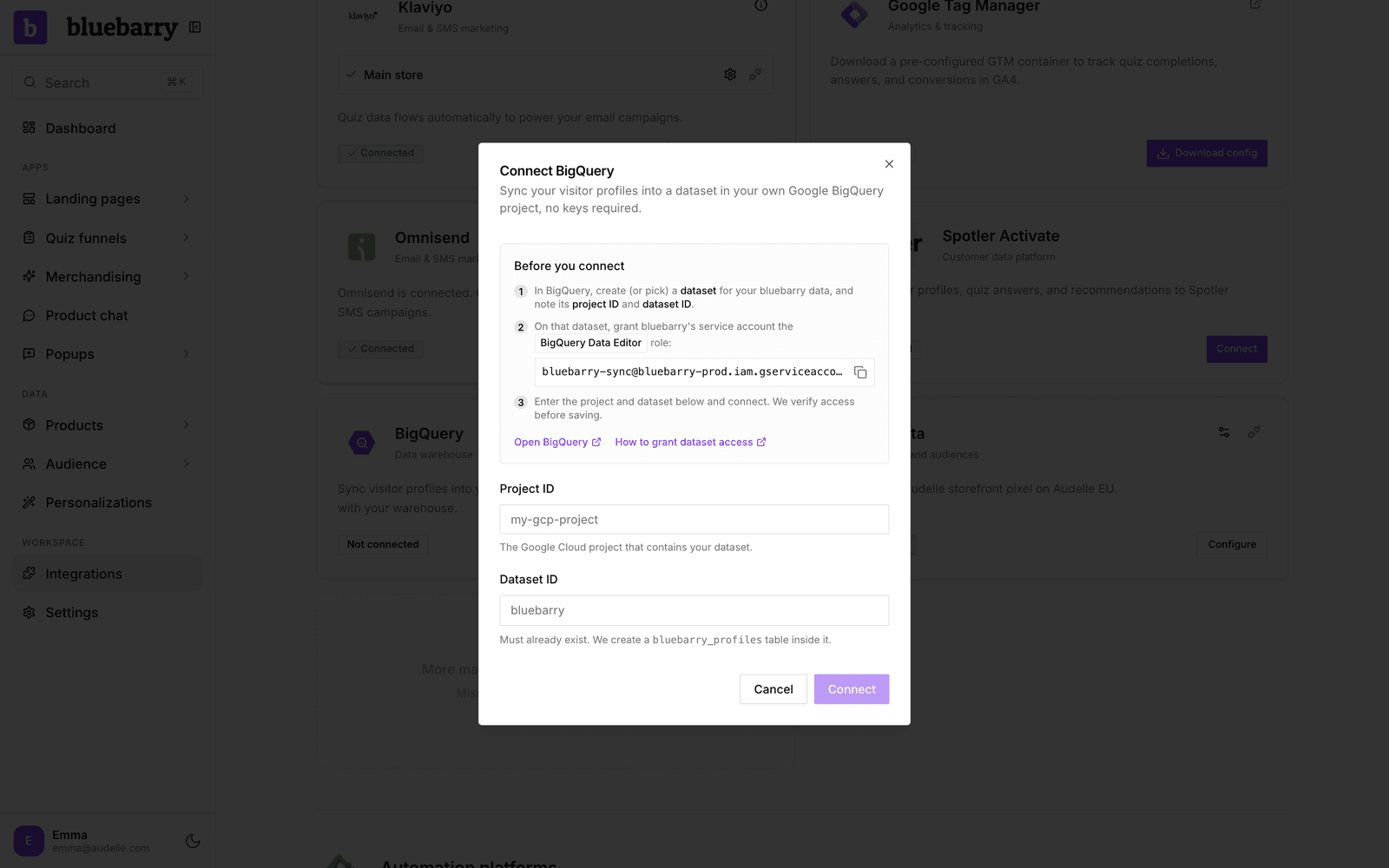
- In BigQuery, create a dataset for your bluebarry data, or pick an existing one. Note its project ID and dataset ID.
- In bluebarry, go to Store data → Integrations, find BigQuery under Marketing & analytics and click Connect. Copy the service account address shown in step 2 of the window.
- Back in BigQuery, share the dataset with that service account and give it the BigQuery Data Editor role. Grant it on the dataset only, not on the whole project.
Connect BigQuery
- In the Connect BigQuery window, enter the Project ID and Dataset ID.
- Click Connect. bluebarry checks that it can reach the dataset before saving. If it cannot, check the role you granted and the spelling of both ids.
The first sync creates the table and starts filling it. After that, changed profiles are written within a minute or so.
Query the data
Rows are updated in place, matched on id, so the table always holds the current state of each profile. The properties column is a JSON list of name and value pairs. For example, to read a quiz answer saved under the key skin_type:
SELECT email, JSON_VALUE(p, '$.value') AS skin_type
FROM `your-project.your_dataset.bluebarry_profiles`,
  UNNEST(JSON_QUERY_ARRAY(properties)) AS p
WHERE JSON_VALUE(p, '$.name') = 'skin_type'
Property names are the keys you see on a profile in bluebarry.
Good to know
- The sync jobs run in bluebarry's Google Cloud project, so they do not count against your query quota. Storage of the table is billed to your project, like any other table.
- You may briefly see tables named bluebarry_profiles_stg_ followed by a code. These are temporary loading tables. bluebarry deletes them right away, and BigQuery removes any leftovers within six hours.
- When you anonymize a shopper in bluebarry, their row is overwritten with the anonymized profile on the next sync. The only rows the sync deletes are duplicates: when bluebarry finds that two profiles are the same person and merges them, the row of the profile that was merged away is removed and the remaining row holds everything.
- If you connect a different dataset later, only profiles that change from then on are written there. Contact us if you need a full copy in the new dataset.
- If you remove the role, the sync stops without warning in bluebarry. Use Reconnect on the card to check access again.
Want to see what a profile holds before you query it? See Profiles overview.