
Zapier connects bluebarry to thousands of other apps without code. Send quiz answers to a Google Sheet, create a lead in your CRM when someone finishes a quiz, or keep bluebarry products up to date from another system.
What the bluebarry Zapier app can do
- Triggers: Question Answered (someone answers a question) and Result Viewed (someone reaches the results page).
- Actions: Create Product, Update Product, Delete Product and Get Product by Id.
Build a Zap
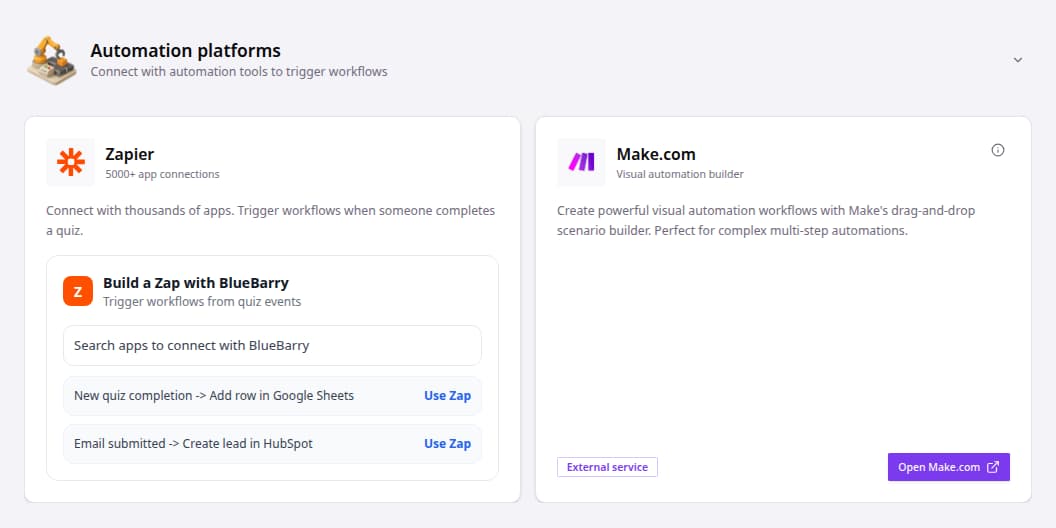
- In bluebarry, go to Store data → Integrations and open Automation platforms.
- On the Zapier card, pick a ready-made Zap and click Use Zap, or search for the app you want to connect. You can also start from scratch in Zapier and choose bluebarry as the app.
- When Zapier asks you to connect bluebarry, paste an API Key. Create one under Store data → Integrations → Developer area → API keys. A separate key for Zapier makes it easy to revoke later.
- Choose the trigger, pick the quiz and map the bluebarry fields to your other app.
- Test the Zap with a real quiz run, then switch it on.
Tips
- Test on your live store, not in the quiz editor preview. The preview doesn't send events.
- Answers arrive under your internal question and answer names. Give them clear names on the Test flow tab first.
- Need more events, like email submitted or profile updated? Use webhooks with Zapier's webhook trigger.