
When you connect Klaviyo, Omnisend or Spotler Activate, bluebarry sends your profiles there, usually within a few minutes. The Profiles page shows, per shopper, whether that worked, and why not when it did not.
Check the Synced column
- Go to Audience → Profiles.
- Look at the Synced column. A green check means at least one tool has the profile. A red cross means none has it yet. A red warning triangle means a tool rejected it.
- Hover the icon to see each connected tool with Synced and when, Not synced, or Failed.
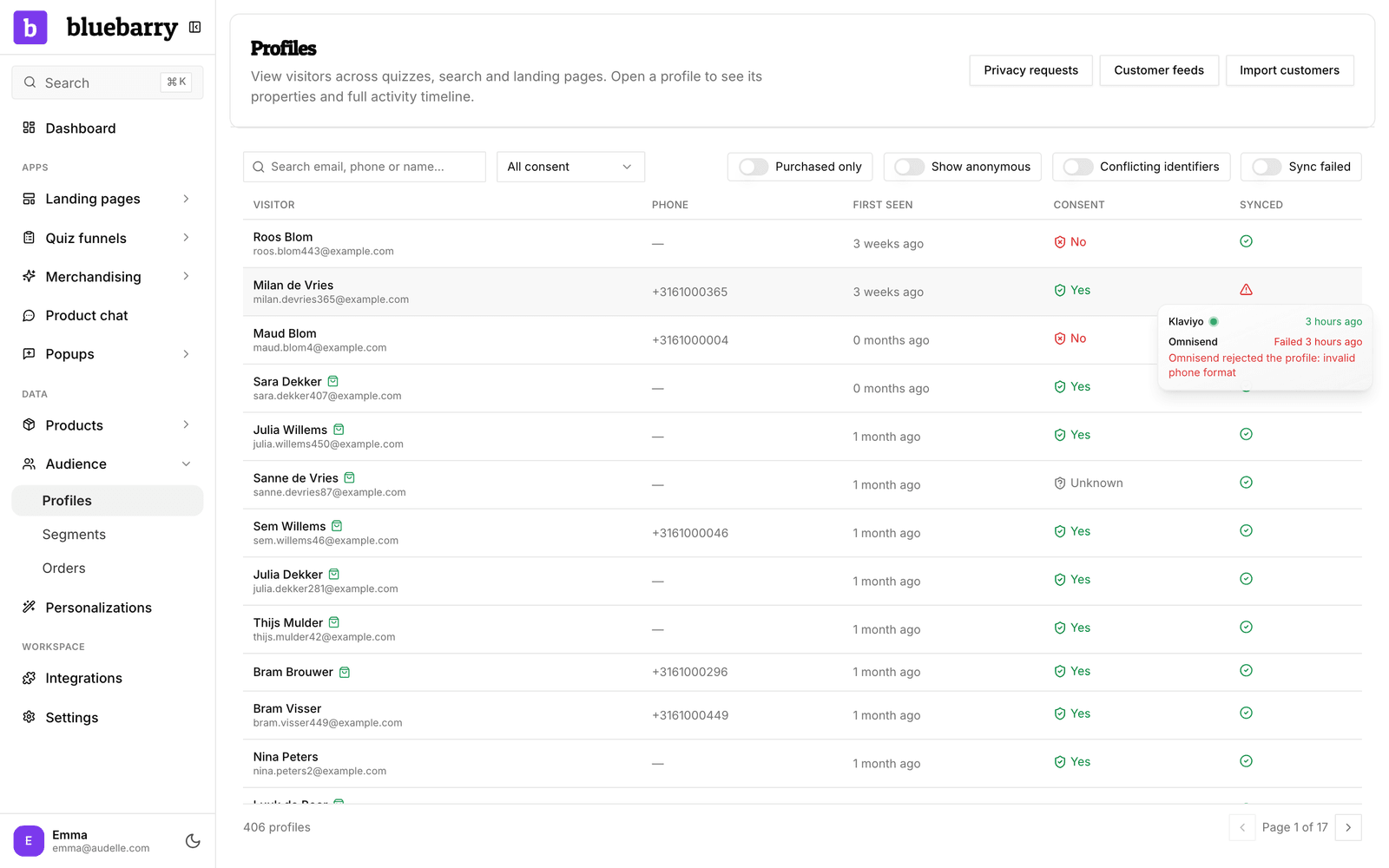
The Synced column only appears when at least one of these tools is connected under Store data → Integrations.
Fix failed syncs
- Turn on the Sync failed filter to list every profile a tool rejected.
- Open a profile. A red box names the tool, when it failed and the reason the tool gave, for example an invalid phone number.
- Fix the cause if you can, then click Retry. The profile goes along with the next sync.
You only need Retry when a tool rejected the profile itself. Temporary problems, such as a rate limit or an outage at the tool, are retried automatically: after a minute at first, then with longer pauses of up to an hour. A profile that changes is always sent again.
Why a profile is not synced
- No email or phone number. Email tools need a way to reach the shopper. Anonymous visitors are not sent.
- Imported without consent. Customers that only come from an import or an order sync are sent once they give consent, or once they use your store themselves, for example by taking a quiz.
- Still in the queue. A brand new profile can take a few minutes.
- The connection broke. Check the tool's card under Store data → Integrations and reconnect if needed.
For Klaviyo specific problems, see fix Klaviyo sync issues.