
The bluebarry app for CCV Shop connects your store in one go. It adds bluebarry to your storefront, so quizzes, search, product chat and popups can appear, tracks conversions at checkout, and keeps your products in sync.
Install the app
- In your CCV Shop admin, install the bluebarry app. You can also get there from bluebarry: go to Store data → Integrations and click Install on the CCV Shop card.
- CCV Shop sends you to bluebarry. Sign in if asked. The Connect CCV Shop page shows your Tenant ID and what the installation will do: add bluebarry to your store, enable conversion tracking on your checkout and set up product sync.
- Click Complete Installation. When you see Installation Complete!, your store is connected.
Check the connection
- In bluebarry, go to Store data → Integrations.
- Under Connect your webshop, click Manage on CCV Shop.
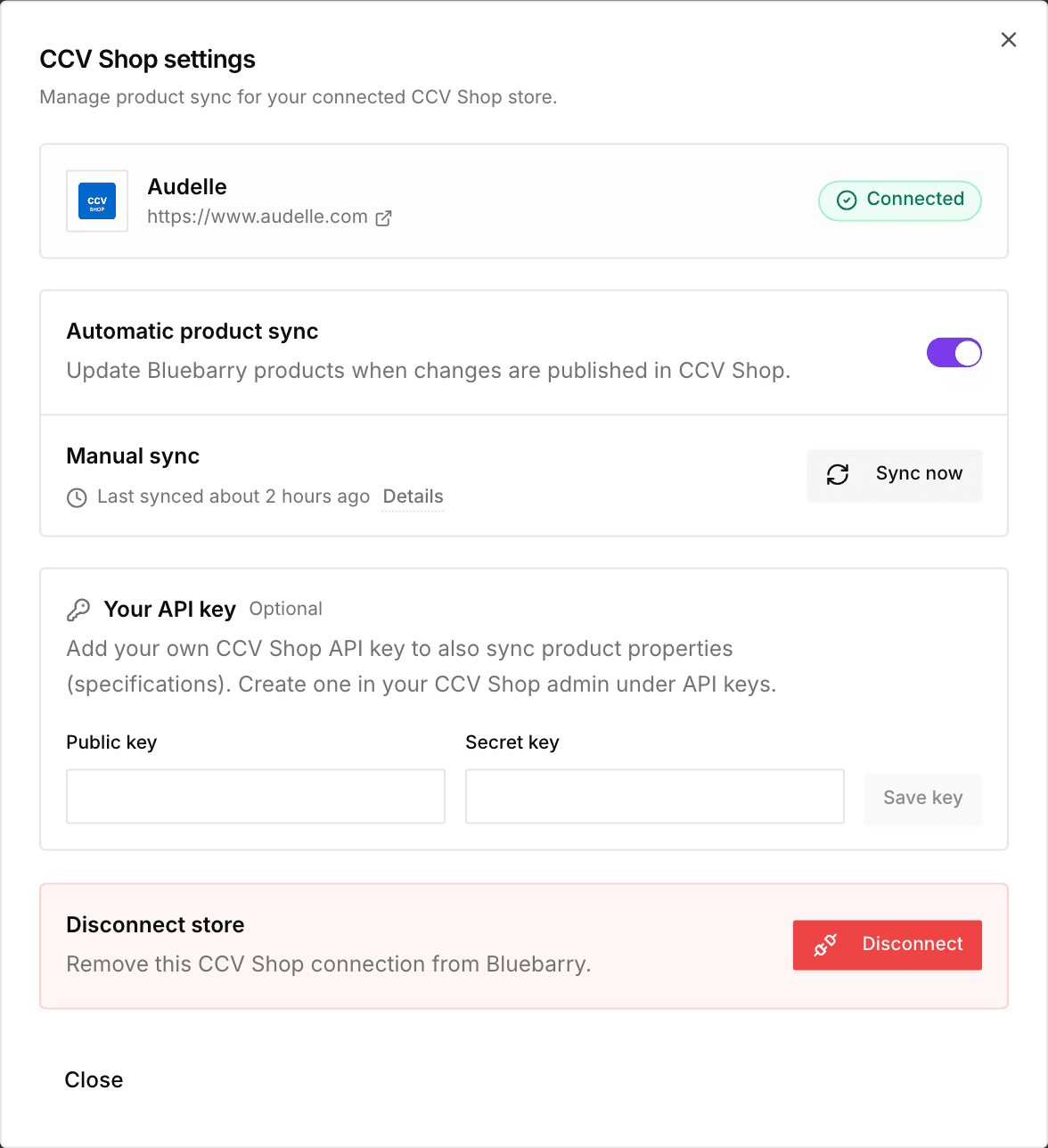
- In CCV Shop settings, your store shows as Connected, with its product sync status below.
Put bluebarry live on your store
- Quizzes open from any link or button that uses your quiz link. Copy it from the quiz's publish dialog under Implementation and paste it as the link in CCV Shop's editor.
- Popups you publish in the Popups app appear without extra code.
- Search can take over your store's search box and results page. See Launch search on your store.
In a quiz's Launch tab, the CCV Shop card has two buttons: Manage sync opens the settings above and View app opens the app in CCV Shop. Where the quiz shows is up to your links and buttons.
Show bluebarry on your product and basket pages
In CCV Shop settings, the On your store card places bluebarry on your storefront for you. There is nothing to edit in your theme. Switch on what you want:
- Product check button: an “Is this right for me?” button on products that have a product check quiz. Pick those products on the quiz's Launch tab. Change the wording under Button text.
- Product chat: shoppers ask questions about the product they are viewing, under the price.
Recommendation blocks for product pages and the basket are switched on under Recommendations → Placements. See Design and add recommendations to your store.
Click Save. Your store updates right away. Does an element land in the wrong spot in your theme? Enter a CSS selector under Place somewhere else (optional), for example .product-info.
Orders, shopper activity and discounts
- Conversions. Your order confirmation page reports each order from a shopper who used bluebarry: a quiz, search, recommendations, product chat or a popup. bluebarry reads the totals and items from CCV Shop itself and attaches the order's email to the shopper's profile.
- Orders. Every order arrives in bluebarry when it is placed, and later changes to it follow. Orders power best sellers, purchase history and purchase-based segments. For older orders, see Import your orders.
- What shoppers look at. Page views, product views, adds to the basket and the start of checkout. They power recently viewed products, behaviour segments, popup rules by product or basket, and product chat that knows the page.
- Add to basket. Quiz results, the search widget and recommendation blocks put products straight in the CCV Shop basket.
- Discounts. A discount you offer on a quiz result page or in a recommendation block becomes a one-time CCV Shop discount code. bluebarry creates it and adds it to the basket once the shopper adds a product it covers. It only applies to those products and stays valid for 30 days.
Does your shop use CCV Shop's cookie bar? Then bluebarry only records what a shopper looks at once they accept statistics cookies. Without a cookie bar, nothing is held back.
Orders at the moment they are placed and discount codes use permissions that were added to the app later. Connected your shop before that? Install the bluebarry app again in CCV Shop to grant them. Until then, new orders arrive every few hours and shoppers see no discounts.
Disconnect
In CCV Shop settings, click Disconnect under Disconnect store. To fully uninstall, also remove the bluebarry app in your CCV Shop admin. Removing the app does not cancel your bluebarry subscription. While it is still running, you get an email with a link to Settings → Billing, where you decide whether to stop.