
A quiz funnel asks shoppers a few questions and recommends the products that fit their answers. You can build one yourself in a few minutes, or let bluebarry draft it from your product catalog and then make it your own.
Before you start
A quiz can only recommend what is in your catalog, so check that your products are in bluebarry first. Shopify, WooCommerce, CCV Shop and Magento stores sync automatically. Other stores connect a product feed. See prepare your catalog.
Create the funnel
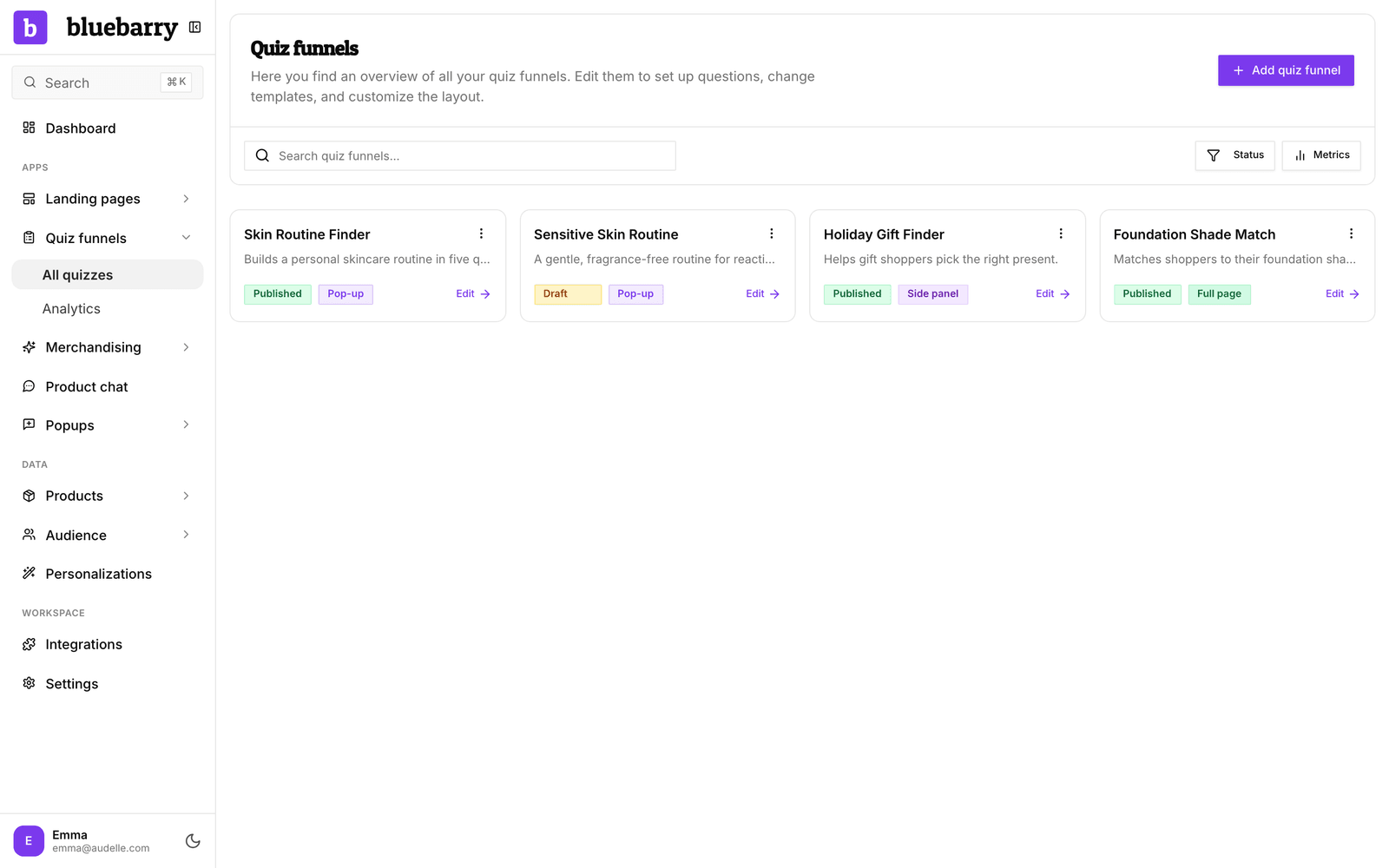
- In the sidebar, click Quizzes under Live on your store. No quiz yet? Then Quizzes is not in the sidebar: click Search at the bottom of the sidebar, type “quiz” and open Quiz funnels. To let Barry build the quiz with you instead, click + Add a module and then Add next to Quizzes.
- Click Add quiz funnel.
- Choose Manual to build it yourself, or Generate with AI to let bluebarry draft it.
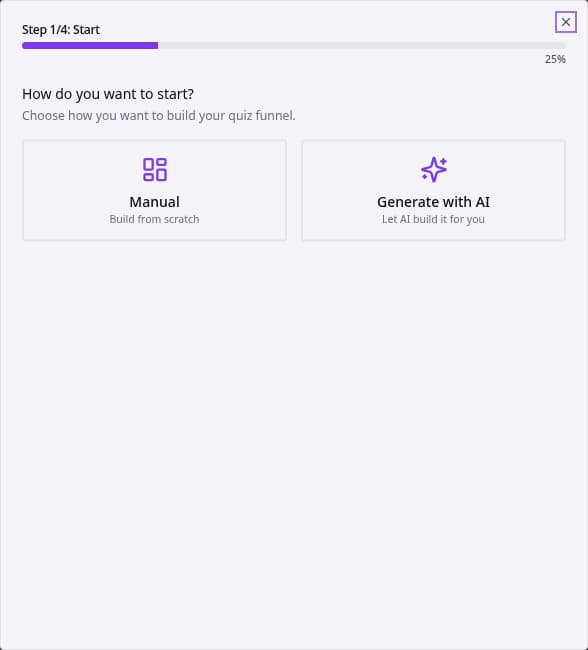
The AI path takes one prompt and about a minute. It is explained in generate a quiz with AI. The manual path is below.
Build it yourself
After you pick Manual, a short wizard asks for the basics:
- Information: the name of your quiz funnel and an optional description. Only your team sees these.
- Design: pick a theme. This step only appears when you have more than one theme.
- Display: how the quiz shows up on your store. Pop-up opens over the page, Side panel slides in from the side, Embedded sits inside your page content, and Full page takes over the page with a close button.
- Settings: the currency for prices on the result page.
- Click Create.
The quiz editor opens on Design quiz, with a first result card called “Best match” already in place. You can change the display type later on the Launch tab.
Which path to choose
| Option | Choose it when | What you get |
|---|---|---|
| Manual | You already know the questions and how answers map to products. | An empty quiz with your settings, ready for your first question. |
| Generate with AI | You want a head start based on your catalog. | Questions, answers, product matching and result cards to review and adjust. On Shopify, the colors and logo come from your store. |
What comes next
- Add your questions and answers on Design quiz. See create and edit questions.
- Connect answers to products on Match products. See configure answer product filters.
- Click through it like a shopper on Test flow. See preview and test a quiz.
- Click Publish quiz in the top right of the editor, then Publish new version and Publish. See publish a quiz funnel.
- Put it on your store. See add your quiz funnels to your store.
Good to know
- Every answer a shopper gives is saved on their profile. You can use those answers in segments, to personalize search results and to target popups.
- Each published quiz counts toward the Published quizzes limit of your plan. See quiz and session limits.
- Stuck on what to ask? Ask Barry on Home, for example “What should a quiz for my store ask?”