
Questions are the heart of a quiz. Each one should help you pick better products for the shopper, or tell you something worth knowing about them. This article covers adding questions, choosing how shoppers answer, and the settings that shape each question.
Add a question
- In the sidebar, go to Quizzes and click Edit on your quiz.
- On Design quiz, open Questions in the left panel and click +.
- On the Question tab, type the Display text shoppers will read, such as “Which room are you shopping for?”.
- Give it a short Internal name, such as “room”. Only your team sees it.
- Click Add.
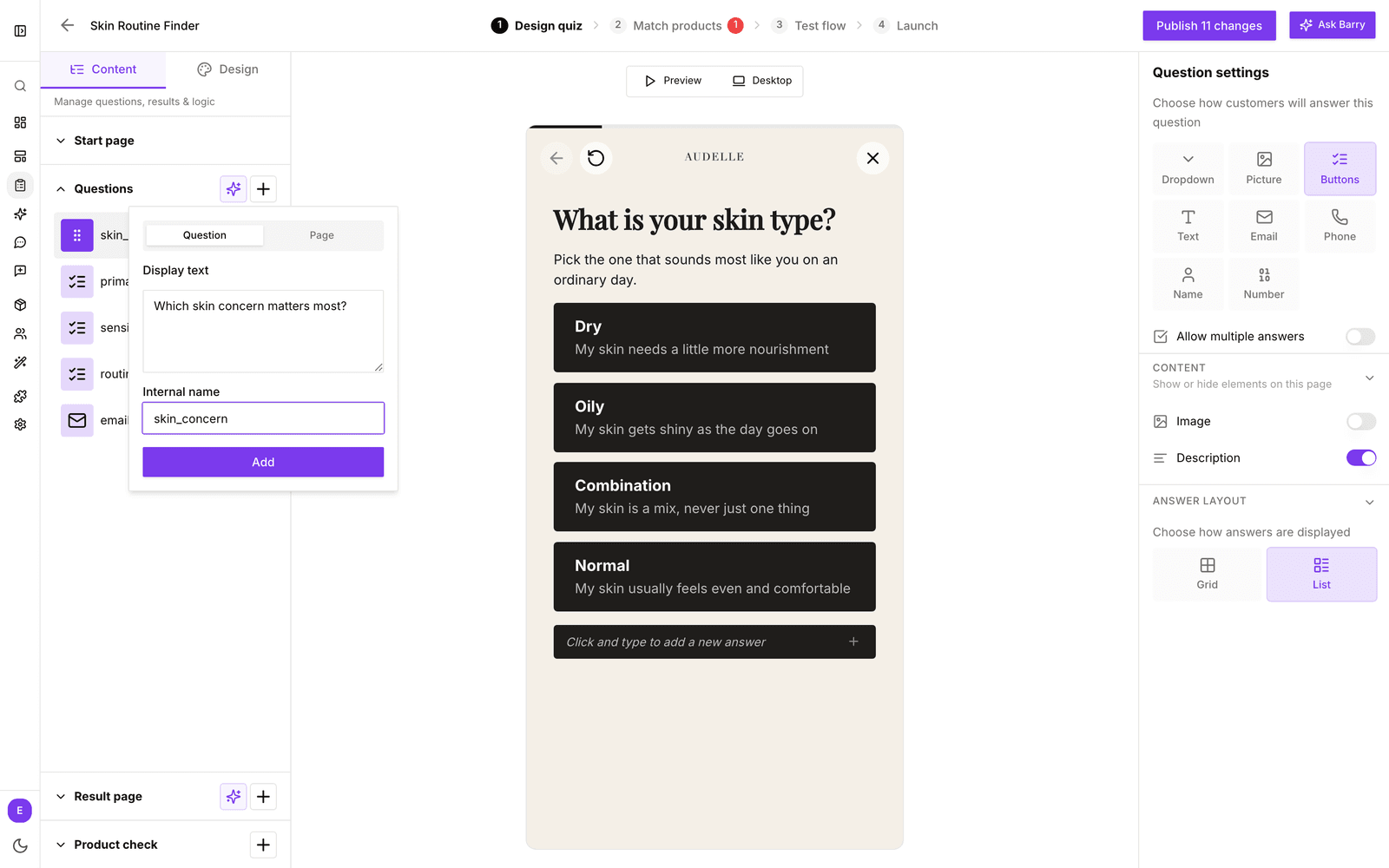
The Page tab in the same popover adds a page without a question between two questions, using the Content or Social proof template. Handy for a short tip or a customer quote halfway through.
Prefer a head start? The sparkle button next to + opens Generate questions with AI. Describe what to ask, for example “ask about weekly mileage, terrain and injury history”, and click Generate questions.
Edit a question
- Click the question in the Questions list.
- Click the question text in the preview and type to change it. The same goes for the description and the answers.
- Pick the question type and settings in Question settings on the right.
Type @ in a question's text to insert something the shopper answered earlier, such as their name: “What brings you here today, @name?”
Drag questions in the list to change their order. The menu (⋮) next to a question lets you Edit its internal name, Duplicate it or Delete it. If a later question or the result page uses its answers, bluebarry asks you to confirm first.
Question types
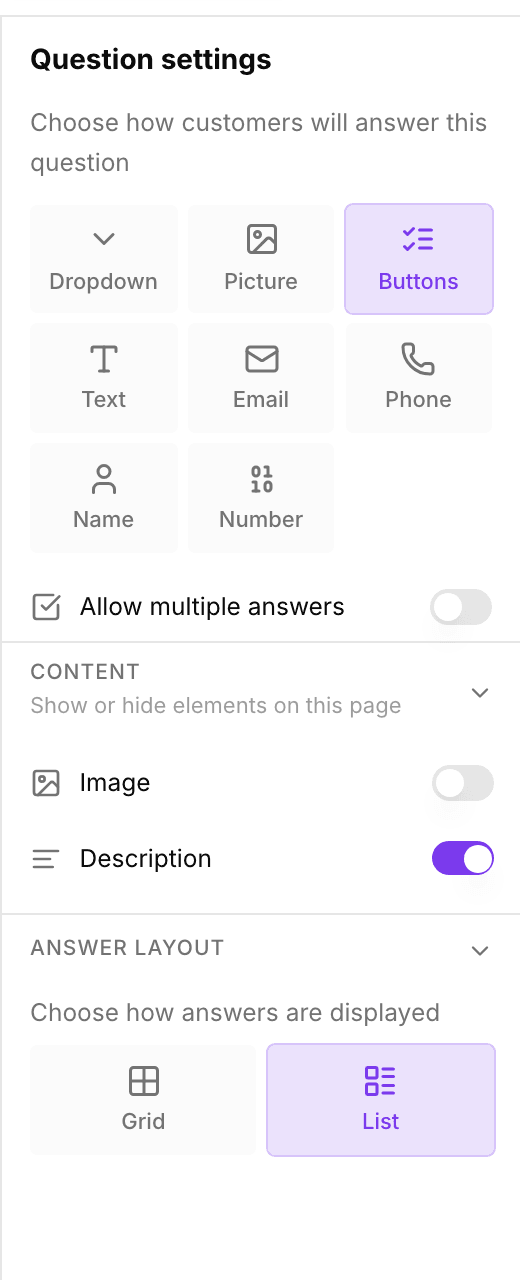
| Type | Shoppers |
|---|---|
| Buttons | Click one of your answers, shown as text buttons. The everyday choice. |
| Picture | Click an answer with an image. Great when the choice is visual, like a style or color. |
| Dropdown | Pick from a list. Useful for long lists, such as a country or a device model. |
| Text | Type a free answer. |
| Enter an email address, which is checked before they can continue. | |
| Phone | Enter a phone number with a country picker, checked per country. |
| Name | Enter their name as one field, or as first and last name with Split into first and last name. |
| Number | Enter a number, such as an age or a quantity. |
Switching a question to Text, Email, Phone, Name or Number removes its existing answers. bluebarry asks you to confirm with Change question type? first, because this cannot be undone.
More settings
| Setting | What it does |
|---|---|
| Allow multiple answers | Lets shoppers pick more than one answer. For Buttons, Picture and Dropdown questions. |
| Content: Image and Description | Shows an image or a line of extra text with the question. |
| Skip button | Lets shoppers skip a typed question, such as their phone number. Not available while Required is on. |
| Required | Shoppers must fill in a Text, Email, Phone or Name question to continue. |
| Ask consent | Adds a consent checkbox under an Email or Phone question. Click the text in the preview to write your own wording. Whether shoppers tick it is saved on their profile. |
| Discount code | Shows a discount code on the result page after shoppers enter their email. See Offer a discount code. |
| Answer layout | Shows Buttons or Picture answers in a Grid or a List. |
| Layout and Image focal point | Choose where the question image sits on mobile and desktop, and which part of the image stays in view. |
Good to know
- Each answer is saved on the shopper's profile under the question's internal name. Keep internal names short and stable, because segments, search personalization and popup targeting build on them.
- Questions change the results only once you connect their answers to products on Match products. See configure answer product filters.
- Fewer, sharper questions usually beat long quizzes. Check where shoppers drop off on Test flow with Analytics switched on.