
Describe the goal of your quiz in a sentence or two and bluebarry drafts the whole thing: a start page, questions, answers, the rules that match answers to your products, and result cards. It reads your product catalog to do it, so the draft speaks the language of what you actually sell.
Generate the quiz
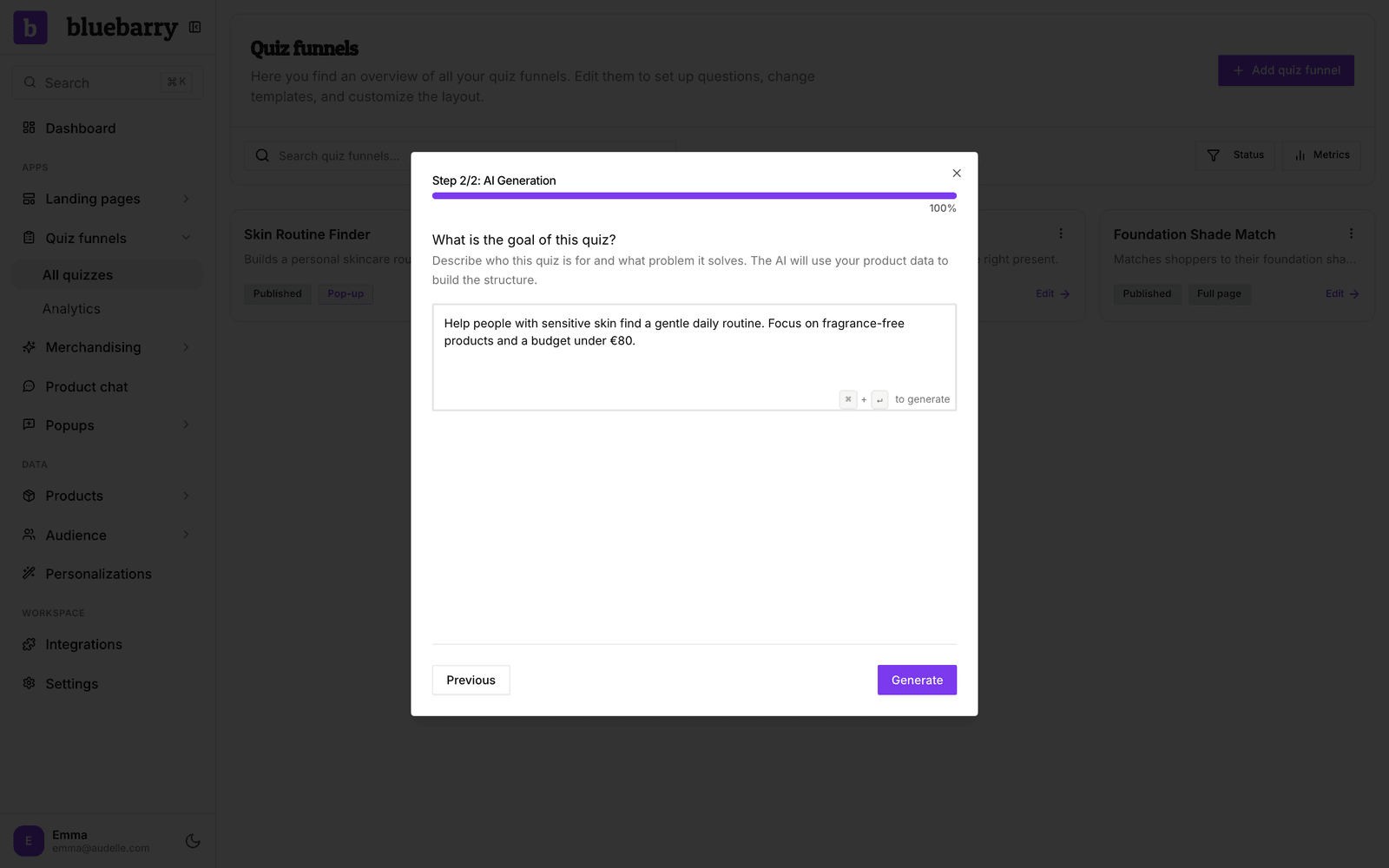
- In the sidebar, go to Quizzes. Not in the sidebar yet? A module only shows under Live on your store once it is live or has a draft. Click + Add a module and then Add next to Quizzes, and Barry sets it up with you.
- Click Add quiz funnel.
- Choose Generate with AI.
- Under What is the goal of this quiz?, describe who the quiz is for and what it should help them choose. Write it in the language the quiz should be in: the draft comes out in the same language.
- Click Generate, or press ⌘Enter on a Mac or Ctrl+Enter on Windows.
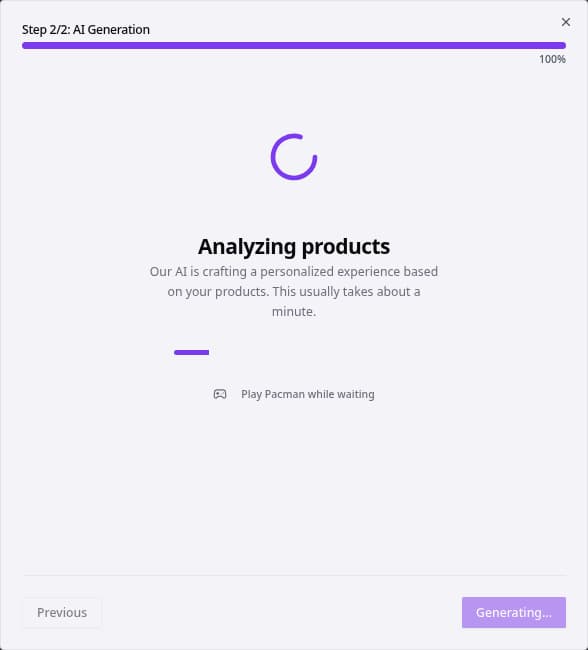
Generating takes about a minute. You can watch the progress, or click Play Pacman while waiting. When the quiz is ready, bluebarry opens it in the editor. If you are mid-game, click Go to Quiz when you are done.
Write a useful prompt
The prompt needs a little more than ten characters, but a good one is two or three sentences. Your products and their properties come from your catalog, so spend the words on your shoppers.
| Include | Example |
|---|---|
| Who the shopper is | Beginner runners, people with sensitive skin, first-time espresso buyers |
| What they need to decide | Which shoe, which routine, which machine |
| What matters most | Comfort and injury prevention, fragrance-free, budget under €300 |
For example: “Help beginner runners find the right shoe for their first marathon. Focus on comfort and injury prevention.”
Review the draft
A generated quiz is a starting point. Nothing is live until you publish, so take a few minutes to make it yours:
- Read each question on Design quiz and rewrite anything that does not sound like your brand.
- Open Match products and look for a red number on the tab. It counts answers that match no products at all.
- Run through a few answer paths on Test flow and check the recommendations.
- Check the colors and fonts on the Design tab of the left panel. On Shopify stores bluebarry picks up your store's colors and logo. Elsewhere you start from the default theme.
More AI help in the editor
You can use AI on an existing quiz too. The sparkle button next to Questions opens Generate questions with AI, the one next to Result page drafts result cards, and Generate filters with AI on Match products maps answers to product properties. For anything bigger, click Ask Barry in the editor.