
Everything you change in the quiz editor is a draft. Shoppers keep seeing the published version until you publish again. That way you can work on a quiz while it is live, and you decide when changes go out. Every publish is saved as a version you can go back to.
The publish button
The publish button sits at the top right of the quiz editor, on every tab. Its label tells you where you stand:
- Publish quiz: the quiz has never been published.
- Publish 3 changes (or however many): your draft has changes that shoppers don't see yet.
- No changes, view implementations: shoppers see exactly what you see. The button opens the install options.
Publish your changes
- In the sidebar, go to Quizzes and click Edit on your quiz.
- Click the publish button at the top right. The Publish your Quiz Funnel dialog opens on Versions.
- Click Publish new version.
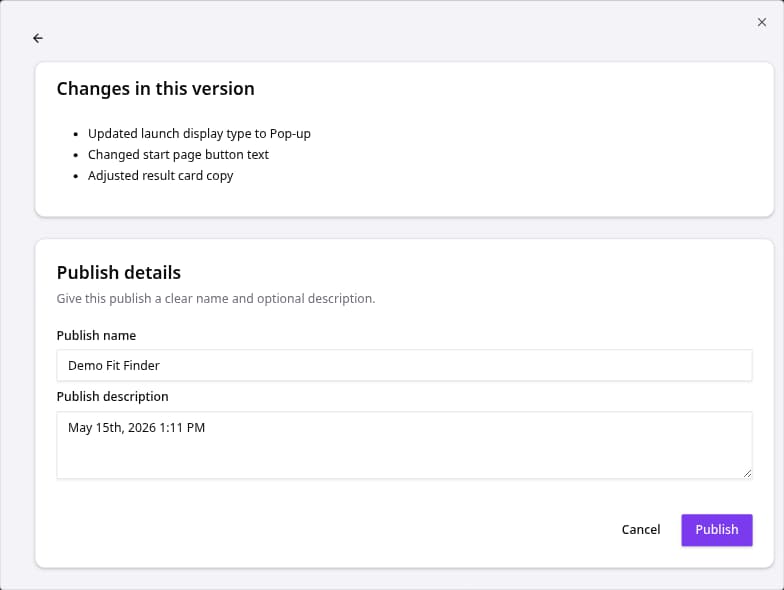
- Check Changes in this version. It lists every change since the last publish, so nothing goes live by surprise.
- Give the version a Publish name and, if you like, a Publish description such as "New budget question". Your team will thank you later.
- Click Publish.
The new version is live straight away on every place the quiz runs: links, buttons, popups, embeds and your store integration. You don't need to change any code.
Go back to an earlier version
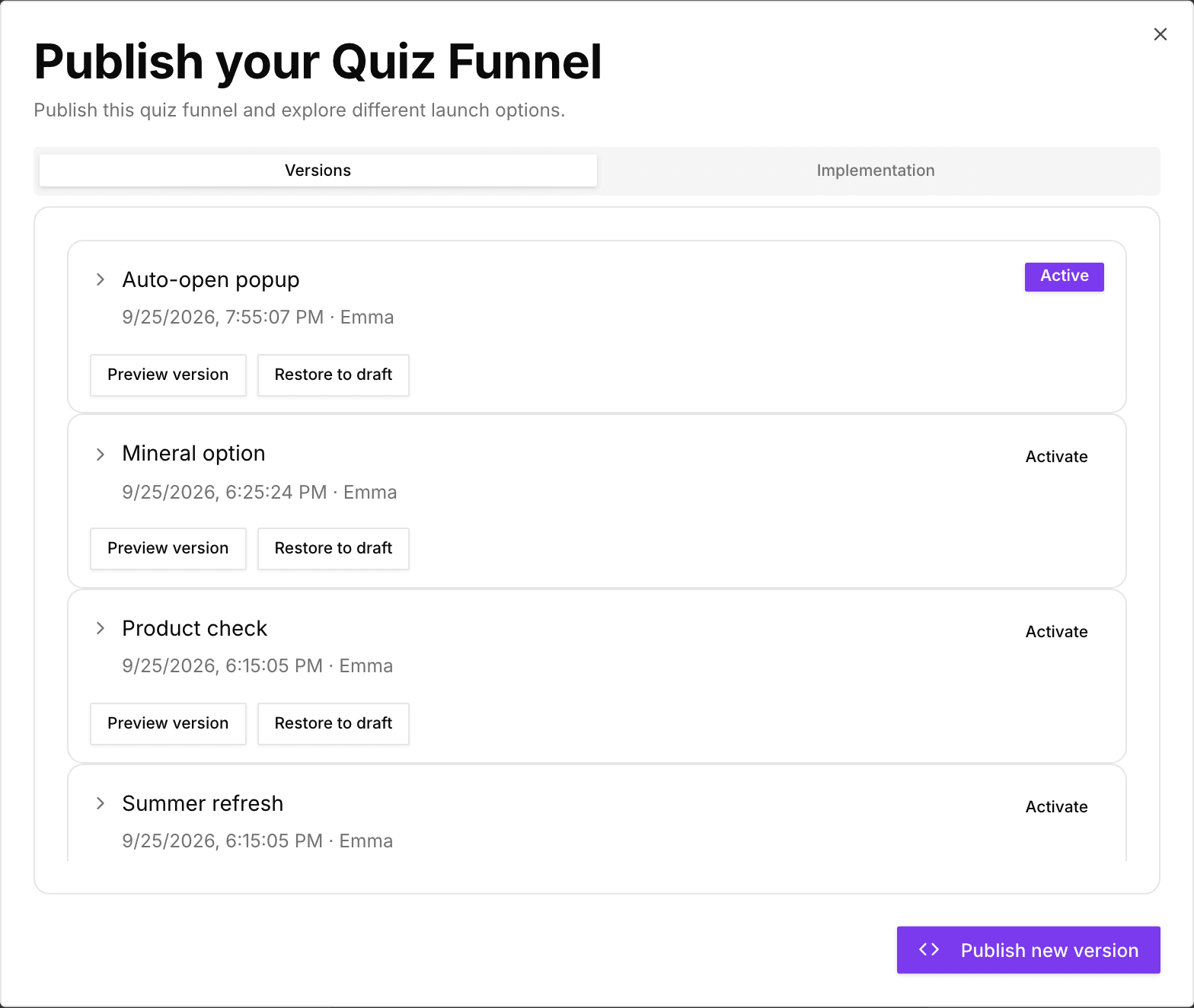
The Versions tab lists every publish, newest first, with its date and who published it. The live one is marked Active. Click a version to see what changed compared to the one before.
- Activate makes an older version live again, for example when a change didn't work out. Your draft stays as it is.
- Preview version opens that version so you can see it the way shoppers did.
- Restore to draft replaces your current draft with that version, so you can build on it. Unsaved draft changes are lost. The live quiz doesn't change until you publish.
Put the quiz on your store
The Implementation tab in the same dialog has everything to show the quiz on your store: a quiz link for buttons, ready-made button code, auto-open and embed snippets. You only need to add these once. Later publishes update the quiz behind them. See Adding your quiz funnels to your store.
Before you publish
| Check | Why it matters |
|---|---|
| The quiz works on Test flow | Catches broken paths and empty results before shoppers do. |
| No red badge on Match products | A badge means some answers match no products. |
| Result buttons go to the right place | Check the button behaviour on each result card. |
| The display type fits | Pop-up, Side panel, Embedded or Full page, set on the Launch tab. |
Good to know
- Your plan sets how many quizzes can be published at once. If you've reached the limit, publishing a new quiz asks you to upgrade first.
- Changes to your catalog, such as new products or prices from a feed, don't need a publish. The live quiz picks them up after the next sync.
- If an experiment is running on this quiz, publishing replaces the version it compares against and pauses the experiment. Studio asks you to confirm first. See How experiments work.