
Answer filters connect what a shopper picks to the products you sell. "Oily skin" points to products whose skin type is oily, "Under €50" to products with a price below 50. They are the heart of a quiz: without them, every shopper gets the same result.
Add a filter to an answer
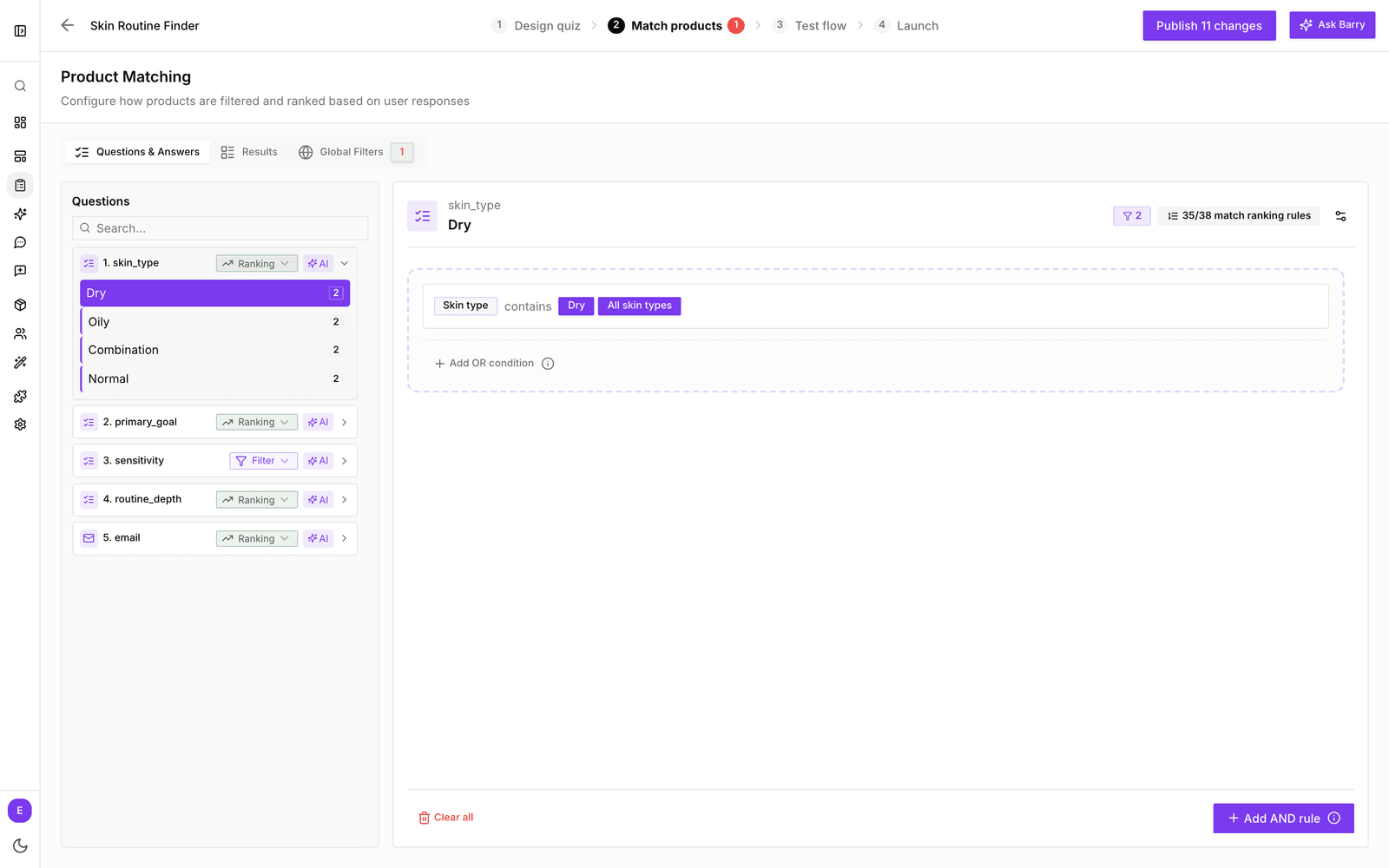
- In the sidebar, go to Quizzes and click Edit on your quiz.
- Click the Match products tab. You land on Questions & Answers.
- In the question list, expand a question and click the answer you want to connect.
- Click Add your first filter.
- Pick a product property, a condition (such as equals or less than) and one or more values.
- Check the product count at the top. It shows how many products match this answer.
- Repeat for the other answers. Your filters save automatically.
Changes go live for shoppers when you publish the quiz with the button at the top right.
Let AI suggest the filters
Setting up many answers by hand takes time. Click AI next to a question in the list, or Generate filters with AI on an empty answer, and describe what you want, for example "Use price ranges for the budget answers". bluebarry looks at your answers and product properties and writes the rules. Always check the result and the product counts.
Combine rules
- Add OR condition adds another rule to the same group. A product has to match any one of them, such as "Size = Large" or "Color = Red".
- Add AND rule adds a new group. A product has to match every group, such as "Color = Red" and "Size = Large".
- If shoppers can pick several answers, choose how those combine under Multiple answer behavior: OR shows products that fit any choice, AND only products that fit all of them.
Filter checklist
| Check | Why it matters |
|---|---|
| The property exists | Filters work on product properties. If the attribute isn't in your catalog yet, add it first. |
| Values are filled in | Products with an empty value never match a filter on that property. |
| The count isn't zero | Answers that match no products are hidden from shoppers. A red badge on Match products lists them. |
| The count isn't everything | An answer that matches every product doesn't narrow anything down. |
| Hard or soft | Decide per question whether the answer is a must-have (Filter) or a preference (Ranking). |
Related: Ranking vs filtering question types and Troubleshoot a quiz with no matching products.