
An experiment shows some of your shoppers a new version of a quiz, search setup, popup or recommendation block, and measures whether it does better than what they see today. When one version is clearly better, you publish it to everyone. You find out what works instead of guessing.
The idea in three steps
- Keep your original. What shoppers see today stays live as the Control version. Every new version is compared with it.
- Add a new version. Change one thing you think works better, for example a shorter quiz or a popup headline that leads with the discount. Build it yourself, or describe it and let AI draft it.
- Keep the winner. A share of shoppers sees each version. When one is clearly better on the goal you picked, you publish it to all shoppers.
What you can test
Each experiment tests one quiz, one search configuration, one popup or one recommendation block. You pick one main goal, the thing that should improve.
| You test | Where it lives in Studio | Goals you can pick |
|---|---|---|
| Quizzes | Quizzes, open a quiz | Shoppers who answer, shoppers who finish, email sign-ups, product clicks, orders, revenue per shopper |
| Search | Live on your store → Search, open a search configuration | Product clicks, add-to-carts, orders, revenue per shopper, quizzes opened from search |
| Popups | Popups, open a popup | Shoppers who interact, form submissions, clicks, orders |
| Recommendations | Recommendations → Blocks, open a block | Product clicks, add-to-carts, orders, revenue per shopper |
Where to find experiments
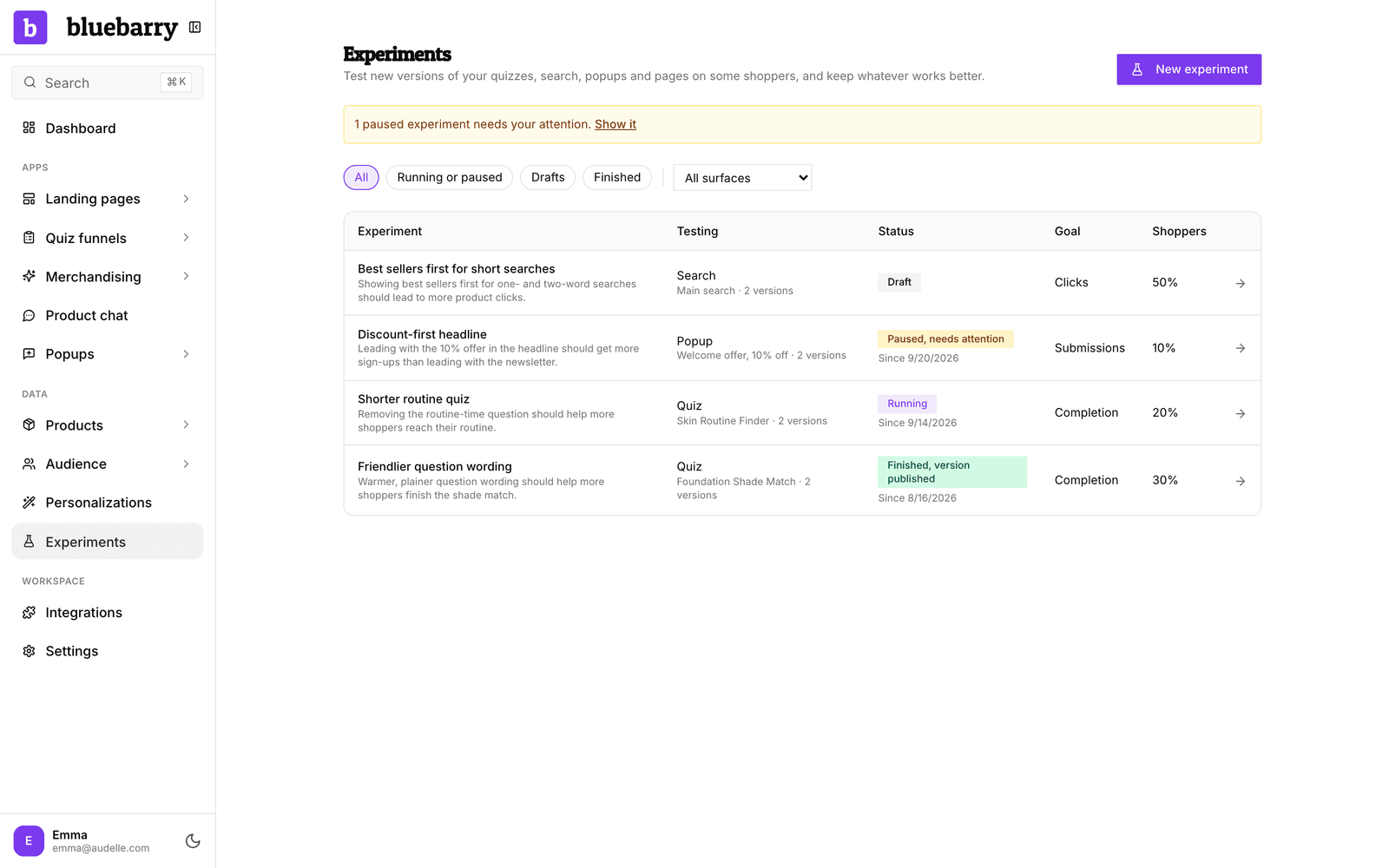
Go to Experiments at the top of the sidebar. The page lists every experiment in your store with what it tests, its status, its goal and the share of shoppers taking part. Filter by Running or paused, Drafts or Finished, or pick a surface. A yellow note at the top tells you when a paused experiment needs your attention.
Each editor also has an Experiments button in its header, with a small badge when an experiment is running or paused. Opening an experiment always takes you to its editor, where the experiment page opens on top. Back to the quiz editor (or search settings, popup editor and so on) closes it again. Ask Barry at the top opens the experiment beside Barry on Home.
Who takes part
You choose what share of shoppers joins the experiment, 10% by default. Only they are split between your original and the new versions. Everyone else keeps seeing your published version, so a risky idea never reaches your whole store. You can also limit the experiment to shoppers in one audience segment.
A shopper keeps the same version for the whole experiment, on every visit. When bluebarry recognizes the same person on another device, they keep their version there too.
Traffic follows the results
bluebarry experiments are adaptive. At the start, new shoppers in the experiment are split evenly between the versions. Once each version has enough results, bluebarry checks about once an hour and sends most new shoppers to the version that is doing best so far. A steady share keeps going to every version, your original included, so the comparison stays honest and a slow starter can still catch up.
The benefit: fewer shoppers see a weaker version while the test runs, so you lose less while you learn. The Activity tab of each experiment shows every shift, for example “Version B 80%, Control (original) 20%”.
Built-in safety checks
While an experiment runs, bluebarry watches for versions that fail to load, break a quiz path, return empty search results or popups that shoppers keep closing. If a version clearly hurts your main goal (or quiz completion), the experiment stops and everyone sees your published version again. Other problems pause the experiment until you have looked at them.
Experiments and Personalizations
The two answer different questions. Personalizations keep running: they give one segment its own rules and hold back a small control group, so you can see what targeting that segment earns over time. An experiment compares whole versions of one quiz, search setup, popup or recommendation block, picks a winner and then ends. You can combine them: limit an experiment to a segment to find the best version for those shoppers.
Good to know
- One experiment at a time per quiz, search configuration, popup or recommendation block.
- To compare bluebarry search with the search your store had before, see Test bluebarry search against your store's search.
- A quiz has to be published before you can test it. Your published version is always the original in the experiment.
- Nothing extra to install. Experiments run through the bluebarry script or Shopify app embed you already have.
- Order and revenue goals need purchase tracking. On Shopify, WooCommerce, Magento and CCV Shop the bluebarry app, plugin or module tracks checkouts for you. Other stores need the performance tracking script.