
Every experiment starts with your original, the version shoppers see today. You add the new version you want to compare it with. Build it yourself in the editor you know, or ask AI to draft it. Nothing you build here goes live until you launch.
The Versions tab
Open an experiment and go to Versions. The first card is Control, marked Original: your published quiz, search setup, popup or recommendation block, exactly as shoppers see it. Next to it is Add Version B with the ways to build the new version.
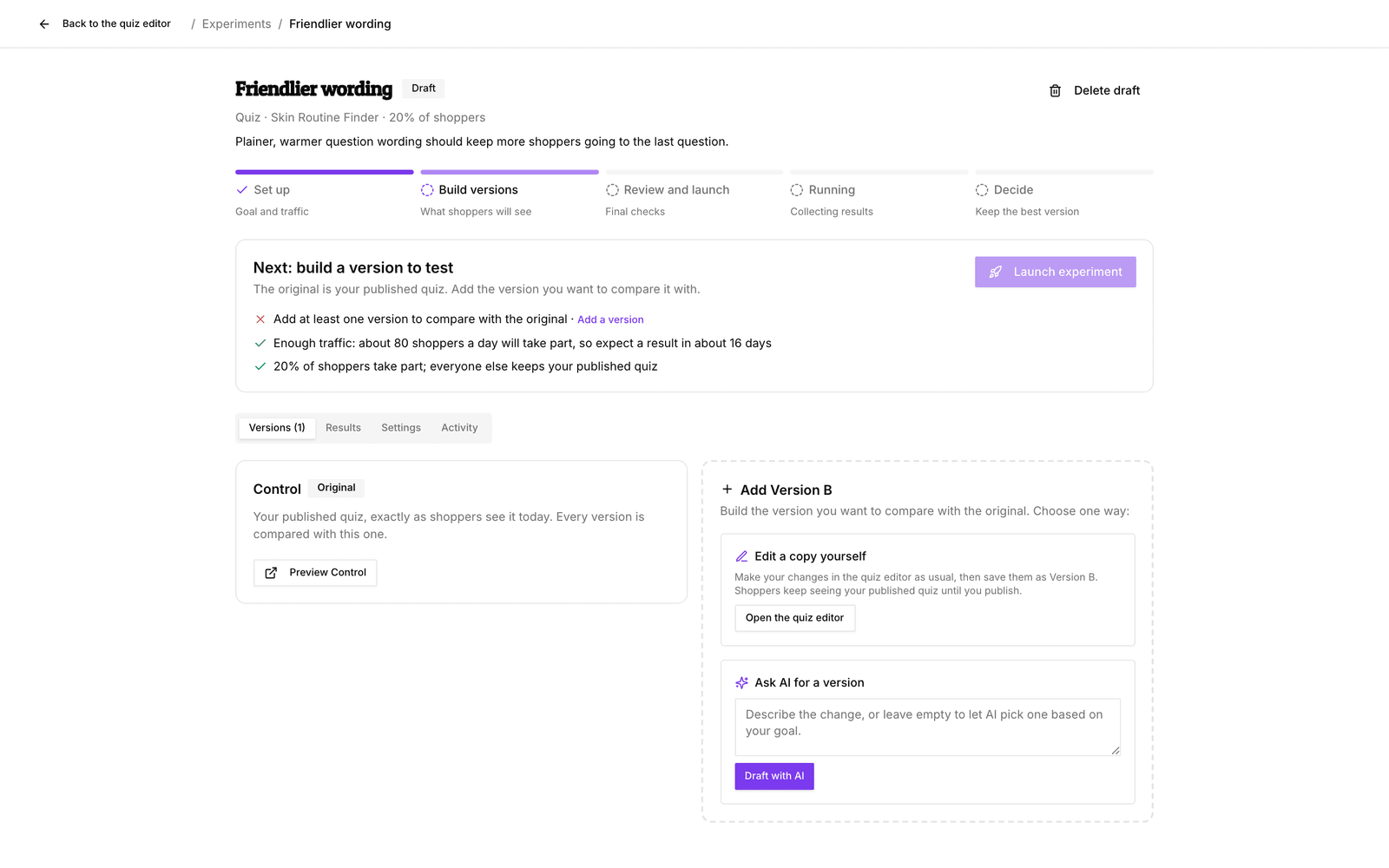
Keep each version to one clear change, such as one question fewer or a new headline. When a version wins, you then know why.
Edit a copy in the editor
For quizzes and popups you build the version in the normal editor.
- On the Add Version B card, under Edit a copy yourself, click Open the quiz editor (or popup editor).
- A bar at the bottom says Building Version B. Make your changes as usual. Shoppers keep seeing your published version.
- Click Save as Version B. Give it a name and fill in What did you change, and why?, then click Save version. You return to the experiment.
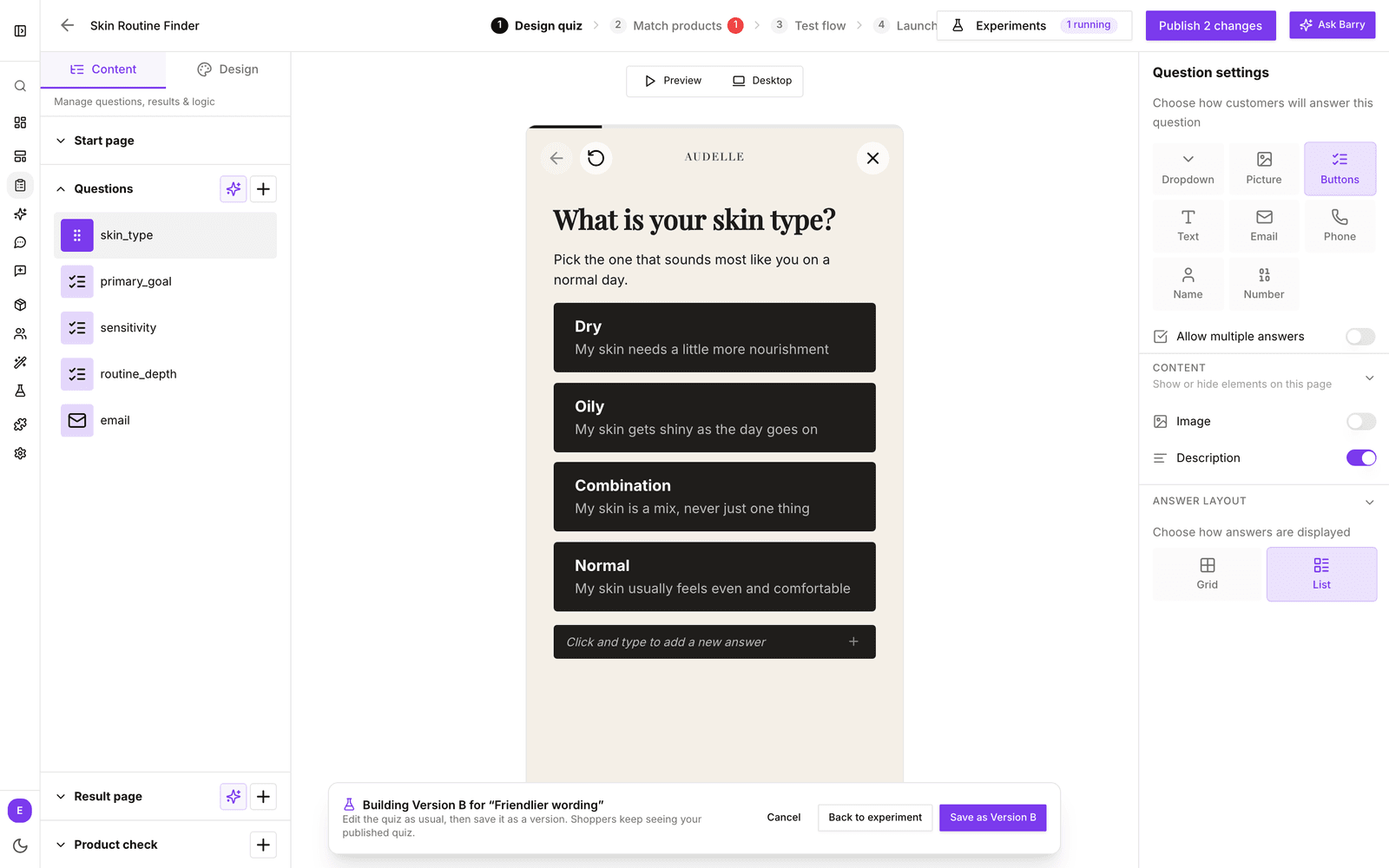
Your editor draft still contains these changes afterwards. Don't publish that draft while the experiment runs: publishing replaces the original that everything is compared with, and pauses the experiment.
Edit a copy inside the experiment
Search settings and recommendation blocks go live as soon as you save them, so you build their versions inside the experiment instead. Click Edit a copy, change only what you want to test, add a short reason and click Save Version B. A preview next to the editor shows the result.
With more than one new version, Start from another version → Duplicate and edit lets you build on a version you already made.
Ask AI for a version
Under Ask AI for a version, describe the change, for example “Test friendlier, more casual wording for every question”. Leave it empty to let AI choose a change based on your goal. Click Draft with AI; it can take a minute.
AI only changes what you allowed in the experiment's AI settings, and it never touches consent, product eligibility or stock rules. If AI is not allowed to change anything yet, the card links to Open AI settings. How often AI may draft a day is set under AI drafts per day, and failed attempts count too.
Check what changed
Each new version card lists What changed in plain words, such as old and new question text. Preview it before you launch:
- Quiz versions open in a new tab with Preview Version B. Allow popups in your browser if nothing opens.
- Popups and recommendations preview on the page, next to the original.
- Search previews check your most common searches and product codes on both versions (see below).
Search checks for search experiments
There is nothing to set up. Before a search version can launch, bluebarry runs up to 15 of your most common searches from the last 30 days that found products, plus a few product codes, on the original and on the new version.
A version that makes one of those searches return nothing, or stops a product code from opening its product, cannot launch. The preview shows each search with the results of both versions. A new store without searches or product codes has nothing to check yet.
Good to know
- The number of versions is capped by Versions to compare in the settings, 2 by default (your original plus one). Raise it before launch to test more ideas at once. More versions split your traffic, so results take longer.
- Versions cannot change after launch. That keeps the comparison fair.
- Ready? See Set up an experiment for the launch checklist.