
Setting up an experiment takes a few minutes. You decide what to test, what should improve and how many shoppers take part. Then you add the version to compare and launch.
Start a new experiment
- Go to Experiments in the sidebar and click New experiment.
- Under What do you want to test?, pick Quiz, Search, Popup or Recommendations.
- Pick the quiz, search configuration, popup or block. The experiment opens on top of its editor.
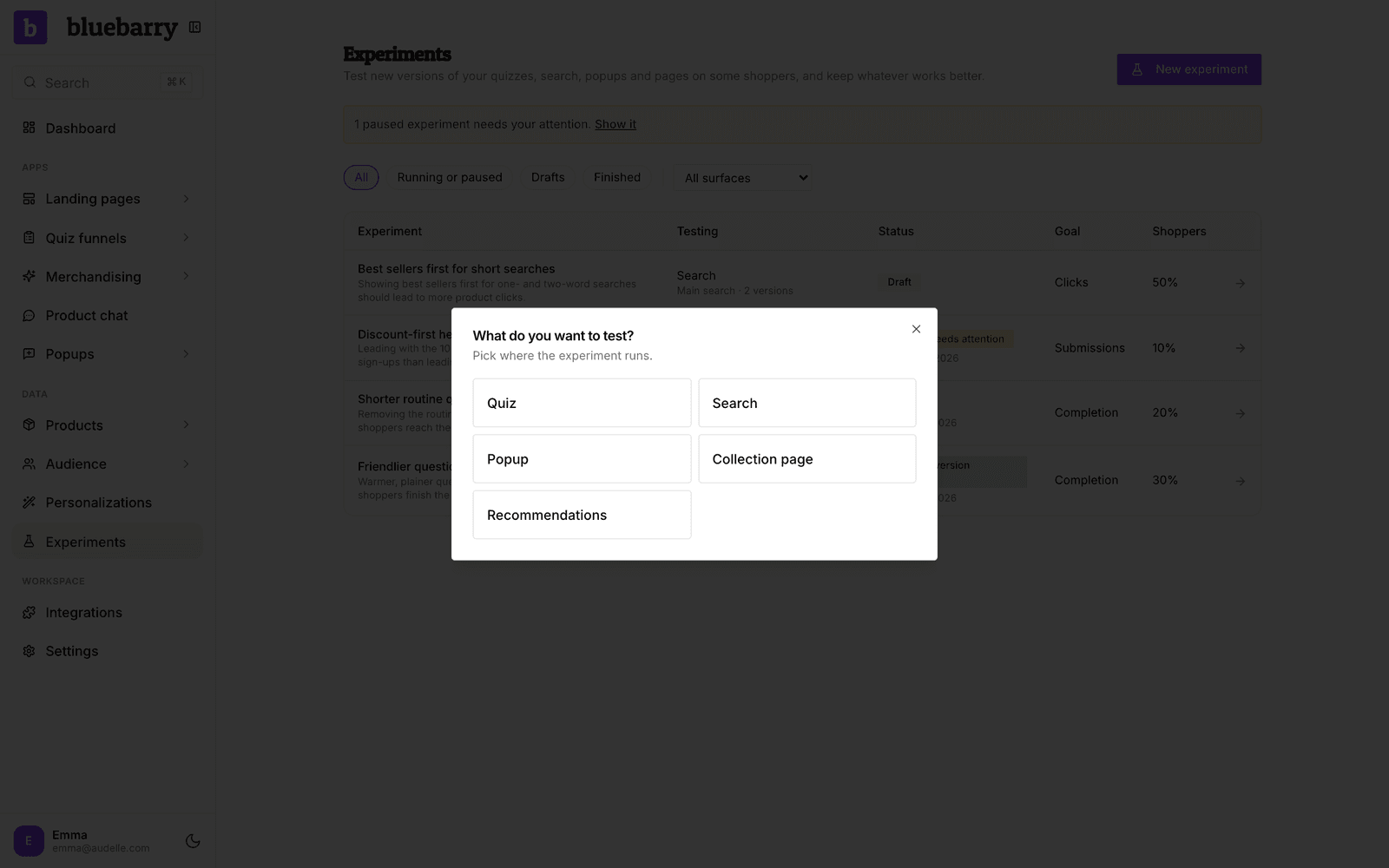
You can also start from the editor itself: click Experiments in the header, then New experiment. On an empty list you get a few ideas to start from, such as “Test a shorter quiz by removing the least useful question”.
Describe it, or set it up yourself
The New experiment page offers two ways in.
- Describe it, AI drafts it. Write what you want to test in your own words, for example “Test a popup headline that leads with the discount”, and click Create draft with AI. AI picks the goal and settings, creates the experiment and drafts the new version. It can take a minute. Nothing goes live: you review everything first.
- Set it up yourself. Click Start setup and walk through five short steps.
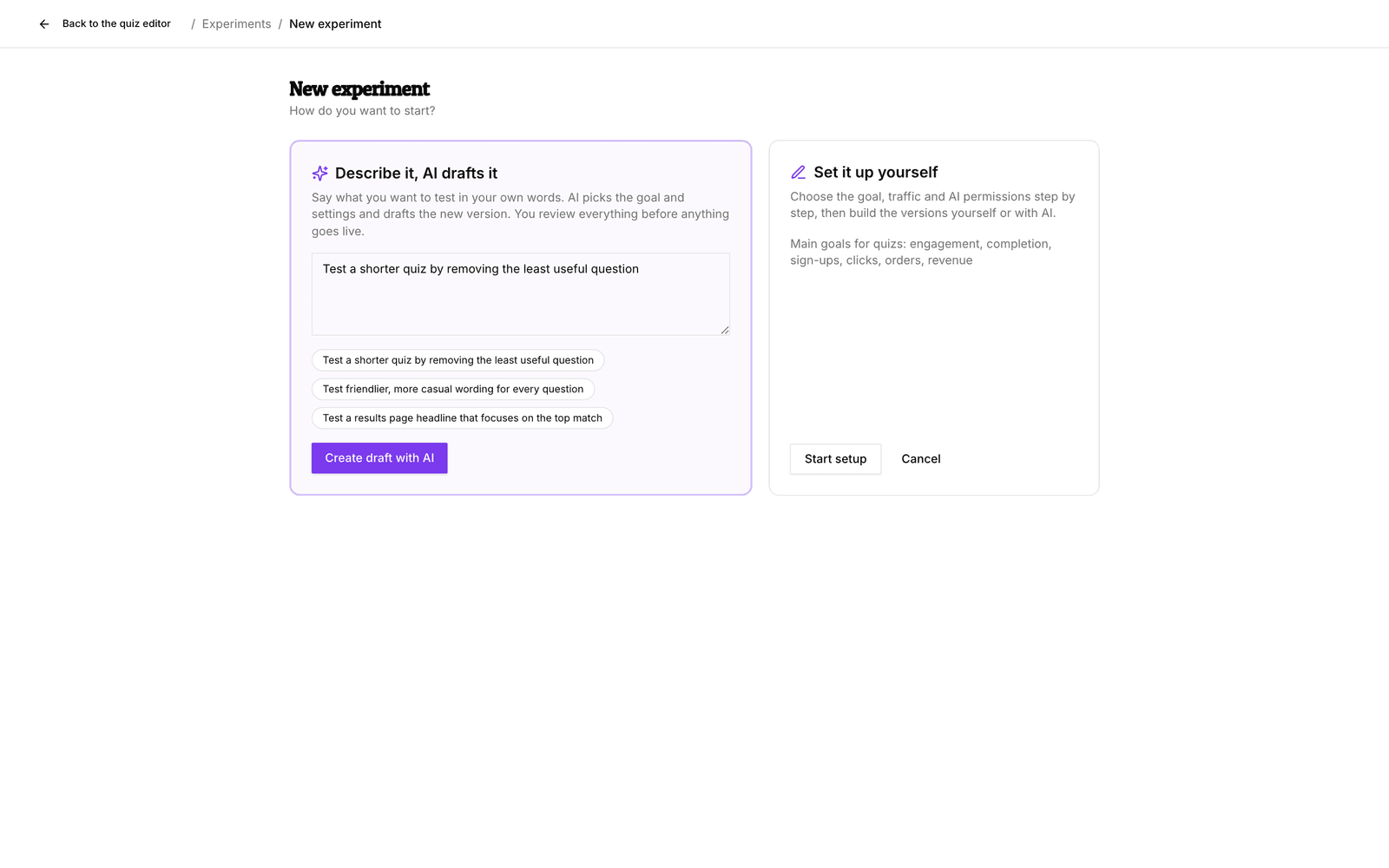
The five setup steps
1. The idea
Give the experiment a name, such as “Shorter quiz”. Under What will you change, and why? write down what you expect. It is optional, but it makes the result much easier to judge later.
2. Goal
Pick one Main goal: the thing that should improve, such as More shoppers finish for a quiz or More form submissions for a popup. Optionally add Tie-breakers. They only count when versions are equally good on the main goal, in the order you pick them. They are never blended into one score.
Tip: goals that happen right away (answers, clicks, sign-ups) give results in days. Orders and revenue take longer, because bluebarry waits for each shopper's order window to close, 7 days by default.
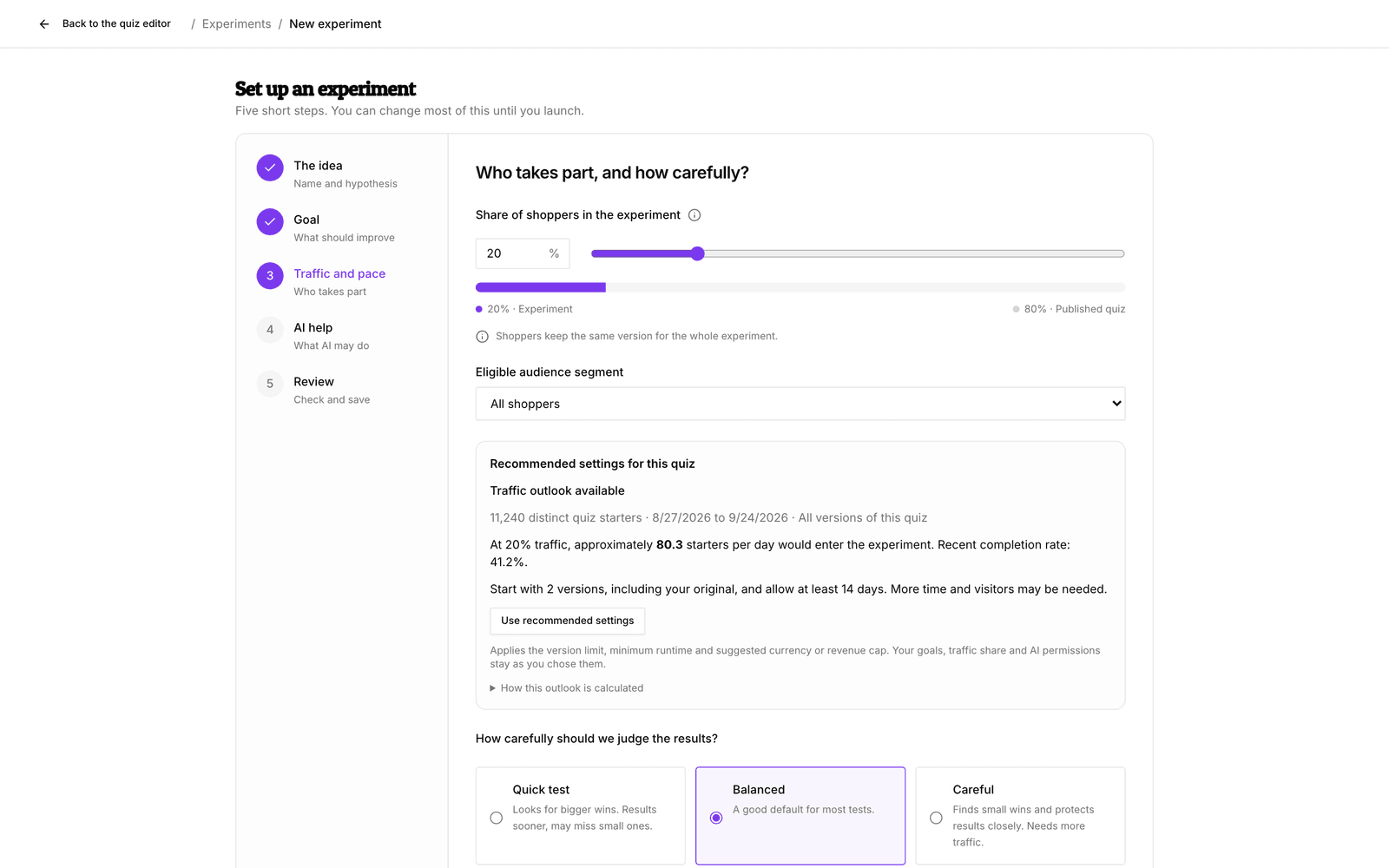
3. Traffic and pace
Set the Share of shoppers in the experiment. Everyone else keeps seeing your published version. Under Eligible audience segment you can limit the experiment to one dynamic segment, or keep All shoppers.
Then choose how carefully bluebarry judges the results:
| Preset | What it does |
|---|---|
| Quick test | Looks for bigger wins and runs at least 3 days. Results come sooner, but small improvements can slip through. |
| Balanced | Runs at least 7 days and looks for a 1-point win. A good default for most tests. |
| Careful | Runs at least 14 days, finds small wins and stops a version sooner if it hurts results. Needs more traffic. |
Customize the numbers lets you set the number of versions to compare (2 means your original plus one new version), the minimum run time, the smallest win worth finding and when to stop a version that hurts results. With an order or revenue goal you also set the order window, a revenue cap per shopper and the order currency. Only orders in that currency count.
For quizzes, bluebarry looks at the last four weeks of traffic and shows how many shoppers a day would take part and roughly how long a result takes. Use recommended settings fills in the suggested number of versions, run time and revenue cap. Your goal, traffic share and AI permissions stay as you set them. For search, popups and recommendation blocks, ask Barry: it runs the same check.
4. AI help
Choose whether AI drafts versions for you and what it may change. Keep Autopilot on Off if you want to build versions yourself; you can still ask AI for a version whenever you like. See Let AI and Barry help with experiments.
5. Review
Check the summary and click Create experiment. Saving does not launch anything. Next you build the versions to compare.
Launch the experiment
Once you have added a version (see Build the versions you want to test), the top of the experiment page shows Ready to launch? with a short checklist: enough versions, enough quiz traffic, whether AI has permission to change something and how many shoppers take part.
- Check the new version with Preview Version B. Your original is the card called Control.
- Click Launch experiment and confirm with Launch.
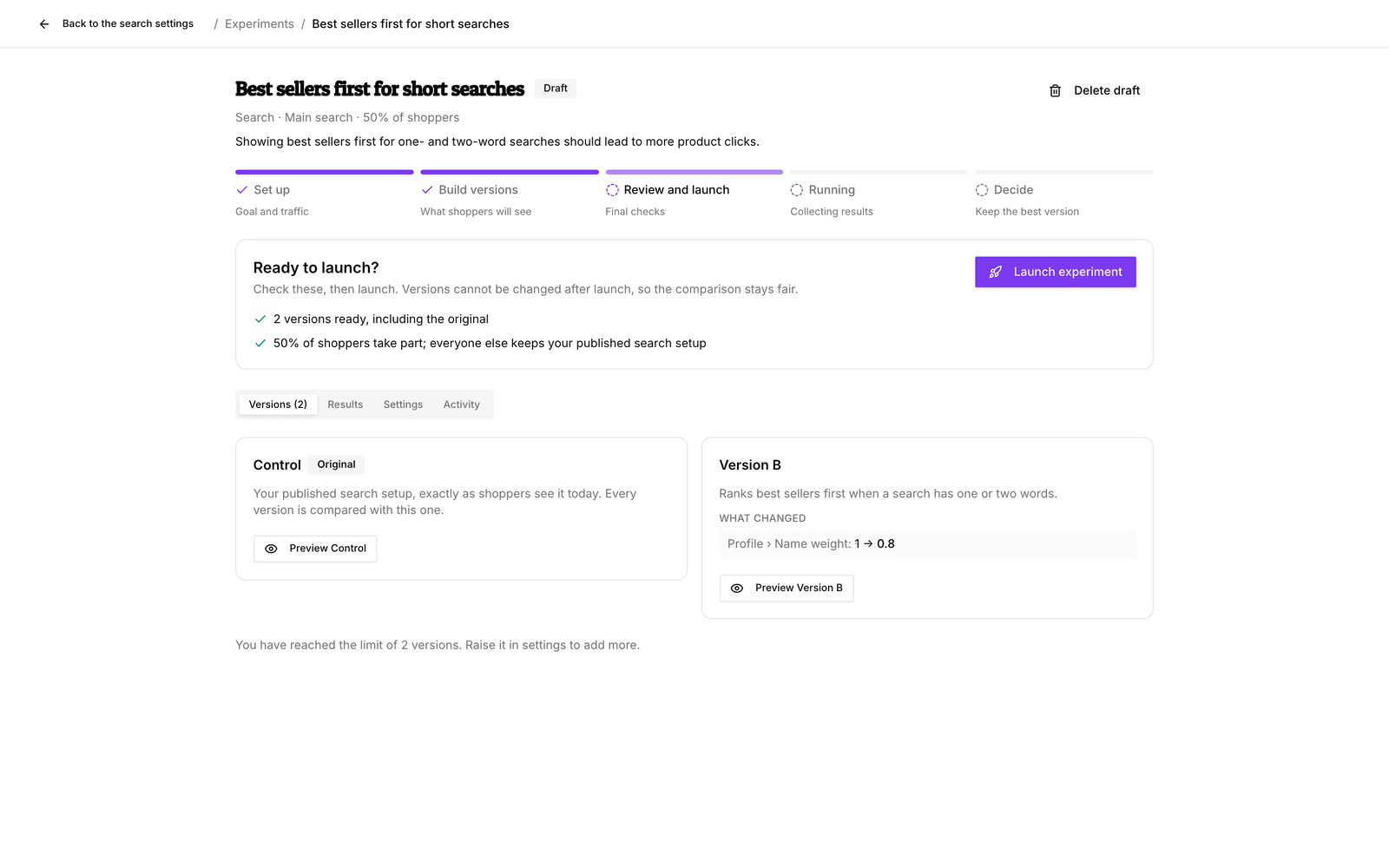
A yellow warning in the checklist does not block you. It means a clear result may take longer or may not come, for example when a quiz has little traffic. A red cross must be fixed first.
Good to know
- Launching locks the versions, goals, traffic share and result rules, so the comparison stays fair. To change them, stop and start a new experiment. You can still change what AI may do.
- Until you launch, Settings → Edit settings lets you change everything.
- A quiz must be published before you can create an experiment for it.