
Most experiment problems come down to a handful of causes: the original changed, a safety check stepped in, there is too little traffic, or purchases are not reaching bluebarry. Here is how to spot each one and what to do.
“Experiments are not available for your account yet”
Experiments are switched on per Studio user. If you see this message, or a colleague has an Experiments button and you don't, ask us to add you.
You can't create or launch the experiment
- “Publish the quiz before creating an experiment.” The original is always your published version, so publish the quiz first.
- “Nothing to test here yet.” There is no quiz, search configuration, popup or block of that type yet. Create one first.
- Launch experiment is greyed out. The checklist has a red cross, usually Add at least one version to compare with the original.
- “Another experiment already owns this target.” Only one experiment can run per quiz, search configuration, popup or block. Stop the other one first.
- “The published baseline changed.” The original was published or saved again after you created the experiment. Start a new experiment, so it compares against what is live now.
- A search version is rejected. It makes one of your most common searches return nothing, or stops a product code from opening its product. The preview shows which one. Adjust the version.
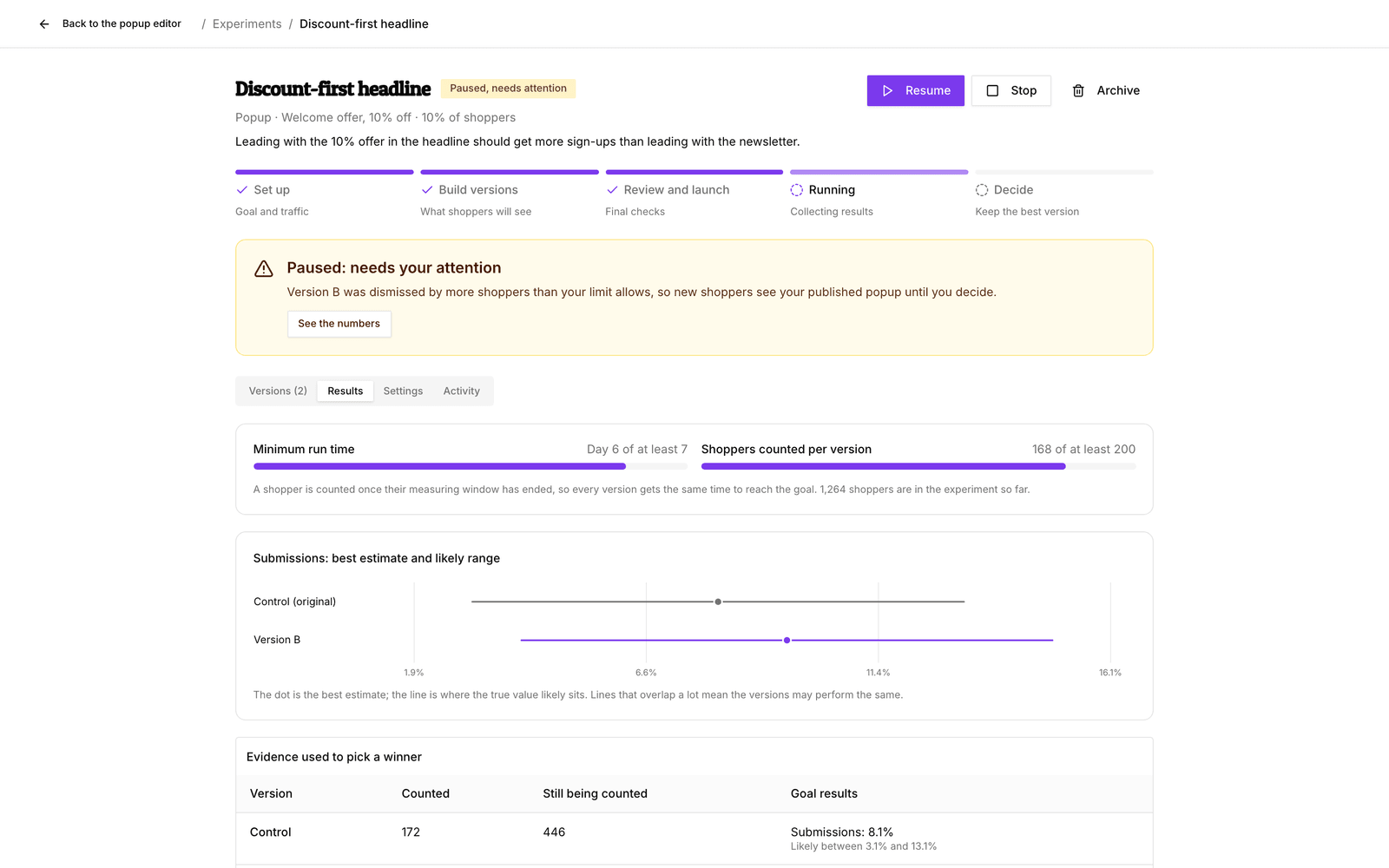
“Paused, needs attention”
A paused experiment shows your published version to new shoppers. Shoppers already in the experiment keep their version. The message at the top and the Activity tab tell you why it paused:
- You changed the original. Publishing a quiz or popup, or saving search or recommendation settings, while an experiment runs pauses it (Studio asks you to confirm first). The comparison is no longer fair, so Stop the experiment and start a new one.
- A safety check stepped in, for example versions that fail to load or tracking that arrives late or incomplete. Fix the cause, then click Resume. Safety pauses never resume on their own.
- Experiment access was turned off for the person who created it. Once access is back, click Resume.
“Stopped because a version was hurting results”
bluebarry ended the experiment because a new version clearly lowered your main goal (for quizzes: completion) by more than the limit you set. Everyone sees your published version again and the results are kept. Look at what that version changed, and try a gentler idea in a new experiment.
It runs for weeks without a winner
A winner needs enough shoppers and a real difference. When the versions perform about the same, the experiment keeps going. To get an answer sooner, start a new experiment with one or more of these:
- a larger share of shoppers in the experiment;
- fewer versions, so each gets more traffic;
- a bolder change, which makes a bigger difference;
- a goal that happens right away, such as clicks or finished quizzes, instead of orders;
- the Quick test preset.
If the versions still tie, that is a result too: the change does not matter much to your shoppers. Stop the experiment and keep whichever version you prefer.
Orders and revenue stay at zero
- Orders count only once each shopper's order window has closed, 7 days by default plus a day for late tracking. Early on, “still being counted” is normal.
- Purchases must reach bluebarry. On Shopify the bluebarry app does this for you, see Track Shopify checkout conversions.
- On CCV Shop, the order confirmation script passes experiment details on to purchases. Connected your shop before it did? It starts once that script is updated: install the bluebarry app again in CCV Shop, or turn on search for your shop. Until then, search, popup and recommendation experiments count no orders.
- On other stores, the older performance tracking script that loads
conversion.jsdoesn't pass experiment details on to purchases. With it, search, popup and recommendation experiments count no orders, so pick clicks, add-to-carts or submissions as the main goal. Quiz experiments are not affected. Replace the older script with the current one from Implementing the performance tracking script. See also Understand conversion attribution. - Only orders in the experiment's currency count. Orders in other currencies are left out, not converted.
You only ever see the original
That is usually by design. Only the share of shoppers you chose takes part, 10% by default, and maybe only one segment. Once you have been given a version, you keep it for the whole experiment. To look at a version yourself, use its Preview button in Studio instead of your store.
Still stuck?
Ask Barry about the experiment, or contact us. Include the experiment name and what the message at the top says. Background reading: Read results and publish the winner.