
To show what your quizzes earn, bluebarry has to connect an order to the quiz that came before it. This article explains how that link is made, what the funnel numbers mean, and what to check when orders do not show up.
How an order is linked to a quiz
- When a shopper takes a quiz, bluebarry remembers the quiz session in a first-party cookie for 30 days.
- When they place an order, your store's bluebarry integration sends the order to bluebarry together with that cookie.
- If the session reached the results, the order counts as a conversion and its value as advised revenue.
So a shopper who finishes a quiz today and comes back to buy next week, on the same browser, still counts.
Recommendation blocks use their own window: a block counts an order when it is placed within 7 days of a click on the block. See Measure recommendation performance.
How orders reach bluebarry
| Platform | How orders are tracked |
|---|---|
| Shopify | The bluebarry checkout pixel, installed with the app. It tracks orders from shoppers who allowed analytics and preferences cookies. |
| WooCommerce | The bluebarry plugin sends each order. |
| CCV Shop | The CCV Shop connection adds tracking to your order confirmation. |
| Magento 2 | The bluebarry module sends each order. |
| Other stores | A short script on your order confirmation page. See the tracking script article below. |
What the funnel shows
The Conversion funnel card under Quizzes → Results follows sessions through four steps:
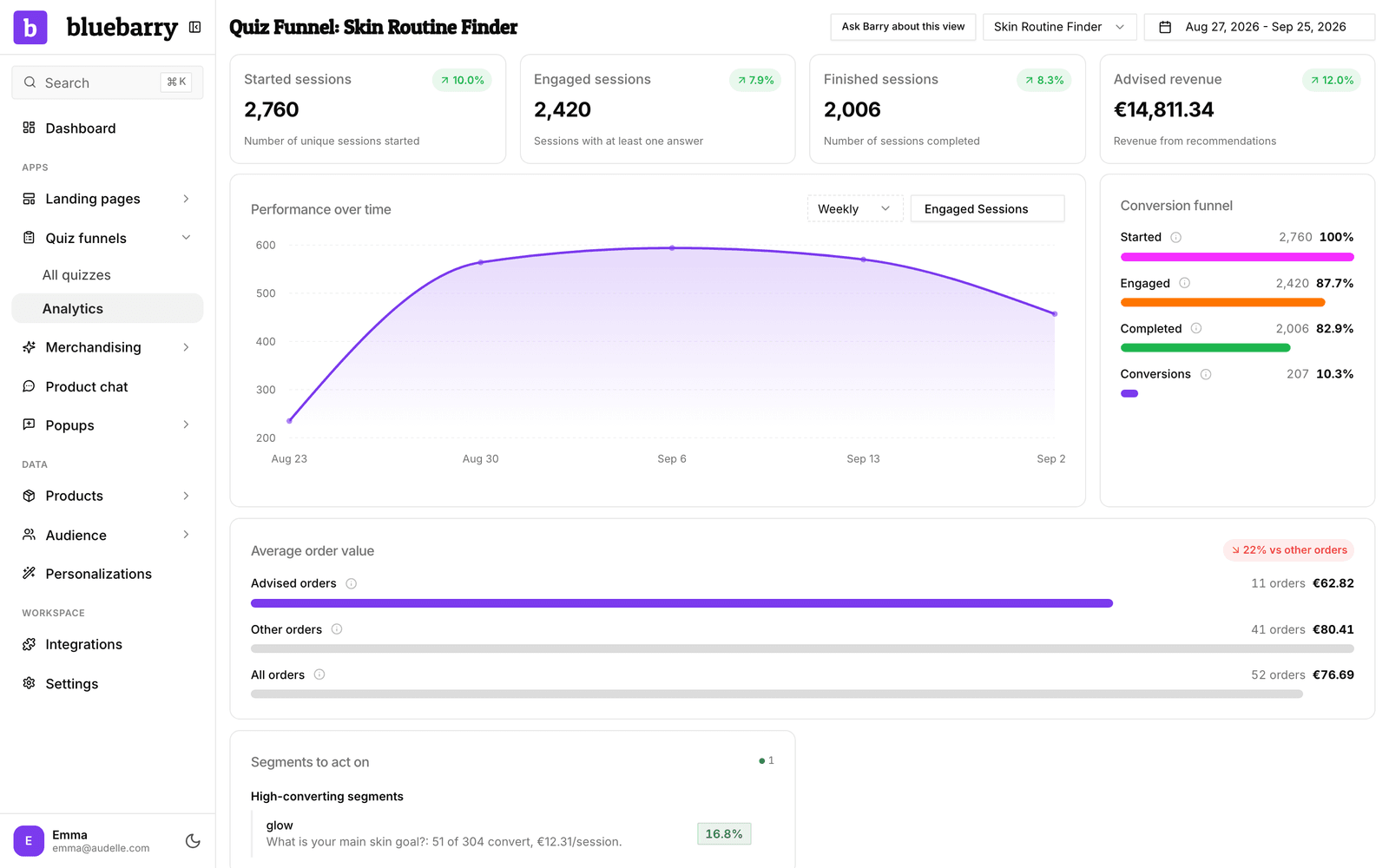
- Started: sessions that opened the quiz.
- Engaged: sessions that answered at least one question.
- Completed: sessions that reached the results.
- Conversions: sessions that bought after completing the quiz.
When conversions are missing
- Tracking is not installed. On Shopify, check that the app is installed and its checkout pixel is connected under Settings → Customer events in Shopify. On WooCommerce and Magento, check that the plugin or module is active.
- Cookie consent. On Shopify, orders from shoppers who declined analytics or preferences cookies are not tracked. On WooCommerce, the same goes for shoppers who declined statistics cookies in a banner that supports the WP Consent API. On Magento with cookie restriction mode on, an order is only linked to a shopper who allowed cookies. Expect fewer conversions than orders.
- A different browser or device. A shopper who takes the quiz on their phone and buys on a laptop is not linked.
- More than 30 days later. Orders after the quiz session has expired do not count.
- A test in the editor. Quiz runs in the Studio preview are not counted at all. Test on your live store.
- Processing time. Give new orders a few minutes before you compare.