
Once your CCV Shop store is connected, bluebarry keeps a copy of your catalog for quizzes, search and product chat. Changes you publish in CCV Shop come through automatically, and you can start a full sync whenever you need one.
Open the sync settings
- In bluebarry, go to Store data → Integrations.
- Under Connect your webshop, click Manage on CCV Shop. The CCV Shop settings dialog opens.
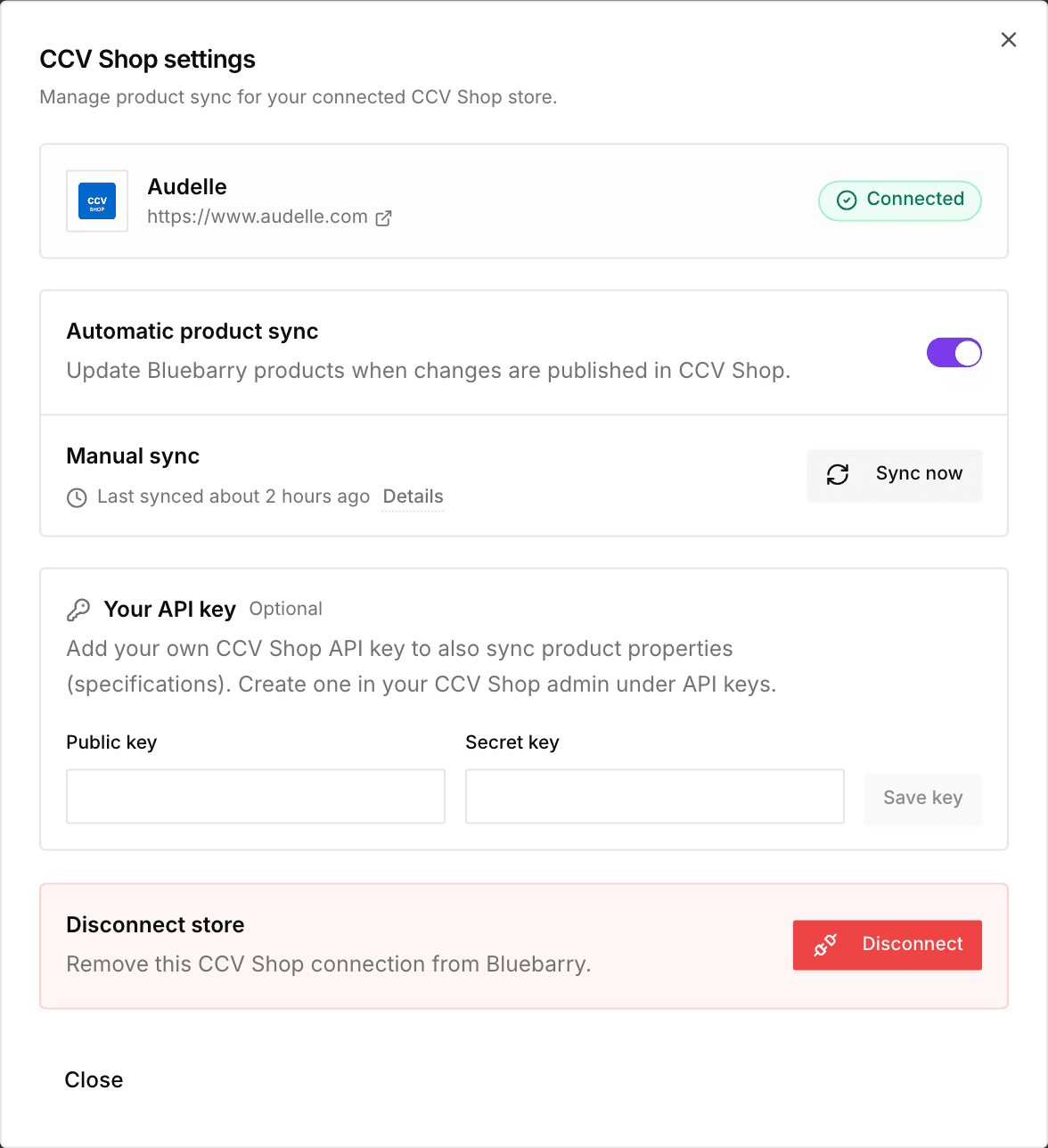
Sync options
- Automatic product sync. Keep this on so bluebarry updates products when you publish changes in CCV Shop.
- Manual sync. Click Sync now for an immediate full refresh, for example after a big catalog import. The line underneath shows when the last sync ran. Click Details to see what happened, including any errors.
- Your API key (optional). Add your own CCV Shop API key with its Public key and Secret key to also sync product specifications as properties. Create the key in your CCV Shop admin under API keys.
Check the result
Go to Store data → Products in bluebarry and check that your catalog is there. Large catalogs take a few minutes. Wait for the sync to finish before you go looking for missing products.