
When a product feed fails, new products and changes to your catalog stop coming in. Most failures come from a URL bluebarry cannot open, a Google Sheet that is not published, or columns that changed. Here is how to find and fix it.
Find the failing feed
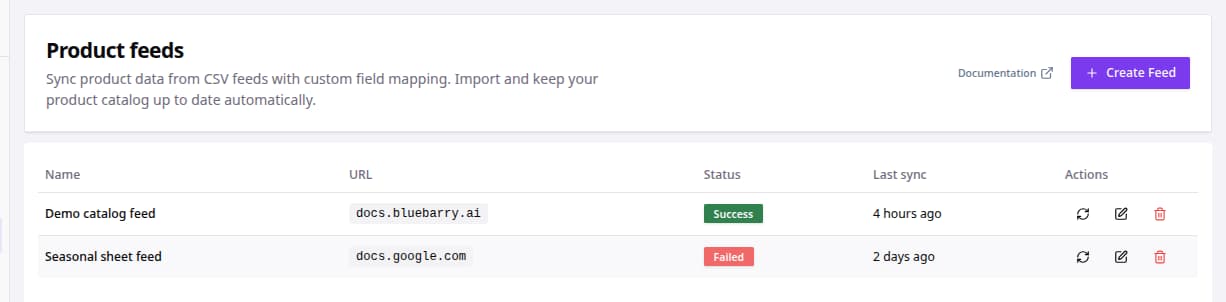
- Go to Store data → Feeds. The page is called Product feeds.
- Look for Failed in the Status column. Last sync tells you when it last worked or failed.
- Open the feed URL in a private browser window. If you cannot see the file without logging in, bluebarry cannot either.
- Fix the cause in the source, using the table below.
- If columns were renamed, click the edit icon under Actions and check the column mapping.
- Click the sync icon under Actions to run the feed again.
Common causes
| Problem | What to check |
|---|---|
| The URL cannot be reached | The file must be public, without a login, and the link must point at the file itself. |
| Google Sheets error | Publish the sheet to the web as CSV and use that link. |
| Missing header row | The first row must contain the column names. |
| Duplicate products | Use a column with a unique id for each product. |
| Wrong or empty fields | A column was renamed or moved. Update the mapping and sync again. |