
If your products don't come in through the Shopify app, the WooCommerce plugin, CCV Shop or the Magento module, a product feed is how bluebarry gets to know them. A good feed pays off everywhere: better quiz matches, sharper search filters and more useful product chat answers. This article covers what a feed needs before you import it.
Step 1: Get the basics right
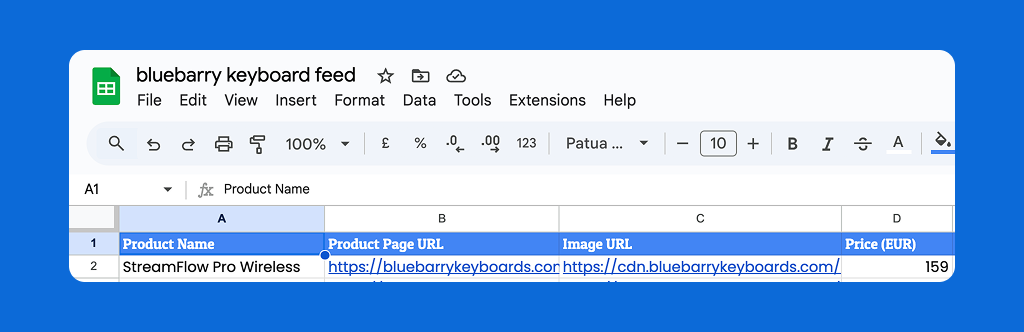
A feed is a CSV file (or a published Google Sheet) with one row per product and one column per piece of information. Only two columns are strictly required:
- A unique ID. A SKU, product ID from your shop system or EAN that never changes. bluebarry uses it to recognise a product on every sync, so it can update the product instead of adding a copy.
- Name. The product title your customers see, such as "Carry-On Suitcase".
In practice you want three more, because shoppers can't do much with a product they can't see or click:
- Product page URL, the full link to the product page, such as https://example.com/carry-on-suitcase.
- Image URL, a direct, public link to the main product image.
- Price, as a number, such as 300.00. You choose it later as the price to show on quiz results.
Formatting matters
bluebarry detects whether a column holds numbers or text by looking at its values. Help it by keeping number columns clean:
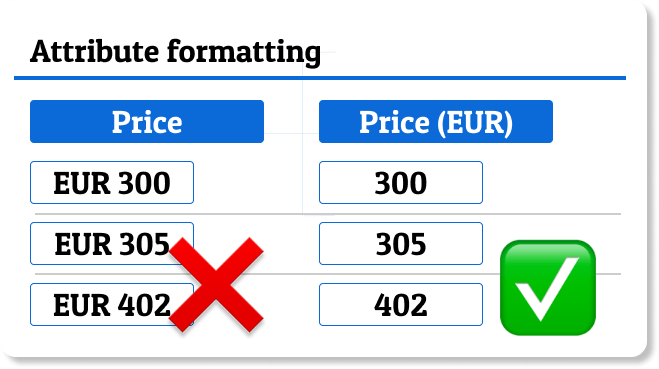
- Put the currency or unit in the column name, such as "Price (EUR)" or "Weight (kg)".
- Use plain numbers as values:
300.00, not€300.00or$300.
Clean numbers let you filter on budget and sort by price. A currency sign turns the column into text, and then "less than 50" stops working.
Step 2: Add the attributes shoppers choose on
Attributes are the columns bluebarry filters and ranks on: size, volume, color, category, material, skin type. Think about the questions your quiz asks and the filters you want in search, and make sure the feed has a column for each.
An example
Say you sell keyboards and your quiz asks where the keyboard will be used:

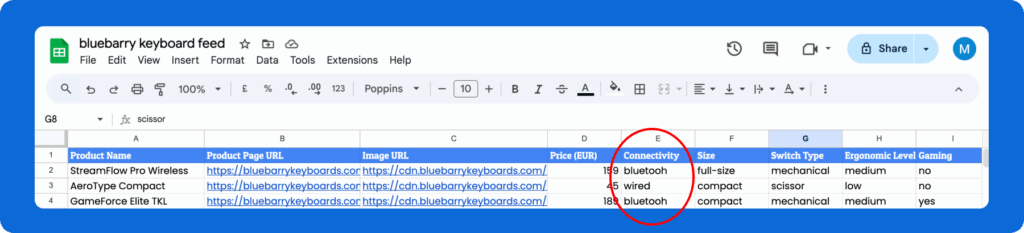
When a shopper picks "For remote work / travel", wired keyboards should drop out. For that to work, the feed needs a "connectivity" column with values like "wired" and "bluetooth":
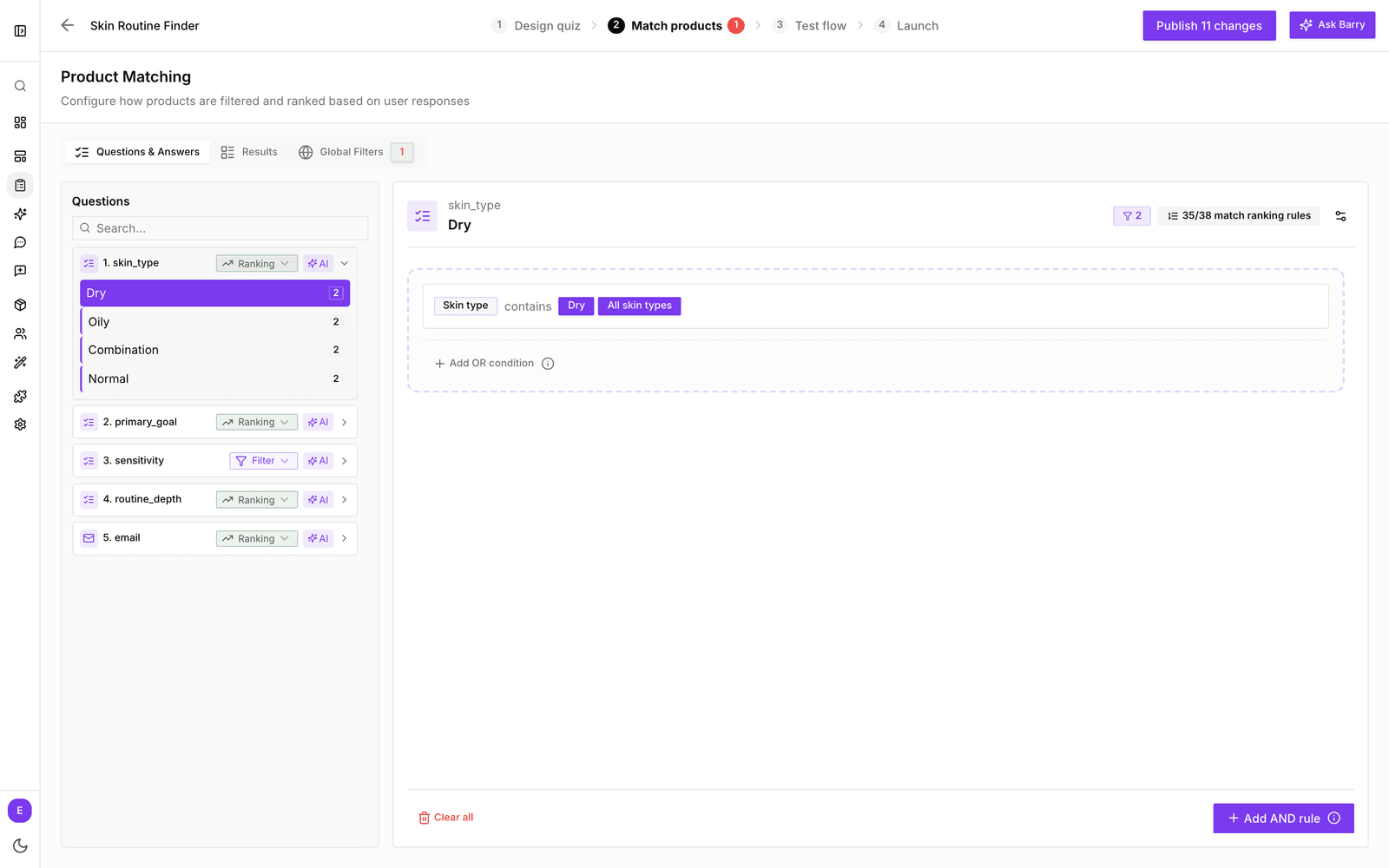
Once the feed is imported, "connectivity" becomes a property you can attach to that answer in Match products:
Variants
If one product comes in several sizes or colors, give each variant its own row and add a column with a shared parent ID. When you map that column to Parent ID, bluebarry groups the variants and can show them as swatches on quiz result cards. An optional column with a small swatch image maps to Variant Icon URL.
Example feed
Have a look at this example product feed to see a complete setup.
Tips
- Describe products the way customers talk. A "Trip length" column with "Weekend" and "Two weeks" is easier to build a question on than "Size: M".
- Keep values consistent across rows. "Wired" and "wired" count as two different values.
- Leave out products you never want to recommend, or skip them with import filters when you set up the feed.
Ready? Continue with Importing your product feed.