
You can sign in, but billing, invoices or your team do not look the way you expect? Usually you are in a different organization than you think, or your plan is billed through Shopify. Work through these checks.
Check the account and organization
- Make sure you signed in with the email address that was invited.
- Go to Settings and open the Organization tab.
- Check under Team members that you are listed. If not, ask a team member to invite you.
Check billing
- Go to Settings and open the Billing tab.
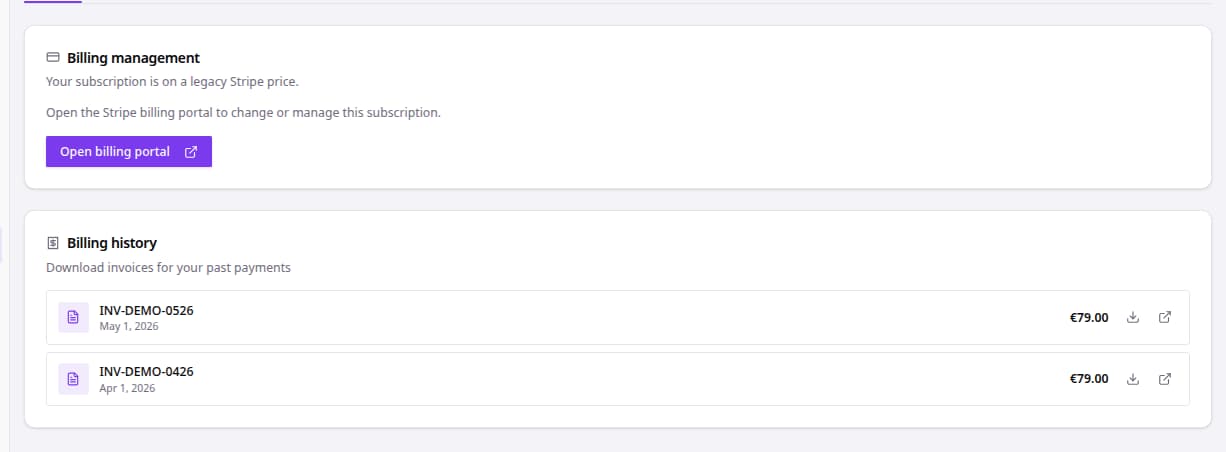
- Read Billing management for your subscription status.
- Change your plan or payment method right on the tab. On an older card plan, click Open billing portal instead.
- Find past invoices under Billing history.
If the card says Your subscription is billed through Shopify, there is no billing portal in bluebarry. Manage your plan and invoices in the bluebarry app in your Shopify admin. See manage Shopify billing.
Still stuck
- Sign out, sign in again and refresh the page after any change to your team or plan.
- A feature that should be on your plan but does not show? Check the Usage tab, then contact us.