
Skip logic keeps a quiz short by leaving out questions that no longer apply. Someone who answers “I'm buying a gift” does not need to be asked about their own skin type. You set it per answer: when a shopper picks that answer, the questions you chose are skipped.
Set up a skip
- In the sidebar, go to Quizzes and click Edit on your quiz.
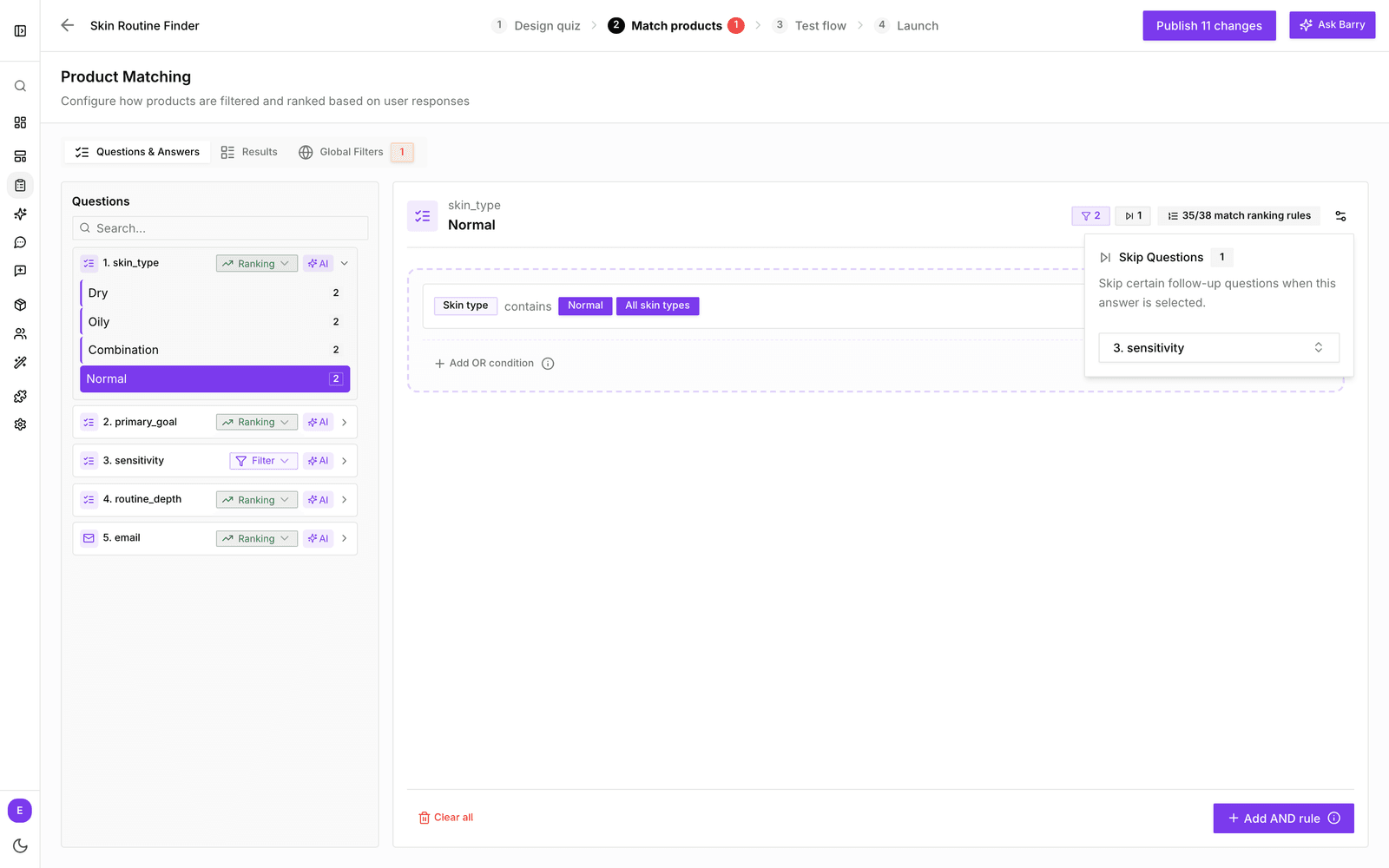
- Click Match products and stay on Questions & Answers.
- In the Questions list, open the question and click the answer that should trigger the skip.
- Click the settings icon at the top right of the answer.
- Under Skip Questions, open Select questions to skip... and pick one or more questions.
The answer now shows a small skip badge with the number of questions it skips.
Test it
Click Test flow and pick the answer. The skipped question is greyed out and marked Skipped, with the note “Question will be skipped”. Pick a different answer to check the question comes back for everyone else. See preview and test a quiz.
Good to know
- Only skip questions that come later in the quiz. A shopper has already seen the questions before the answer.
- A skipped question does not affect the results for that shopper. Make sure the questions they still answer are enough to recommend good products.
- After you reorder or delete questions, check your skips again on Match products.
- Skipped questions leave nothing on the shopper's profile, so segments built on that question will not include them.