
bluebarry keeps a copy of the collections from your store, so search, product chat and segments can use the same groupings your shoppers already know. You manage collections in your store. In bluebarry you can see what came in and where it is used.
Find your collections
- Go to Store data → Collections.
- Type in the search box to find a collection by name.
Each card shows the collection image, its name and web address, the number of products in it, and the date it was last synced. Shopify collections also carry a Smart or Manual badge, matching how the collection is built in Shopify.
On CCV Shop, WooCommerce and Magento the page is called Categories, because that is what those platforms call them. Everything else works the same.
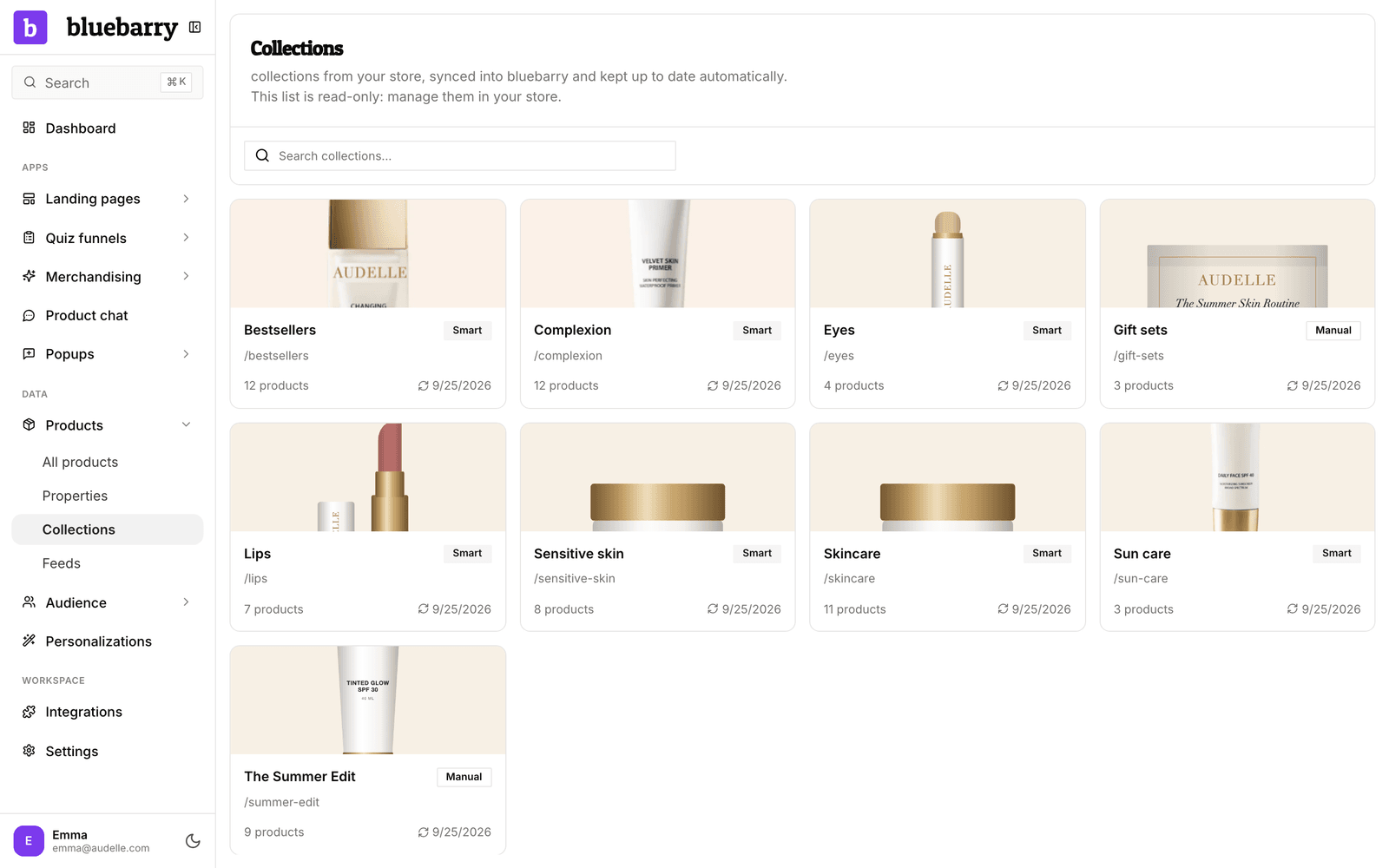
Why the list is read-only
Your store stays the single source of truth. Rename a collection, add products or delete it in Shopify, WooCommerce, CCV Shop or Magento, and bluebarry follows automatically. Shopify changes come through within minutes. The WooCommerce plugin sends category changes within minutes, and product counts within the hour. The Magento module sends category changes within minutes, and product counts once a day. CCV Shop categories update with your product sync. There is nothing to edit here, and nothing to keep in step by hand.
Where collections are used
Search suggestions
When a shopper types “dress”, search can suggest your Dresses collection above the products. Unpublished and empty collections are left out automatically. To hide others, such as a test or staff collection, open a search configuration, go to Suggestions & Banners and click Manage collections in search. That list applies to every search configuration.
Product chat page rules
On Shopify, a product chat page rule can target Collections: the collection pages, the products in those collections, or both. That lets you give the chat on your running shoes pages different starter questions than on your jackets. See Add page rules to product chat.
Segments
Product views and Purchases rules can count only Specific products or collections, for example people who viewed your Sale collection three times this week. See Build segments.
Collection pages
With Collection pages, you pick from these same synced collections when you assign a page template. See Assign and publish a collection page.
Good to know
- Collections sync from Shopify, WooCommerce, CCV Shop and Magento. WooCommerce categories sync once the bluebarry plugin has your API key, Magento categories from version 2.1.0 of the module. On other platforms the page stays empty, and you can group products with product properties instead.
- A new store shows its collections within a few minutes of installing, or after the next sync. If the page stays empty, check your store connection: see Syncing your product catalog with bluebarry, Connect WooCommerce, Connect Magento or Sync CCV Shop products.
- If you delete a collection that a segment rule uses, that segment stops working until you update the rule.