
A button is the simplest way to offer your quiz: "Find your perfect match" on a collection page, in the menu or on the home page. Shoppers click it and the quiz opens over the page, in the display type you chose on the Launch tab. Nothing loads until they click, so the button doesn't slow your page down.
On Shopify: use the app blocks
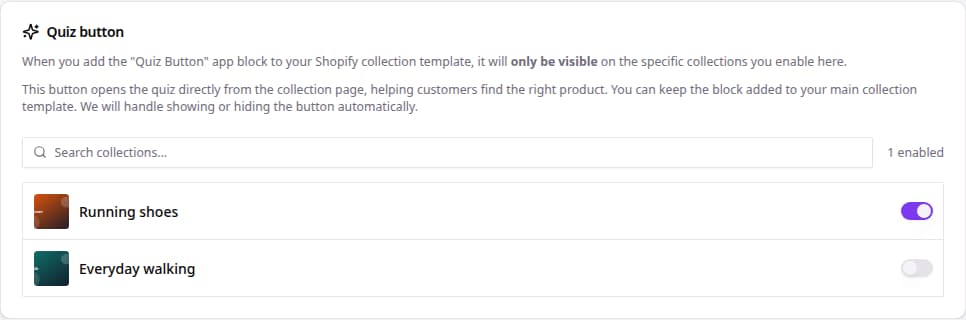
A button on collection pages, shown only where the quiz fits:
- In the sidebar, go to Quizzes and click Edit on your quiz.
- Open the Launch tab. With Shopify connected, you'll see Quiz button.
- Switch on the collections where the button should appear.
- In your Shopify theme editor, add the Quiz Button app block to your collection template once, and style it there.
You can leave the block on your template. bluebarry shows it only on the collections you switched on, and opens the right quiz for each.
A button anywhere else, such as the home page or a landing section: add the Bluebarry Quiz Button app block in the theme editor and fill in Advisor ID with your quiz's ID. You find the ID in the quiz link on the Implementation tab (the part after #bluebarry:). See also Open your Shopify quiz with a button or link.
On any other store: a link or a snippet
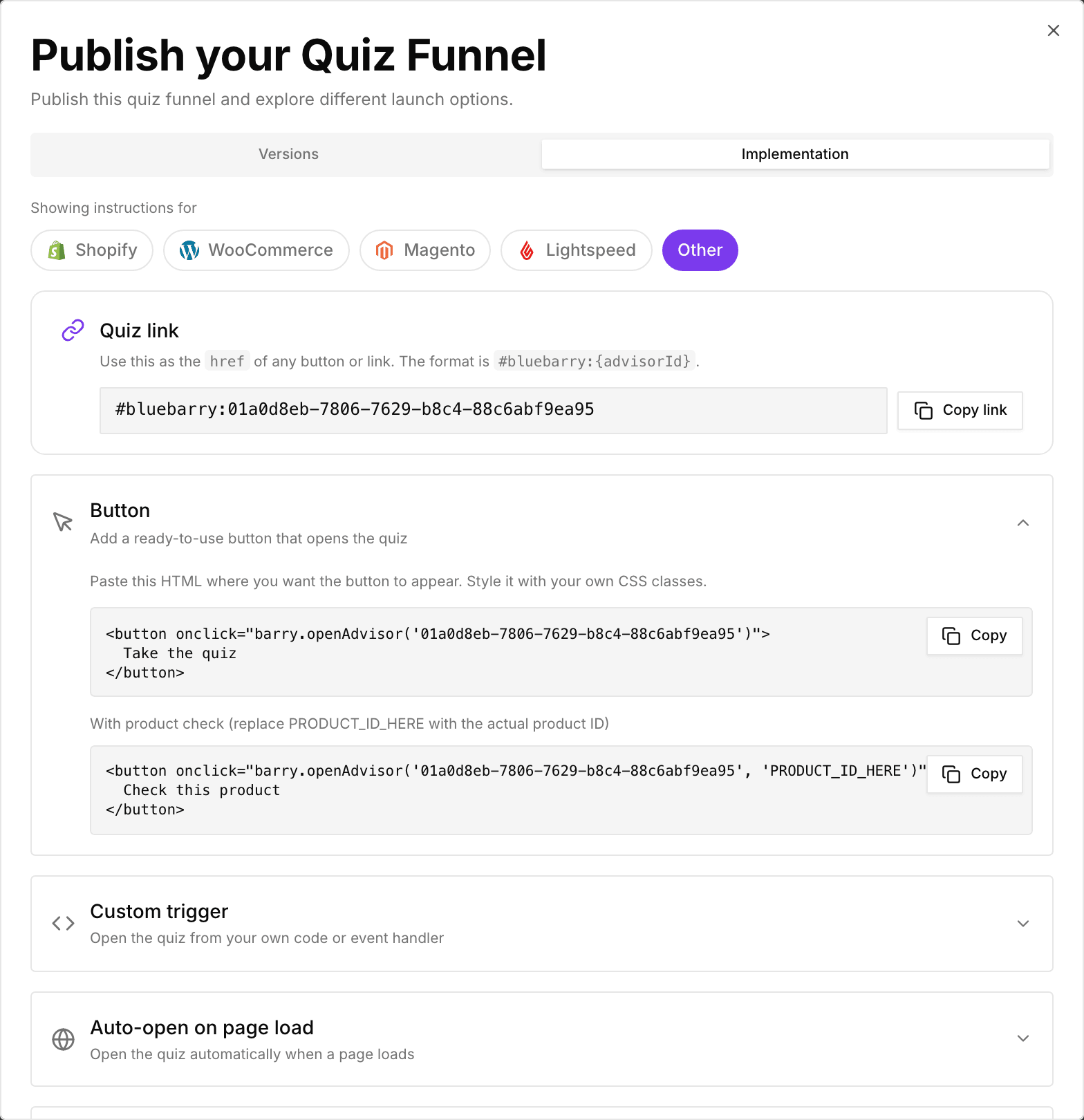
- Publish your quiz, then click the publish button at the top right of the editor and open the Implementation tab.
- Copy the Quiz link. It looks like
#bluebarry:followed by your quiz ID. - Use it as the link of any button, text link or menu item in your store's editor. No code needed.
Prefer a ready-made button? Expand Button and copy the HTML. Developers can use Custom trigger to open the quiz from their own code. The bluebarry script has to be on the page for either to work. See Adding your quiz funnels to your store.
Tips
- Say what shoppers get, not what they do: "Find your size" works better than "Start quiz".
- Put the button where people hesitate, such as above a long product grid.
- Want the quiz to open without a click? See Launch as a popup.