
A popup quiz opens over the page the shopper is on, so they never lose their place. It can open when someone clicks a button, or all by itself: after a few seconds, after scrolling, or when a visitor is about to leave. Both are set up on the quiz's Launch tab.
Make the quiz open as a popup
- In the sidebar, go to Quizzes and click Edit on your quiz.
- Open the Launch tab.
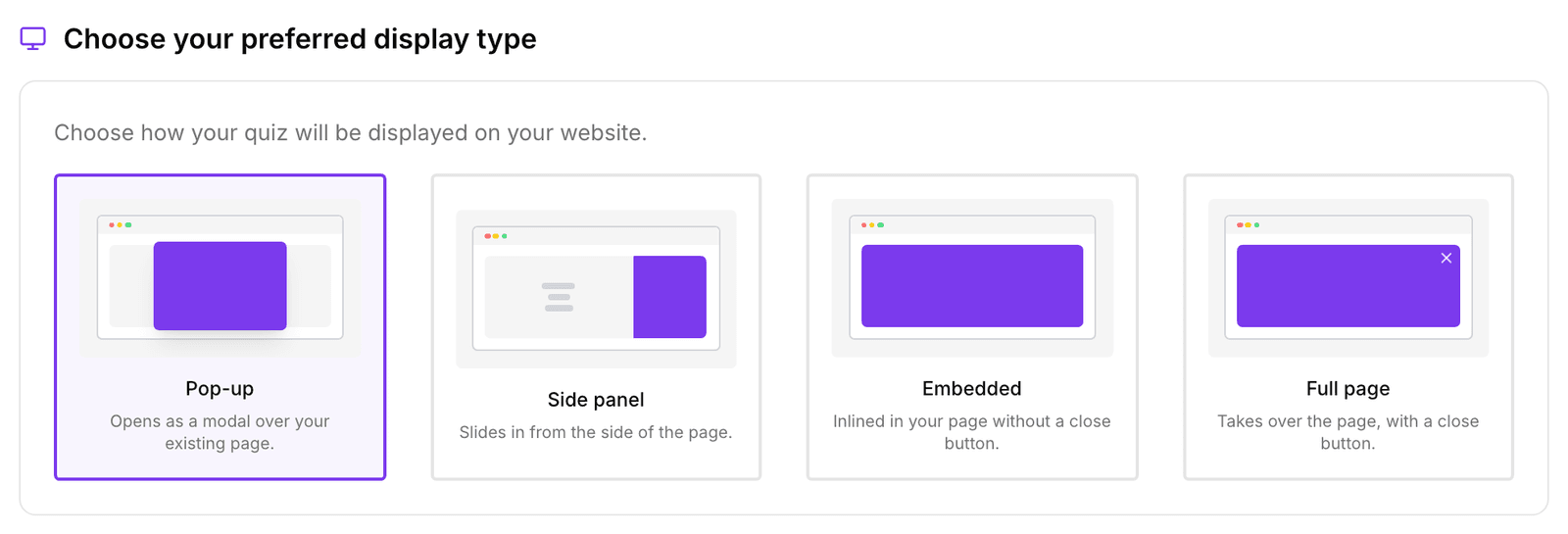
- Under Choose your preferred display type, select Pop-up ("Opens as a modal over your existing page"). Side panel is a good alternative: it slides in from the side.
The display type only decides how the quiz looks once it opens. Something still has to open it: a button or link (see Launch as a button), or the automatic popup below.
Open the quiz automatically
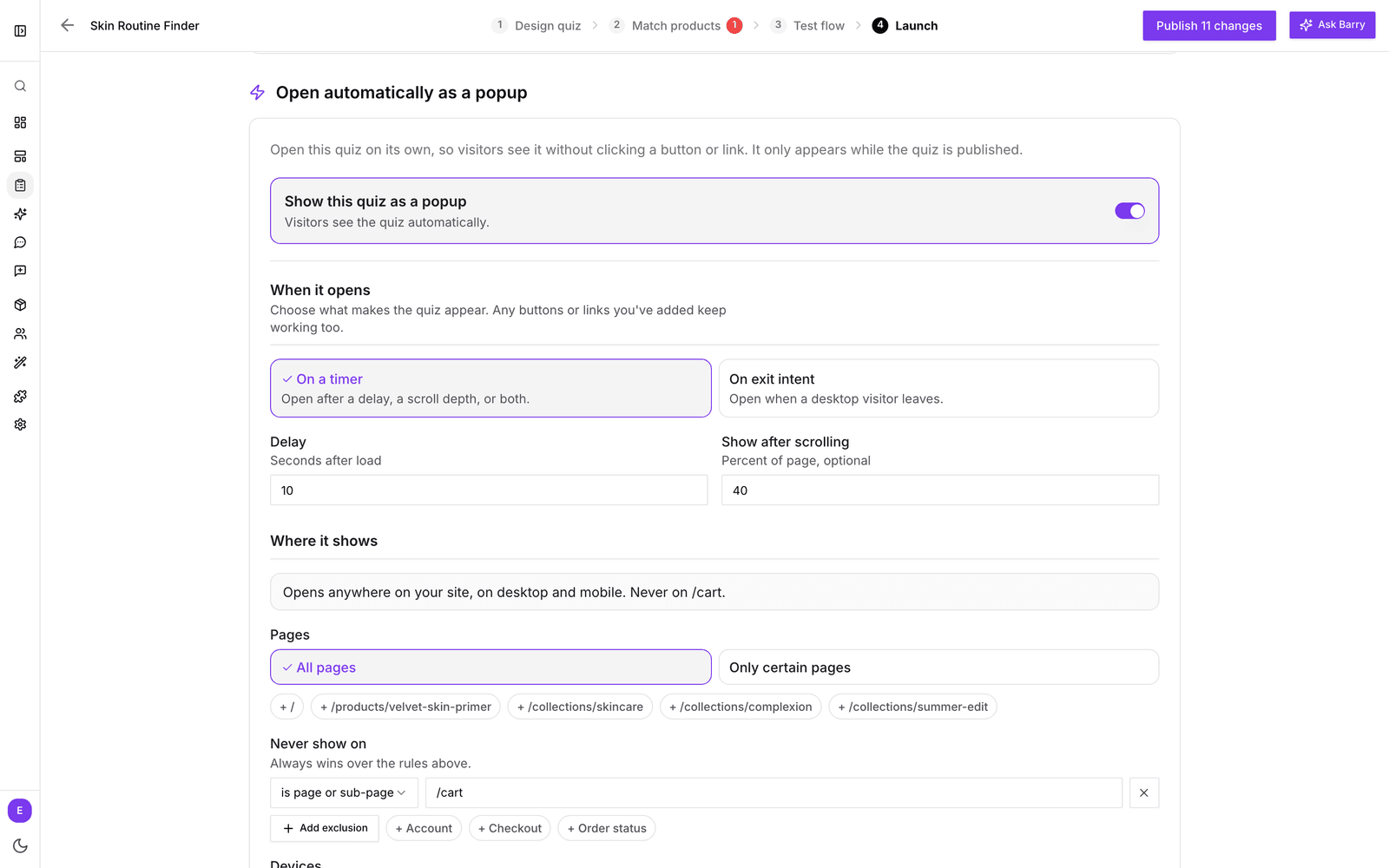
- On the Launch tab, find Open automatically as a popup.
- Switch on Show this quiz as a popup.
- Under When it opens, choose On a timer (a Delay in seconds, Show after scrolling a percentage of the page, or both) or On exit intent (when a desktop visitor moves to leave).
- Under Where it shows, limit the quiz to certain Pages if you like, such as only your collection pages, and use Never show on to keep it off pages like the cart and checkout.
- Under How often, set how many times it may open per session, how long to wait after someone closes it, and how long to pause after someone finishes the quiz.
- Make sure the quiz is published. Settings save automatically.
That's all: no code, no theme changes. The popup appears on every page with the bluebarry script, and your buttons and links keep working too.
Good to know
- The popup only appears while the quiz is published.
- On Shopify, don't combine this with the Bluebarry Popup Trigger block in your theme editor. Remove the block, or visitors get the quiz twice.
- Exit intent only works on desktop, where the mouse can leave the window. On phones, use a timer or scroll depth.
- Looking for newsletter or discount popups instead? Those are built in Popups under Live on your store. Not there yet? Add it with + Add a module. See Create a popup.