
A quiz that opens by itself reaches shoppers who would never click a button, like first-time visitors who are browsing without a plan. On Shopify there are two ways to open a quiz as a popup: from the quiz's Launch tab in bluebarry, or with the Bluebarry Popup Trigger block in your theme. This article covers both and helps you pick one.
A quiz popup is not the Popups app
This article is about opening a quiz as a popup. If you want an email signup, a welcome offer or a quick question, use the Popups app under Live on your store in bluebarry instead (not there yet? Add it with + Add a module). Those popups need no theme block: they load through Bluebarry Core Script as soon as you publish them. A popup from the Popups app can also send shoppers into a quiz with a quiz link. See Create a popup.
Option 1: Open automatically from the Launch tab
This is the most flexible option and works on every platform, not only Shopify. You set everything up in bluebarry.
- In bluebarry, go to Quizzes, open your quiz and go to the Launch tab.
- Under Open automatically as a popup, switch on Show this quiz as a popup.
- Under When it opens, choose On a timer and set a Delay in seconds, a Show after scrolling percentage, or both. Or choose On exit intent to open the quiz when a desktop visitor is about to leave.
- Under Where it shows, add page rules if the quiz should only appear on certain pages, and use Never show on to keep it off pages like the cart or checkout. Pick the Devices, and open More conditions to target by product, cart state, URL parameters or traffic source.
- Under How often, set how many times it may open Per session, how long to Wait after dismiss (in hours) and the Pause after completion (in days).
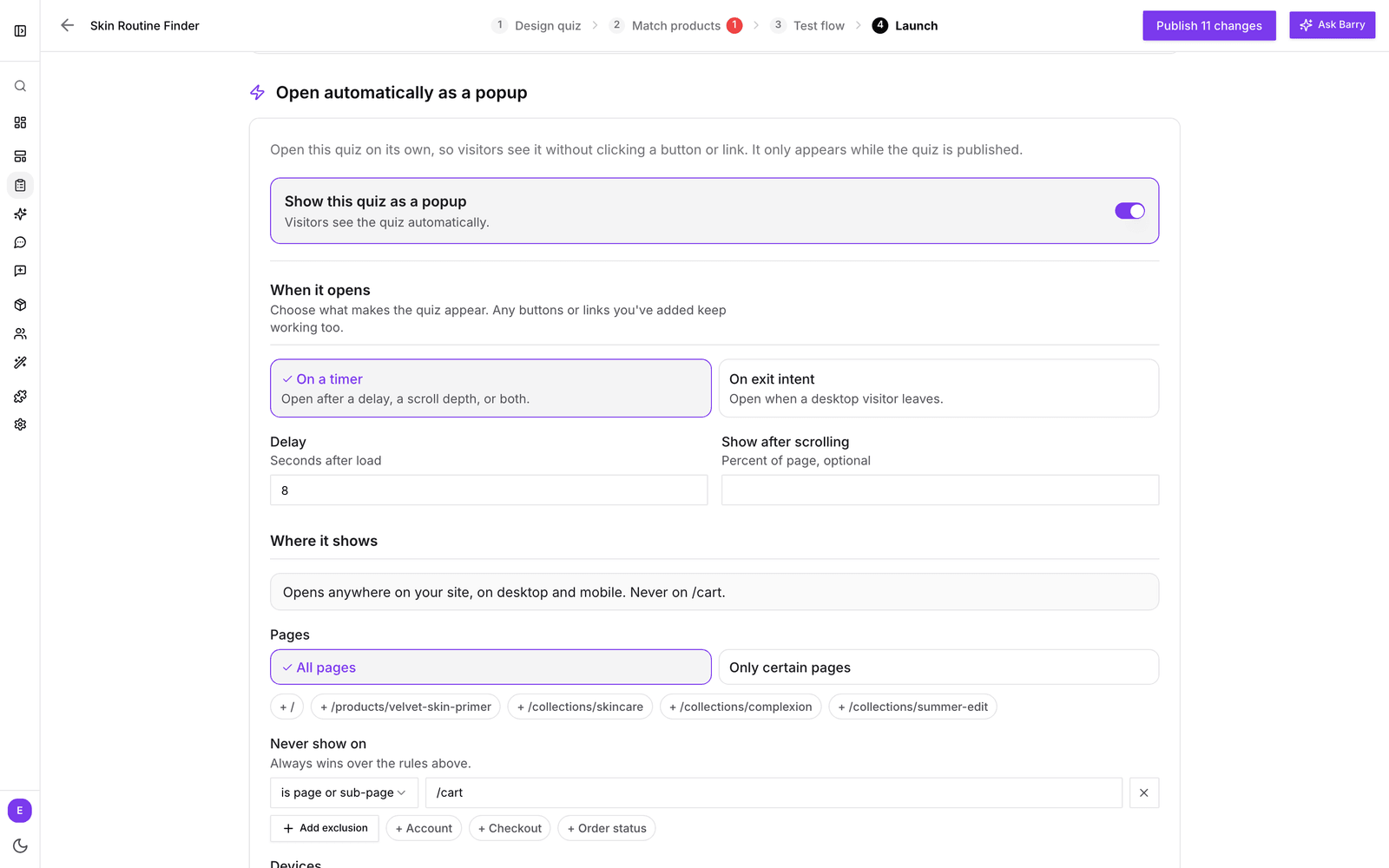
Changes save automatically. The popup only appears while the quiz is published, and your buttons and links keep working alongside it. By default a visitor sees it once per session, not again for 7 days after closing it, and not for a year after finishing the quiz.
Option 2: The Bluebarry Popup Trigger block
If you'd rather manage it in Shopify, use the popup trigger from the bluebarry app. It comes in two forms: an app embed that runs on every page, and a section block you place on specific templates.
- Find your quiz ID. Open the quiz in bluebarry and copy the ID from the address bar (the part between
/quiz-funnels/and/design), or copy the quiz link and use the part after#bluebarry:. - In Shopify, go to Online Store → Themes and click Customize.
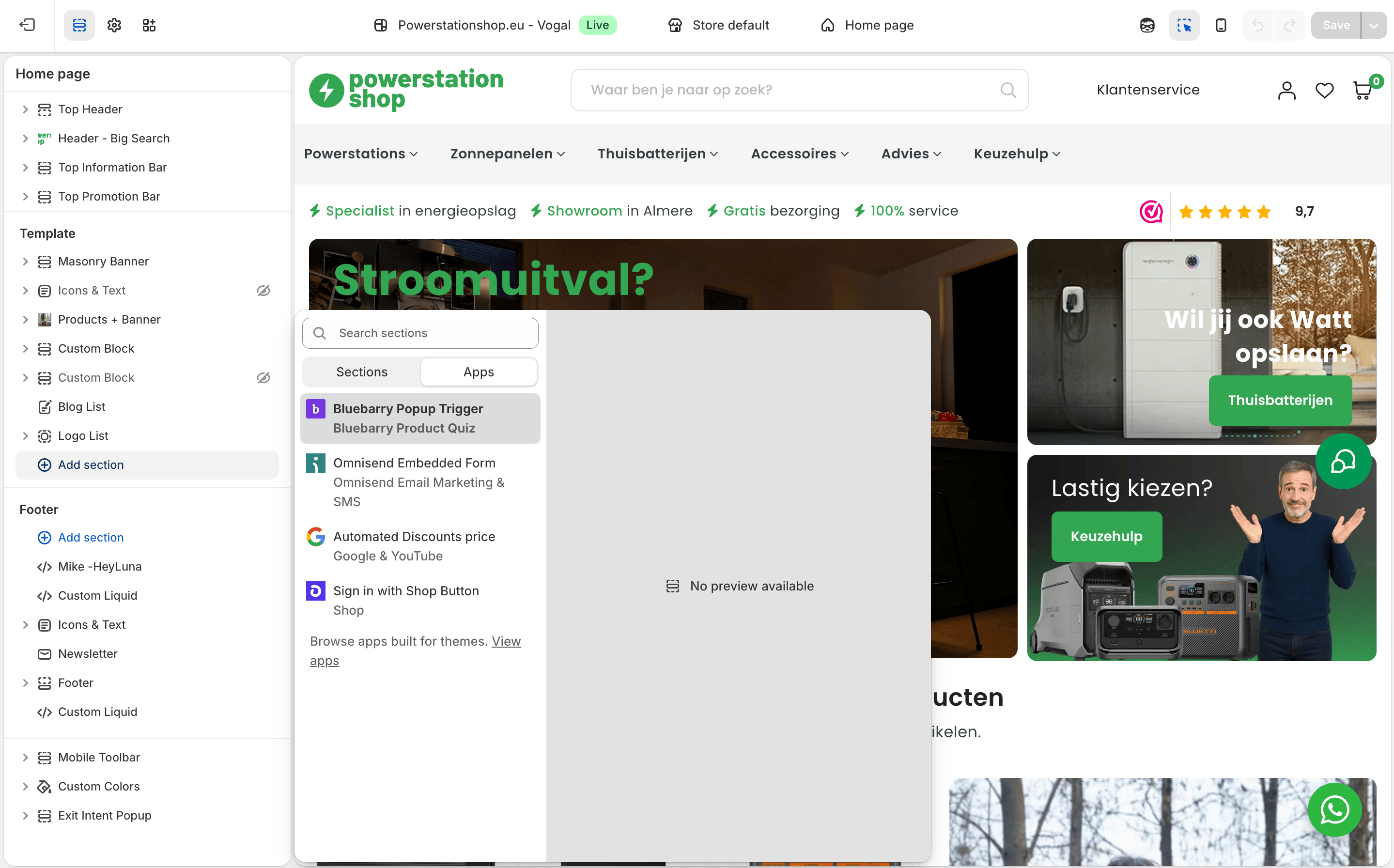
- For every page, open App embeds and switch on Bluebarry Popup Trigger. For specific pages, open that template, click Add section, choose the Apps tab and select Bluebarry Popup Trigger.
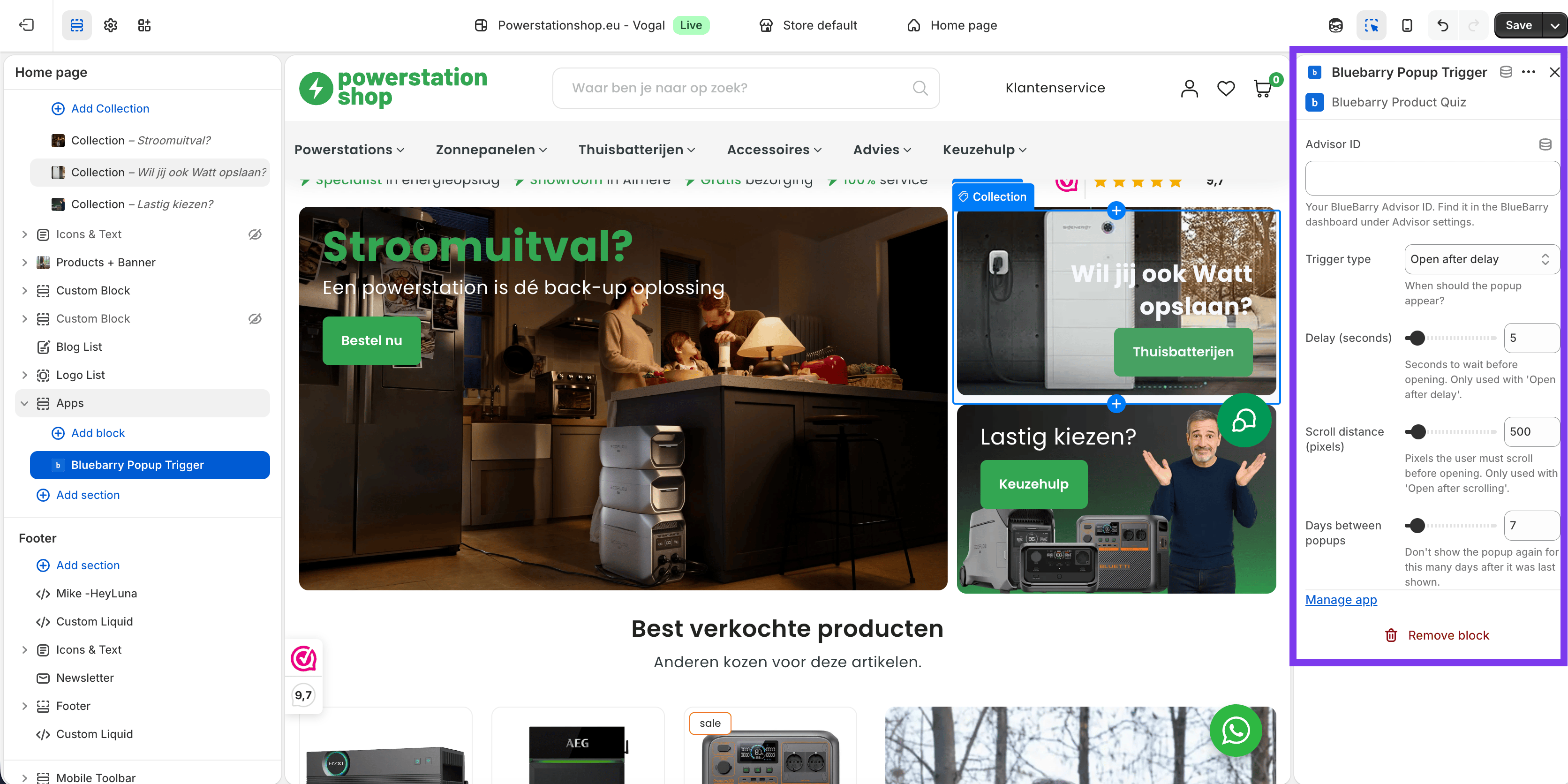
- Paste the quiz ID into Advisor ID.
- Pick a Trigger type: Open after delay, Open after scrolling or Open on exit intent. Set the Delay (seconds) or Scroll distance (pixels) to match.
- Set Days between popups: how long to wait before the same visitor sees it again.
- Click Save.
Which one to choose
| Launch tab | Theme block | |
|---|---|---|
| Where you set it up | In bluebarry, on the quiz's Launch tab | In the Shopify theme editor |
| When it opens | On a timer (seconds and/or scroll percentage) or on exit intent | After a delay (1 to 60 seconds), after scrolling a number of pixels, or on exit intent |
| Where it shows | Page and URL rules, pages to exclude, devices, and conditions such as product, cart, URL parameters or traffic source | Every page (as an app embed) or only the templates where you place the block |
| How often | Per session, a wait after dismissing, and a pause after completing the quiz | Days between popups (1 to 90) |
For most stores the Launch tab is the better choice: you get page targeting and frequency limits, and you change them without opening your theme. Use one option per quiz, not both, so shoppers don't get the same quiz twice.
Tips
- Give shoppers a moment first. A short delay or a scroll trigger feels less pushy than a popup on page load.
- Keep the quiz off the cart and checkout so it never gets in the way of a purchase.
- Nothing appears? Check that the quiz is published and that Bluebarry Core Script is switched on.