
Most collection page problems come down to a handful of causes: the Shopify connection, the theme, or a setting that only applies to some shoppers. Find your symptom below.
Getting started
“Connect Shopify first”
Templates are published into your Shopify theme, so bluebarry needs a connected store. Click Go to integrations and install the bluebarry Shopify app. See Install the bluebarry Shopify app.
“Sync your collections” or a collection is missing
Your store is connected, but bluebarry doesn't know your collections yet, or not all of them. Open the bluebarry app in your Shopify admin and run a full sync. Collections usually appear within a minute. Then click Recheck. The picker lists the same collections you see under Store data → Collections, so check there if one is missing. See Browse synced collections.
Publishing
Publishing fails with a message about a vintage theme
Your live theme is an older, vintage theme that can't use the template format collection pages rely on. They need an Online Store 2.0 theme, which almost every current Shopify theme is, including Shopify's free themes. Switch to one, then publish again.
One collection didn't switch
After publishing, Studio lists each collection with a check mark or an error. “Collection no longer exists on Shopify” means it was deleted in Shopify: untick it on the Assign tab. For other errors, click Republish. The last error also stays on the Launch tab under Last publish failed until a publish succeeds.
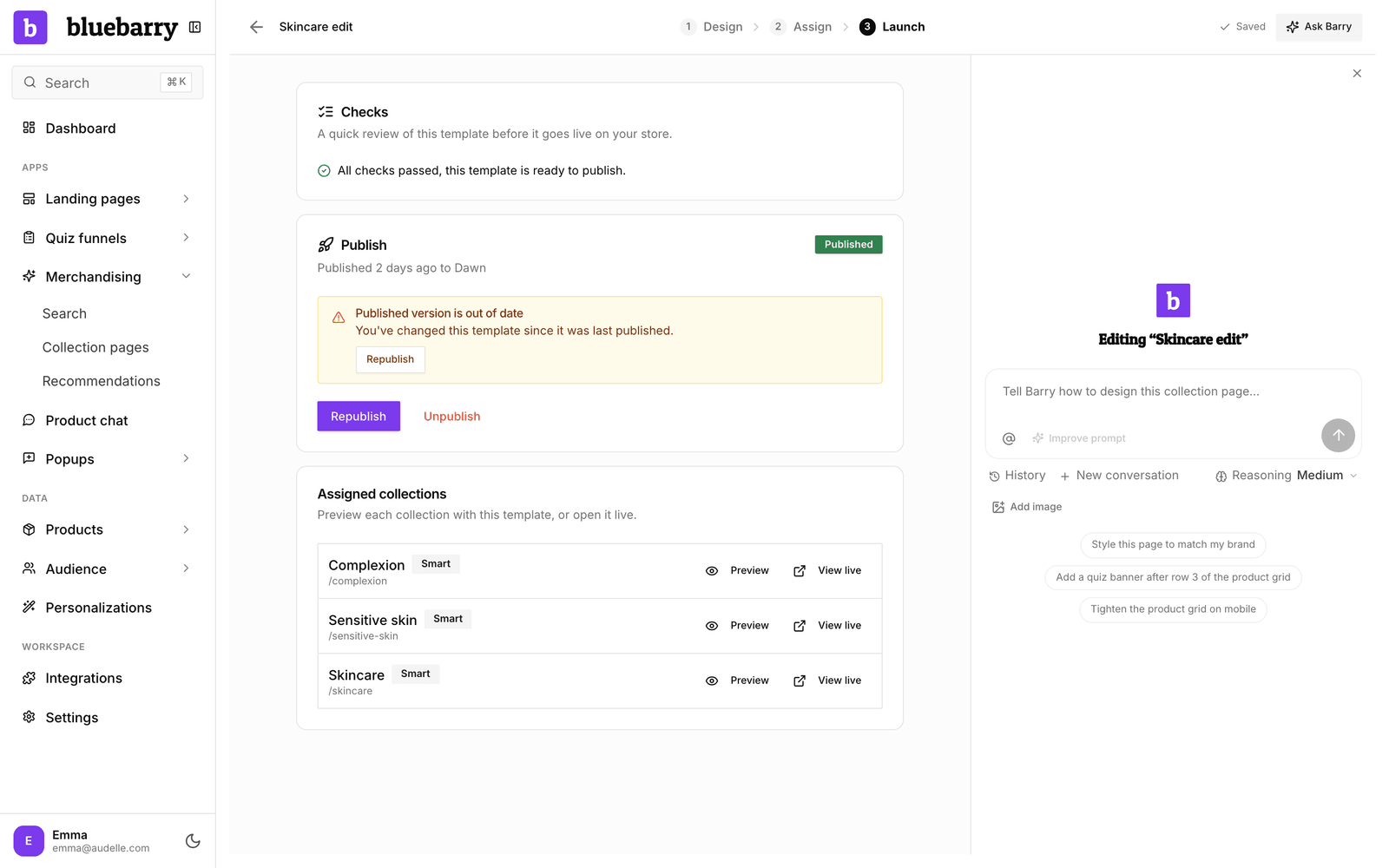
“Published version is out of date”
You edited the template after publishing, or you switched your store to another Shopify theme. Shoppers still see the last published version. Click Republish to update it.
“Launch is blocked until your changes are saved”
bluebarry saves your latest changes before it opens the Launch tab or publishes, and that save didn't go through. Check your internet connection, wait for the status at the top to show Saved, and try again.
Changes I made in Shopify's theme editor are gone
Every publish replaces the bluebarry sections in your theme with the version from Studio. Make design changes in the collection page editor, or ask Barry, and republish.
I deleted a template and a collection still uses it
Deleting a published template now unpublishes it first, so this only happens with templates deleted before that, or a collection Shopify refused to switch back. In your Shopify admin, open the collection and set its theme template back to the one it used before, usually Default collection.
On your store
A quiz banner or grid banner doesn't show
- It has no quiz linked. The Launch tab warns you about this. Link a quiz and republish.
- Banners in the grid only show on the first page of a collection.
- The bluebarry app embed is off in your theme. Quiz buttons need it to open the quiz. See Fix the Shopify app embed not showing.
Filters don't show
The filters come from the Shopify Search & Discovery app. If a collection has no filters set up there, the page shows no filter column. Also check that Show filters is on in the product grid settings.
The “For you” row doesn't show
- You switched its sources on but haven't republished yet.
- You are on a later page or have a filter on. The row only shows on the first page without filters.
- This browser hasn't finished a quiz in the last 90 days or viewed a product from this collection. To test it, view a product from the collection and then return to it.
- None of the picks is in this collection and in stock, so there is nothing to show.
- You are in the 10% control group without the row. Try another browser.
- The bluebarry app embed is off in your theme.
Smart order doesn't change the order
- The template isn't published. Smart order only orders the collections of a published page.
- Shopify refused it for a collection. The Layout tab of the grid settings shows the reason under the switch.
- Your store has little activity yet. Products without views, add to carts or sales keep the order they had.
- A shopper picked another sort from the dropdown, which always wins.
The live page looks different from the canvas
On your store, the page uses your theme's fonts and base styles, and the filters are your real Search & Discovery filters. Use Preview on the Launch tab to see the real result, and fix differences with custom CSS or by asking Barry.
Still stuck? Contact us with the template name and the collection it's about.