
When a quiz shows no products, or an answer you set up never appears, a filter is almost always the reason. Either a rule is too strict, products are missing a property value, or the global filters leave nothing to choose from. bluebarry points you to the problem.
What shoppers see
bluebarry hides answers that would lead to zero products, so shoppers don't hit an empty result page halfway through. The side effect: an answer with a broken filter simply disappears from the quiz. If an answer is missing on your store, check its filter first.
Find the rule that matches nothing
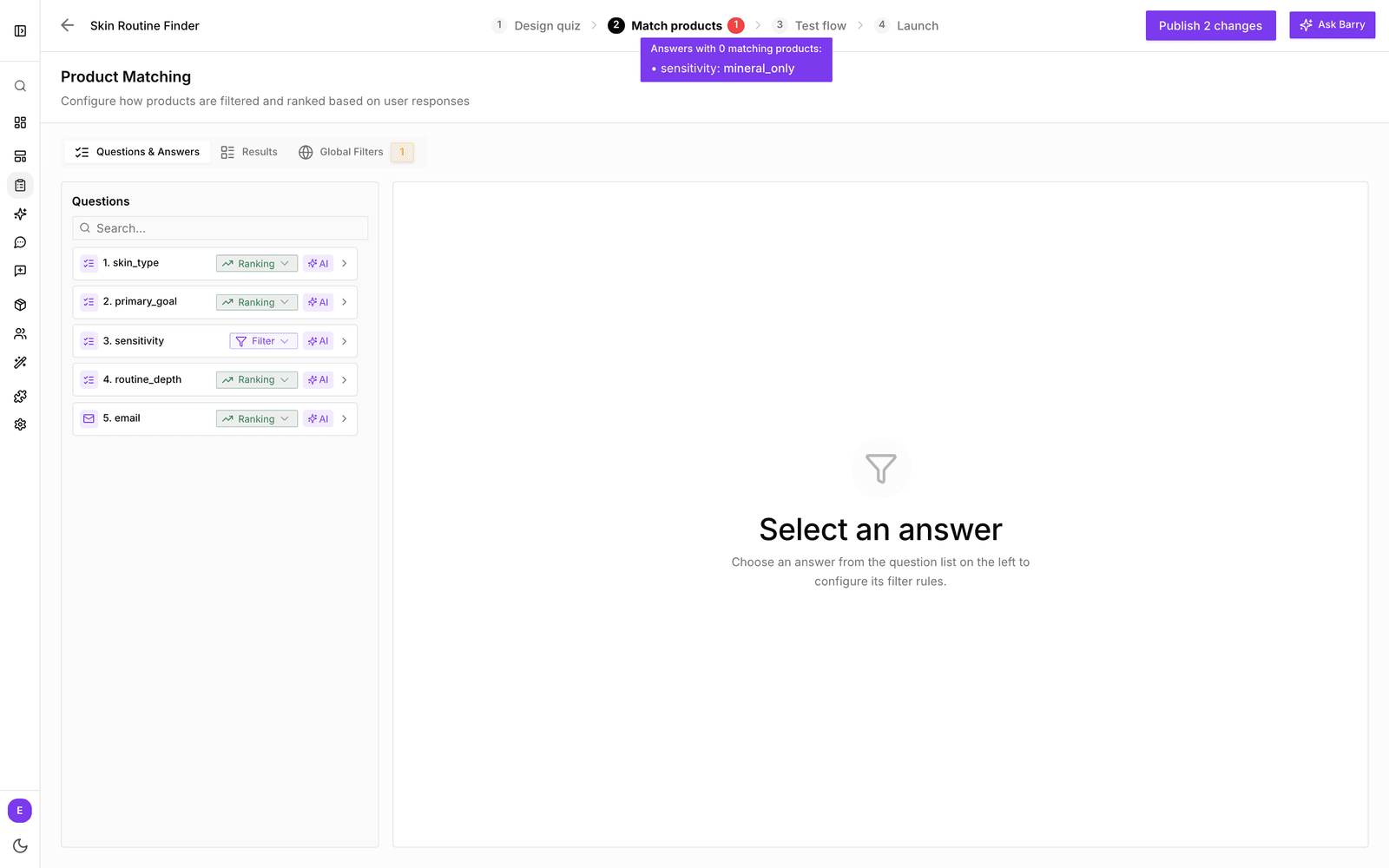
- In the sidebar, go to Quizzes and click Edit on your quiz.
- Look at the Match products tab. A red badge with a number means there is a problem. Hover over it to see which answers match 0 products, or whether your global filters match 0 products.
- Open Match products → Global Filters and check the product count. If it is 0, fix the global filters first: nothing else can work until they leave products.
- Go to Questions & Answers and click an answer from the badge list. Its product count shows 0.
- Loosen or fix the rule: a broader value, contains instead of equals, or an extra OR condition.
- Run through the quiz again on the Test flow tab and publish.
Common causes
| Cause | What to do |
|---|---|
| Global filters match 0 products | Remove the global filters, then add them back one by one and watch the count. |
| An answer filter is too strict | Use a broader value or fewer AND rules. A typo in a value also matches nothing. |
| Products miss the property value | Fill the property through your feed mapping or on the product page. |
| Several answers combine to nothing | With multi-select questions set to AND, every choice must fit. Switch Multiple answer behavior to OR, or make the question a ranking question. |
| The catalog is small | Strict filters need enough products. Add products or use ranking questions. |
| Variants change the count | Check Treat variants as separate products under Global Filters. |
| Require full match is on | It hides ranking answers without a perfect match. Turn it off if too many answers disappear. |
Related: Configure answer product filters, Set global filters for a quiz and Fix no products in results.