
Global filters decide which products a quiz may recommend at all, whatever the shopper answers. Answer filters then work inside that selection. Use them to keep out-of-stock items, other brands or other countries out of a quiz.
When to use global filters
Hide products that are out of stock
If your catalog has an "In stock" property, add the rule In stock equals true. The quiz then only recommends products shoppers can actually buy, without you touching it again.
One quiz per market
Running a quiz per country or language? Add a rule like Country equals NL to your Dutch quiz, so it only recommends products sold there.
One product range
A quiz for running shoes shouldn't recommend socks. A rule like Category equals Running shoes keeps the quiz on topic.
Set up global filters
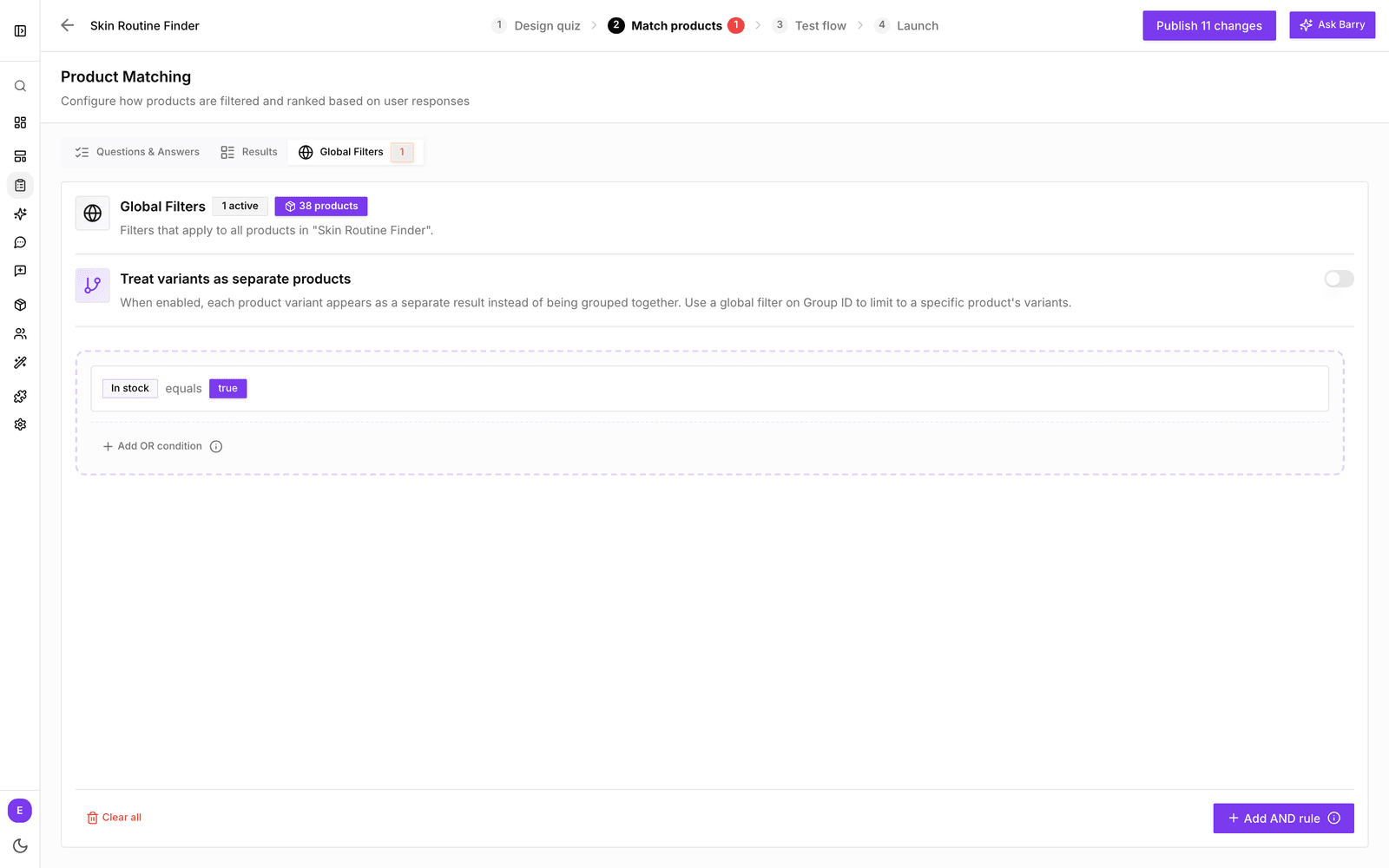
- In the sidebar, go to Quizzes and click Edit on your quiz.
- Click the Match products tab, then Global Filters.
- Click Add your first filter.
- Pick a property, a condition and a value.
- Check the product count next to the heading. It shows how many products are left for this quiz.
- Publish the quiz to apply the filters for shoppers. Your rules save automatically.
How rules work
Each rule reads as property, condition, value:
- Property is any product property you can filter on, plus the built-in Group ID. Description properties can't be used.
- Condition depends on the property type: equals, not equal to, contains, does not contain, greater than, at least, less than or at most.
- Value is what the product must have, such as "true", "NL" or "Running shoes".
Add OR condition adds an alternative to the same group: a product may match either one. Add AND rule adds a new group that every product must also pass. So "In stock equals true" AND "Category equals Premium" leaves only premium products that are in stock.
Treat variants as separate products
On the same tab you'll find Treat variants as separate products. Normally, variants that share a Parent ID count as one product, so a quiz never shows the same shoe twice in two sizes. Turn it on when each variant should be its own result, for example when the quiz is about finding the right size or shade. Combine it with a global filter on Group ID to recommend variants of one product only.
Good to know
- If your global filters leave no products, a red badge appears on the Match products tab: "Global filters match 0 products". The quiz can't recommend anything until you loosen them.
- Global filters only affect this quiz. To keep products out of bluebarry altogether, use import filters on your feed.
- Still getting empty results? See Troubleshoot a quiz with no matching products.