
A quiz should feel like part of your store, not like something bolted on. Its look comes from a theme: your logo, fonts, colors and button style in one place. You can use one theme for all your quizzes or give a quiz its own.
Edit a theme
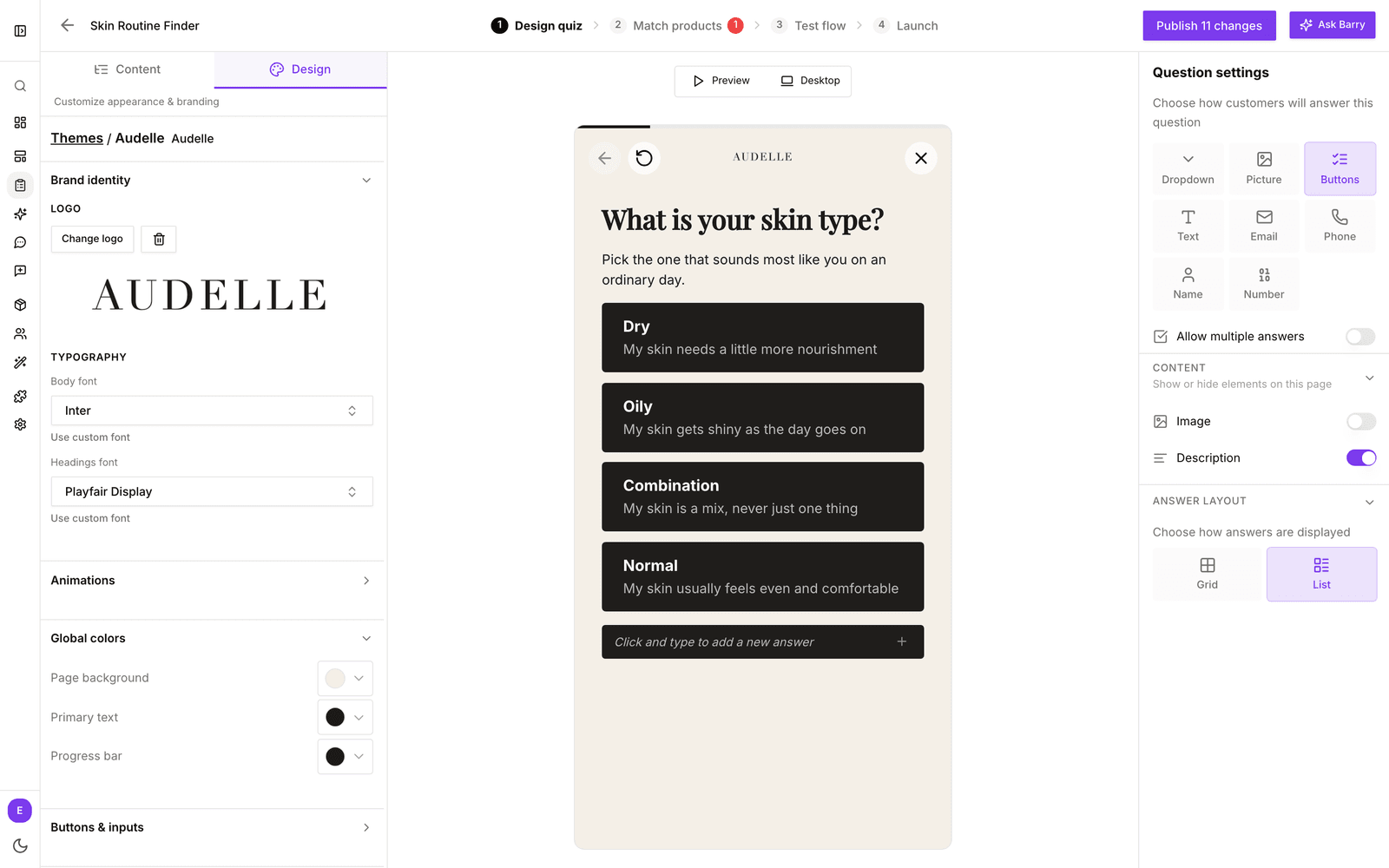
- In the sidebar, go to Quizzes and click Edit on your quiz.
- On Design quiz, click the Design tab at the top of the left panel, next to Content.
- Under Themes, click a theme to use it for this quiz. Click Edit on the theme to change it.
- Work through the sections below. The preview updates as you go.
- Click Themes at the top of the panel to go back to the list.
What you can change
| Section | What it covers |
|---|---|
| Brand identity | Your logo (Upload logo or Change logo), and the Body font and Headings font. Pick a font from the list or use a custom font. |
| Global colors | Page background, Primary text and the Progress bar. |
| Buttons & inputs | The Background, Text color and Size of the primary buttons. |
| Page styles | Details per page: title size on the Start page; title size, answer text size and answer colors on Questions; background and text color on the Pre-result page; card background and the Best match label on the Result page. |
| Custom code | At the bottom: your own CSS and HTML templates for the start page, questions, loading screen, pre-result page and product check page. |
For a design that goes beyond these settings, see Design a quiz with custom code.
Animations
Animations, in the same Design tab, sets how the quiz moves from one step to the next. Choose from None, Fade, Smooth, Cascade, Flow, Scroll, Stacked and Custom, which lets your theme's custom code animate each change. Mobile and desktop can each have their own; a button such as Apply Smooth to both keeps them the same. Click Open live mobile preview (or desktop) to try it. Animations belong to the quiz, not the theme.
Add, copy and share themes
- Click + next to Themes to add a new theme and give it a name.
- Use the menu on a theme card to Duplicate or delete it.
- A theme can be used by several quizzes. Editing it changes all of them, including quizzes that are already live, without publishing again. To try something for one quiz only, duplicate the theme first.
Before you publish
| Area | What to check |
|---|---|
| Colors | Buttons, selected answers and the progress bar match your brand, and text stays readable on the background. |
| Typography | Questions and answers are easy to read on a phone. |
| Images | Answer and product images do not crop off anything important. |
| Display | The quiz does not feel cramped in the display type you chose, such as a pop-up or side panel. |
Theme changes are saved right away. On Shopify, quizzes you generate with AI start from your store's colors and logo. See generate a quiz with AI.