
Zero-party data is what shoppers tell you on purpose: their skin type, their budget, who a gift is for. It is the most reliable data you have, because nobody had to guess it. bluebarry stores it on the shopper's profile so you can use it in segments, search and your email tool.
Where it comes from
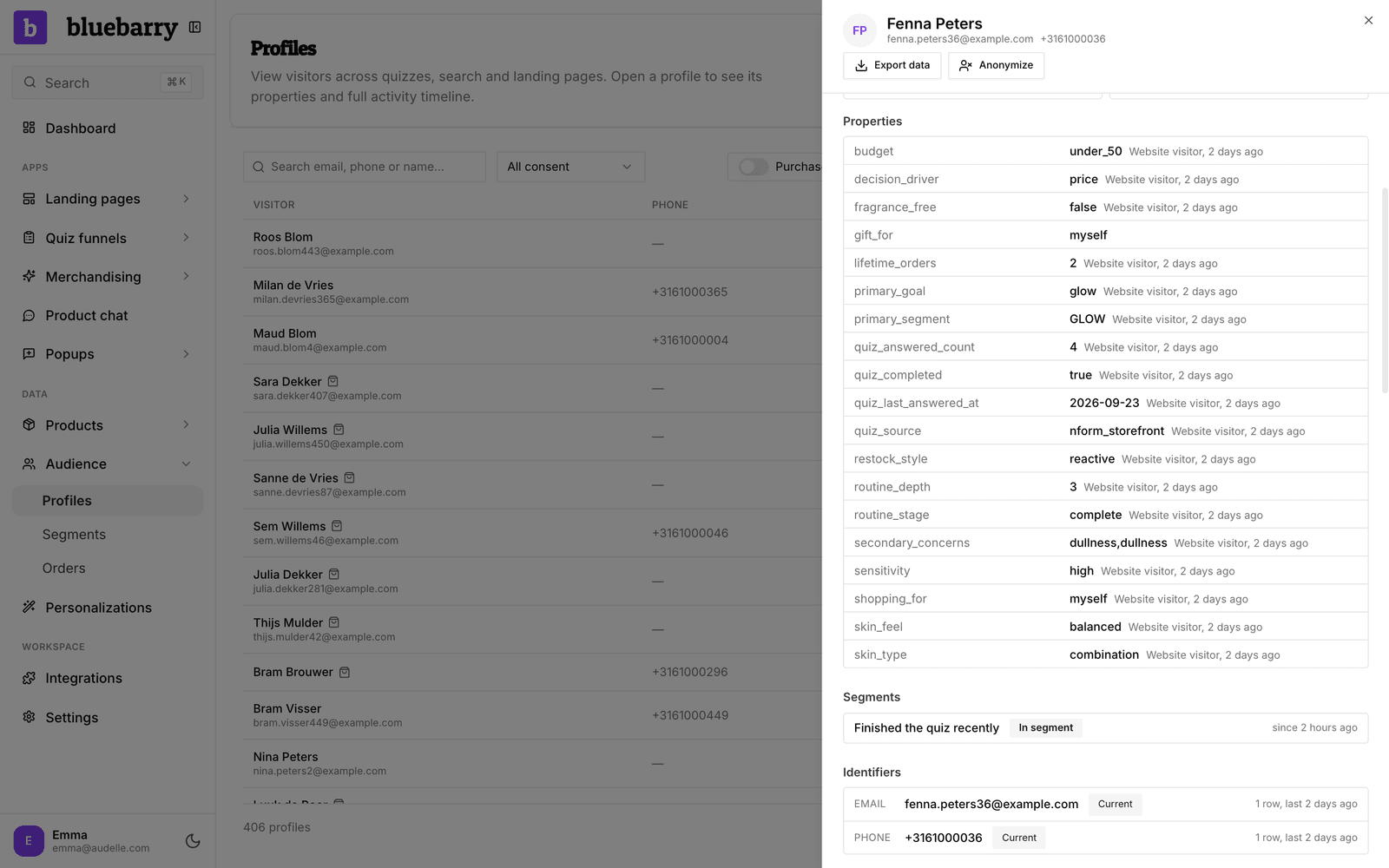
- Quiz answers. Every answered question becomes a property on the profile, named after the question's internal name. When a shopper picks several answers, they are saved together, separated by commas.
- Popup fields. Choice buttons, text fields, dropdowns and the other form fields save their answer under the field's Property key.
- Contact details. Email, phone and name fields, in a quiz or a popup, fill the profile's contact details instead of becoming a property. An email or phone number also lets bluebarry recognize the shopper on later visits.
- Marketing consent. The consent checkbox in a quiz or popup sets the profile's consent and adds an entry to its consent history.
- Imports. Extra columns in a customer import become properties too.
When a shopper answers the same question again, the newest answer wins.
See it on a profile
- Go to Audience → Profiles and click a shopper.
- Scroll to Properties. Each value shows where it came from and when.
- Check the consent badge at the top: Marketing consent given, Marketing consent declined or Marketing consent unknown.
- Open Consent history to see each choice with the text the shopper saw.
Put it to work
- Segments. Group shoppers by a property, for example everyone who answered "dry" for skin type. See build segments.
- Search. Give a segment its own ranking rules, or show personalized badges on products that suit a shopper's answers. See personalize search results.
- Email. Properties sync to Klaviyo, Omnisend and Spotler Activate, so you can personalize your flows there.
Tips
- Give questions and popup fields clear internal names and property keys, like
skin_type. They become the property names in your email tool. - Reuse the same property key when a quiz and a popup ask the same thing. Both answers then land on one property.
- Only ask what you will use. Every extra question costs you some shoppers.