
Most shoppers browse anonymously and only tell you who they are at checkout. bluebarry connects the dots: once it learns a shopper's email, everything they did earlier on that browser joins their customer profile. This article explains how that works and what to expect.
One visitor, one cookie
bluebarry gives every visitor a first-party cookie on your own domain. Quizzes, search, popups, product chat and the checkout tracking all read the same cookie, so a shopper's answers, searches and product views stay together on one profile, even before you know their name. Without cookies, everything still works, but the activity is not joined up.
How an email gets attached
- In a quiz or popup. When a shopper fills in an email or phone field, the profile has it straight away.
- At checkout on Shopify. The bluebarry checkout pixel sends the buyer's email after an order, when the shopper allowed analytics and preferences cookies.
- At checkout on WooCommerce or Magento. The bluebarry plugin or module sends the order email for you.
- Anywhere else. Your developer can call
window.barry.identify({ email })on a thank-you or login page. See use the Identify API. - Imports. Imported customers and orders join existing profiles by email or phone number.
bluebarry never overwrites an email a profile already has. Attaching an email is not marketing consent: whether you may email someone still depends on the consent they gave.
Check that it worked
- Place a test order with a new email address after taking a quiz or running a search on your store.
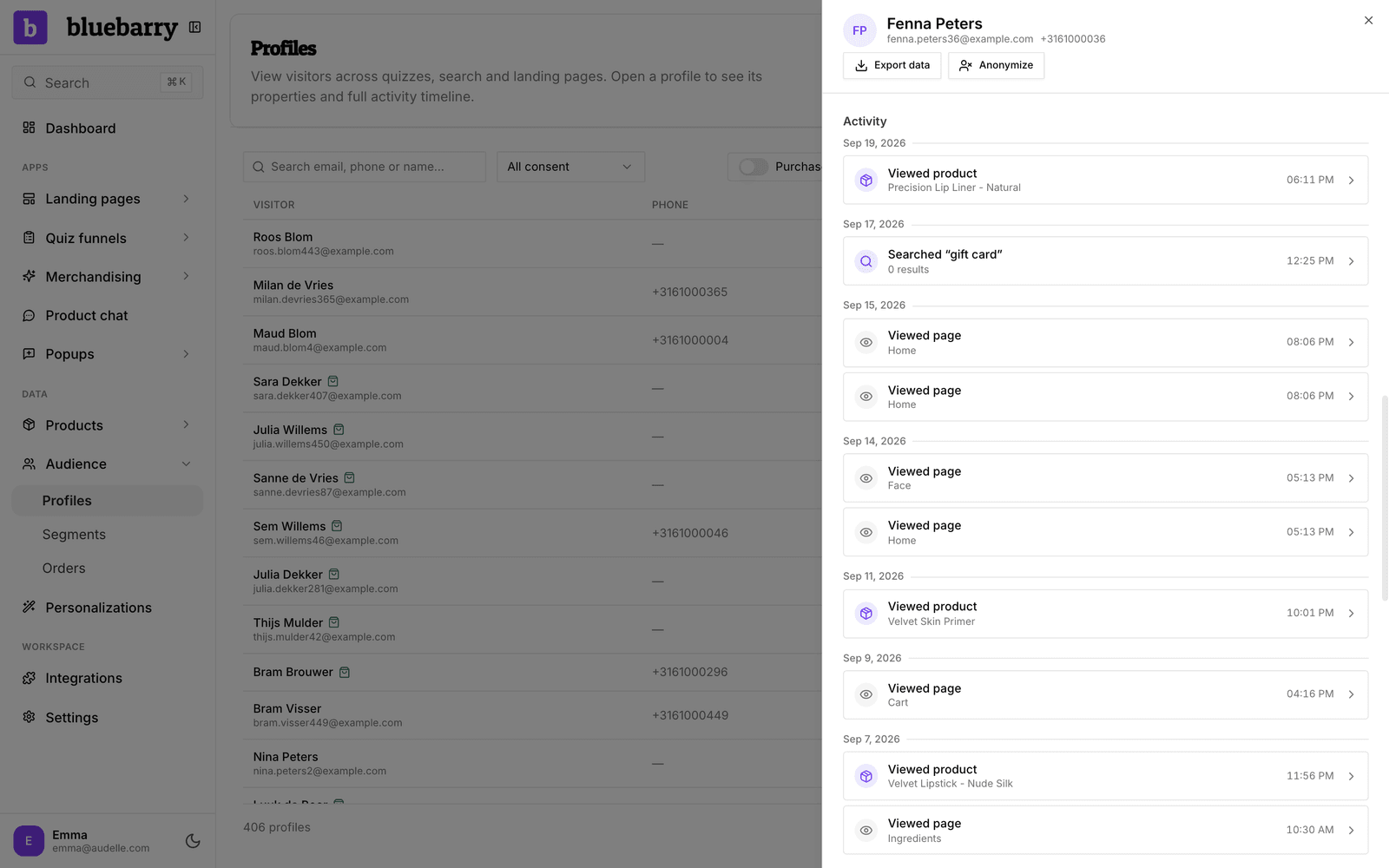
- Go to Audience → Profiles and search for that email.
- Open the profile. The Activity timeline should show your earlier quiz or search next to the purchase.
Good to know
- No quiz events after the fact in email tools. When a shopper is identified only at checkout, bluebarry does not send their earlier quiz events to Klaviyo or Omnisend. A buyer who took a quiz anonymously and was recognized at checkout will not start a "Quiz Completed" flow. Their profile and properties still sync.
- Shared devices. When two people use one browser, their activity can end up on one profile. You can split it again. See find and review a profile.
- Other browsers. Activity on a phone and a laptop joins up once the shopper leaves the same email on both.