
Quiz answers tell you what a shopper actually wants: their skin type, budget or style. Because bluebarry stores those answers on the Klaviyo profile, you can build segments on them and send campaigns that fit.
What bluebarry puts in Klaviyo
- Profile properties. Each answer is stored under the question's internal name, for example Skin type: Sensitive. Several answers to one question are joined with commas. When someone takes the quiz again, the new answer replaces the old one.
- Events. Quiz Completed with the quiz name and the recommended products, and the product check events. Events keep the history of every quiz a shopper finished.
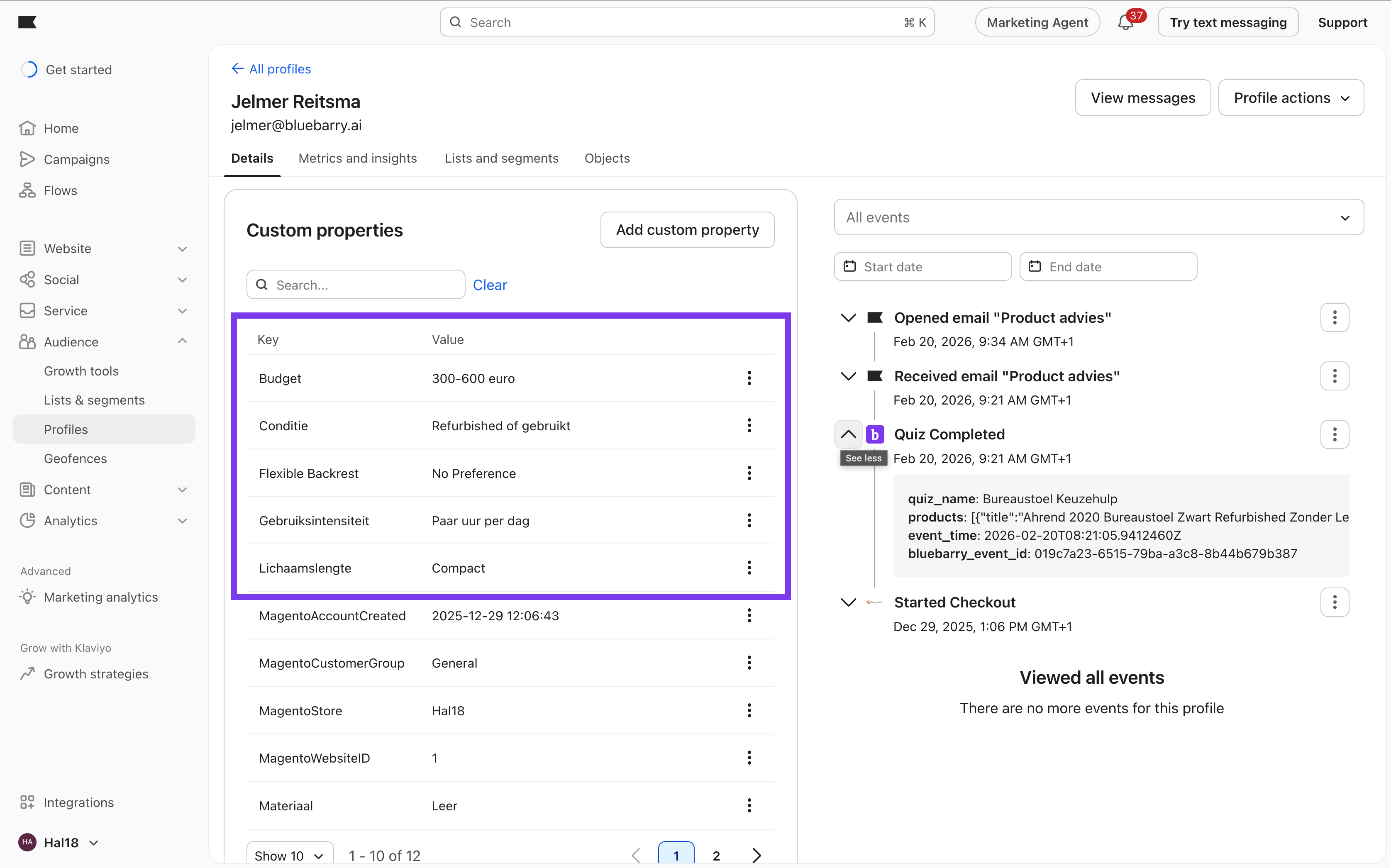
Segment on answers
- In Klaviyo, create a new segment.
- Add a condition on properties about someone.
- Pick the property named after your question, for example Skin type.
- Set it to the answer, for example equals Sensitive. For questions with several answers, use contains.
- Save the segment. Klaviyo starts filling it right away.
Segment on quiz activity
Use the events when you care about which quiz someone took or what they were recommended:
- Add a condition on what someone has done and pick Quiz Completed.
- Add a filter, for example
quiz_nameequals your quiz, orrecommended_product_namescontains a product name. - Add a time window, for example in the last 30 days, to keep the segment fresh.
Segment ideas
- One segment per key answer, for example everyone who prefers vegan products.
- Recommended but not bought: completed the quiz in the last 30 days and hasn't placed an order since.
- Product check misses: did Product Check No Match, so they were looking at something that didn't fit.
- Quiz fans: completed more than one quiz.
Combine these with purchase history and email engagement for the most relevant sends. Make sure your segments only include people who can receive marketing, see Consent and Klaviyo subscriptions.
Segments in bluebarry
bluebarry has its own segments too, under Audience → Segments. They combine answers with on-site behavior and are used to personalize search, target popups and fill Meta Custom Audiences. See Build segments.