
Every number in quiz analytics follows a shopper through the same path: they start a quiz, answer questions, see their results and, hopefully, buy. This page explains each number, so you know what a change in it tells you.
The metric cards
The cards at the top of Quizzes → Results count sessions. A session is one shopper going through one quiz. Each card compares the selected period with the period of the same length just before it.
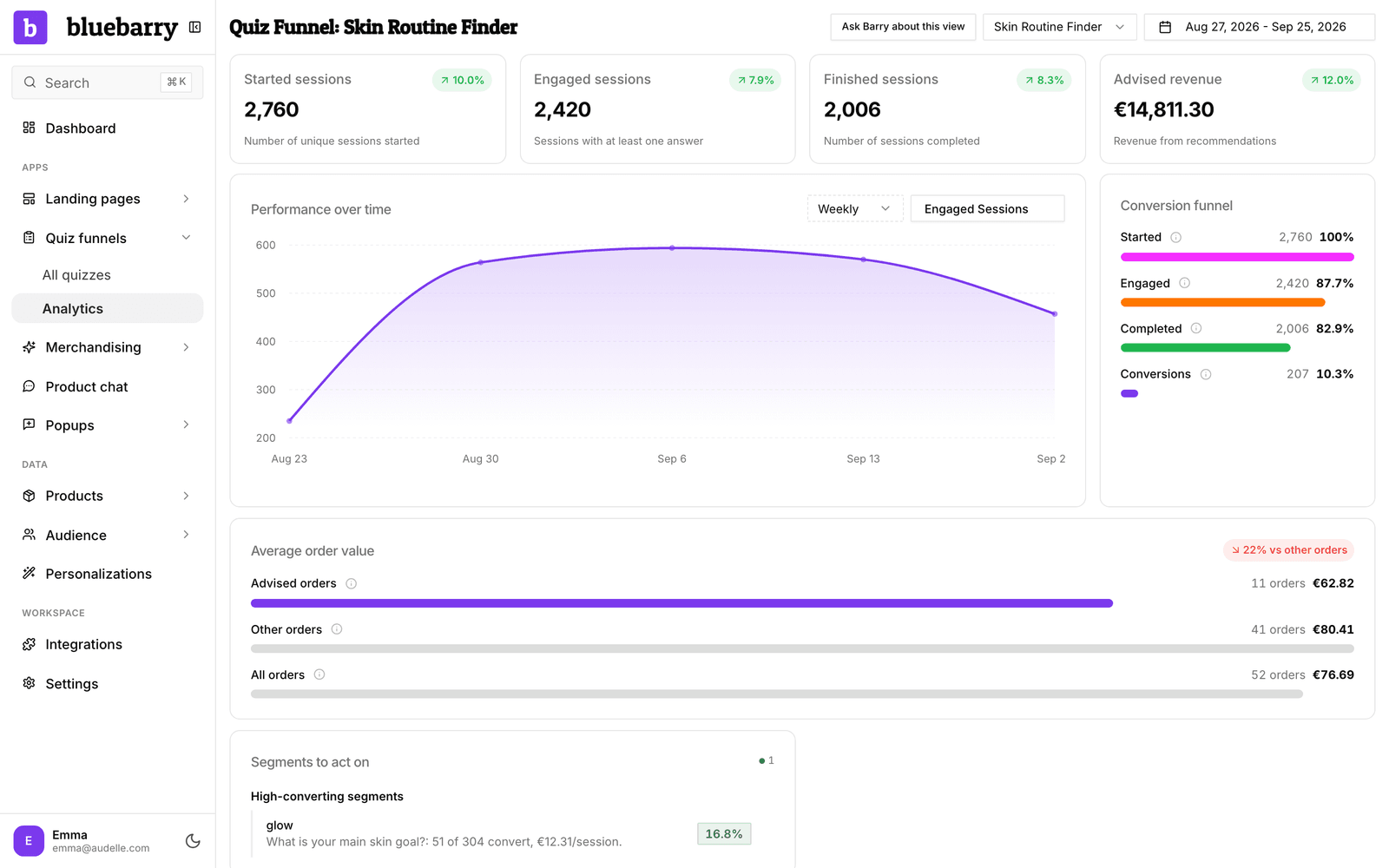
| Card | What it counts |
|---|---|
| Started sessions | Sessions where a shopper opened the quiz. |
| Engaged sessions | Sessions with at least one answer. |
| Finished sessions | Sessions that reached the results. |
| Advised revenue | The order value of purchases by shoppers who finished the quiz, in euros. |
| Emails collected | Email addresses left in your quizzes, with the share that gave marketing consent. Only shown when there are any. |
The conversion funnel
The Conversion funnel card shows the same path as bars, each as a share of started sessions:
- Started: every session, always 100%.
- Engaged: answered at least one question. A low share means the first question or the start page loses people.
- Completed: reached the results. The gap with Engaged is drop-off during the quiz.
- Conversions: bought after finishing the quiz.
Performance over time
The chart shows one or more metrics over the selected period. Use the metric menu to pick Started, Engaged or Finished sessions, Average session duration, Revenue, Conversions or Purchases, and the period menu to switch between Daily, Weekly and Monthly. With several metrics selected, turn on Normalize scales to compare their shapes.
Average order value
When bluebarry has your store's orders, the Average order value card compares Advised orders (placed after the shopper completed a quiz) with Other orders and All orders. The badge shows how much more, or less, quiz shoppers spend per order.
Tips
- Compare one quiz at a time. Totals for all quizzes hide a weak quiz behind a strong one.
- Pick a period with at least a few hundred started sessions before you draw conclusions.
- If Conversions stays at zero while sessions come in, check your conversion tracking. See understand conversion attribution.