
Quiz analytics shows how your quizzes perform: how many shoppers start, how many finish, what they buy and where a quiz could be better. It lives under Quizzes → Results, in the sidebar under Live on your store.
Open quiz analytics
- In the Studio sidebar, go to Quizzes → Results under Live on your store.
- Pick All quiz funnels or one quiz in the quiz selector.
- Pick a date range. The presets are Last 7d, Last 14d, Last 30d, Last 90d and YTD, or choose your own dates in the calendar. The page opens on the last 30 days.
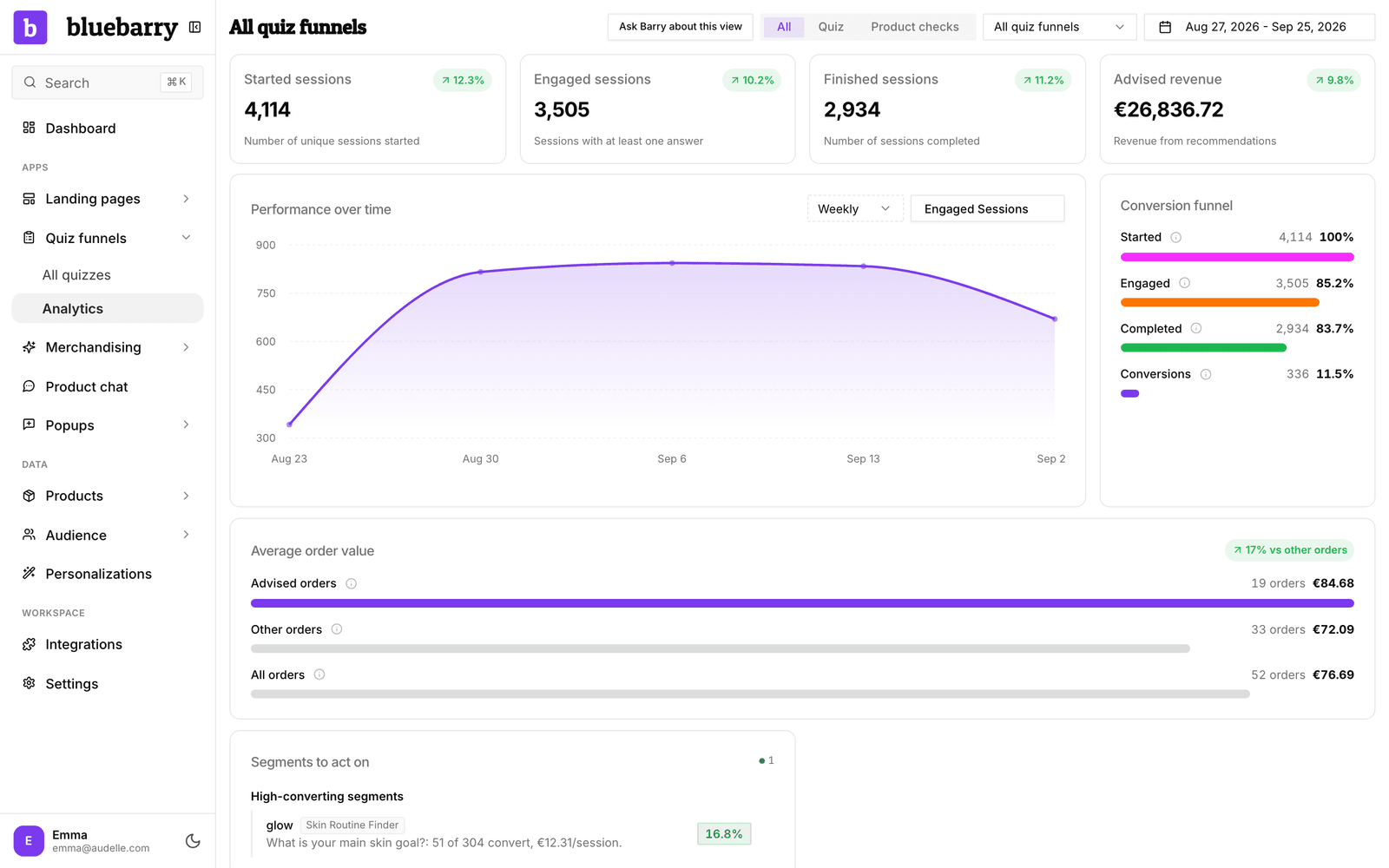
When you run both quizzes and product checks, an All / Quiz / Product checks switch appears next to the selector, so you can look at each on its own.
What is on the page
| Part | Use it for |
|---|---|
| Metric cards | Started sessions, Engaged sessions, Finished sessions and Advised revenue, compared with the previous period. Emails collected appears when your quizzes collected email addresses in the period. |
| Performance over time | A chart of sessions, revenue, conversions, purchases or session duration, per day, week or month. |
| Conversion funnel | How many sessions got from Started to Engaged, Completed and Conversions. |
| Average order value | What quiz shoppers spend per order compared with everyone else. Shown when bluebarry has your store's orders. |
| Insights | Four short lists of what to fix or double down on: questions, answers, segments and recommendations. |
For what each number means, see read quiz funnel metrics. For the insights, see act on quiz insights.
Ask Barry about this view
Click Ask Barry about this view to hand the current quiz and date range to Barry, your AI marketing assistant on Home. Ask things like "why did completions drop last week?" or "which answer converts best?" and Barry answers from the same data. The button is hidden while you look at product checks only.
Good to know
- Test runs in the quiz editor preview are not counted.
- Revenue is shown in euros. Orders in other currencies are converted at the day's rate.
- Per-question drop-off and per-answer numbers live in the quiz editor, on the Test flow tab.
- To see your quizzes next to the other modules, go to Analytics → Modules. It shows starts, completion rate and revenue from quiz takers for the same date range, with a link back to each quiz's results. See read your store analytics.
- Search, popups and product chat have their own analytics:search analytics, popup insights and product chat insights.