
Ranking questions are forgiving: a product that fits most answers can still be recommended. Usually that is what you want. Sometimes, though, you want to promise shoppers a product that fits every single answer. That is what Require full match is for.
What it does
With Require full match on, bluebarry treats the answers to ranking questions as requirements while the shopper takes the quiz. An answer only shows up if at least one product matches it together with everything the shopper chose before. Answers that would make a perfect match impossible are hidden.
The result: at the end of the quiz there is always a product with a 100% match score, and your best-match card shows it.
Turn it on
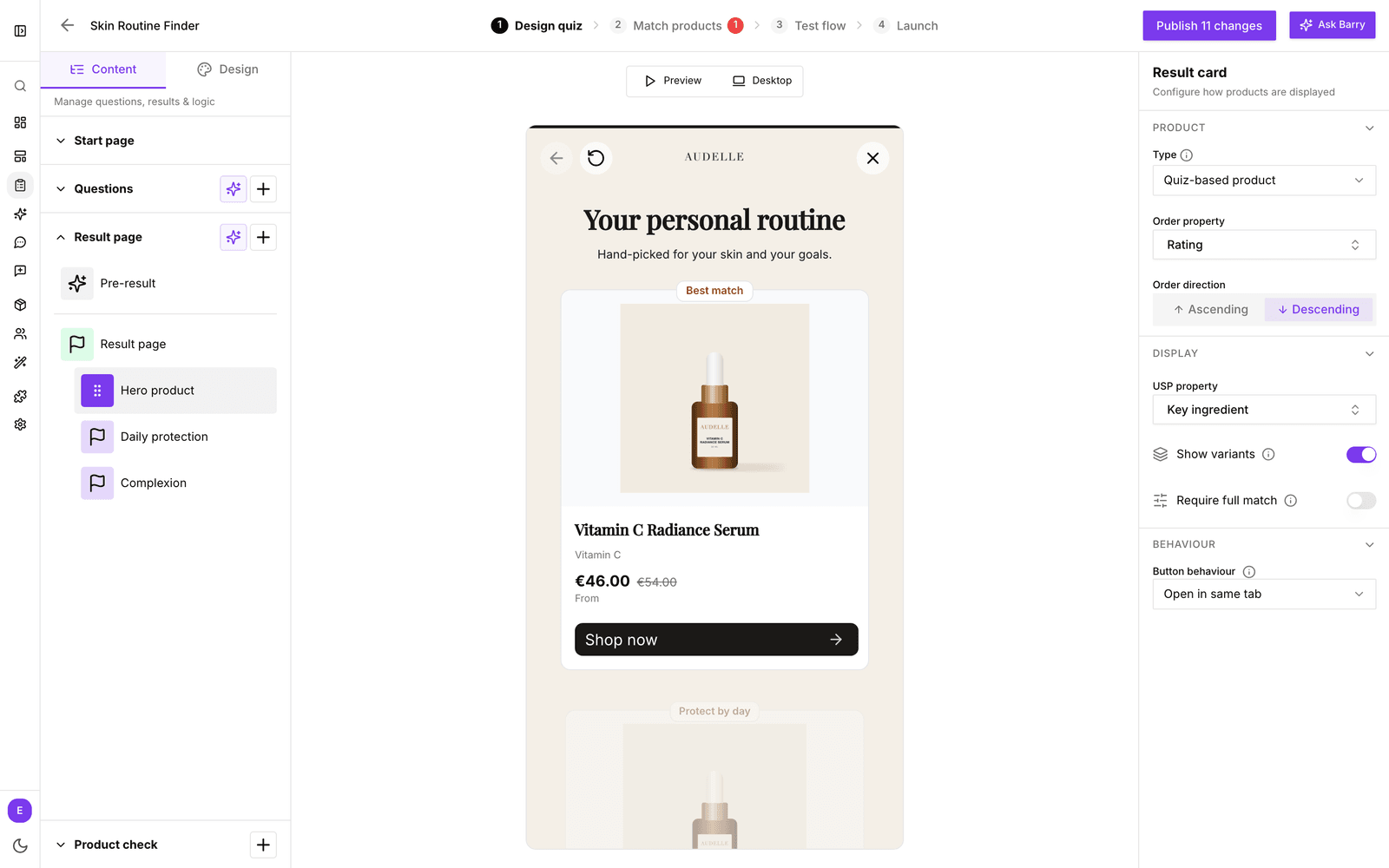
- In the sidebar, go to Quizzes and click Edit on your quiz.
- On Design quiz, expand Result page on the Content tab and click a result card.
- Under Display, switch on Require full match.
- Walk through a few answer paths on the Test flow tab, then publish the quiz.
When to use it
- Use it when all your questions are preferences (ranking), but you still want the top recommendation to tick every box. For example a gift finder where age, interest and budget should all fit.
- You don't need it when your questions are filter questions. Those already remove products that don't match and hide answers that lead nowhere.
- Skip it when a close match is fine and you'd rather show every answer option.
Good to know
- It works for the whole quiz as soon as one result card has it on. Product check cards have their own switch.
- Shoppers may see fewer answer options, especially later in the quiz. With a small catalog, some answers can disappear entirely. Check your answer paths after you turn it on.
- Cards further down still take the next-best products, so they can show a product that fits most, but not all, answers.
Related: Ranking vs filtering question types.