
One feed is enough for most stores. Sometimes your product data lives in more than one place, though: a feed per brand, per country or a separate sheet with extra attributes. bluebarry can combine several feeds into one catalog.
When a second feed makes sense
- Several stores or brands, each with their own export.
- Separate product ranges that come from different systems.
- Regional assortments, such as a feed per country or warehouse.
Add another feed
- In the sidebar, go to Store data → Feeds.
- Click Create Feed.
- Give it a descriptive Feed name, such as "EU store, electronics", and paste its link.
- Map the columns. Map shared attributes to the properties you already have, so every feed fills the same "Color" or "Category".
- Click Create Feed, then Sync Now.
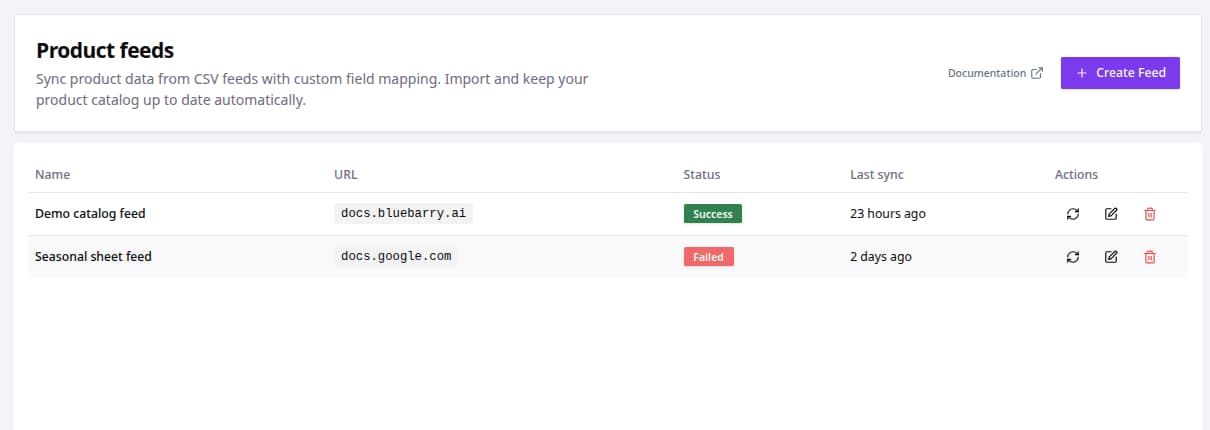
How multiple feeds work together
Every feed syncs into the same product catalog. All products are available to every quiz, your search and product chat. Each feed keeps its own mapping, its own import filters and its own sync status, and the product page shows which feed a product came from.
Show the right products in each quiz
Because all feeds end up in one catalog, use filters to decide what a quiz may recommend. Global Filters in a quiz's Match products tab apply to every result, for example "country equals NL" for your Dutch quiz. See Set global filters for a quiz.
To keep products out of bluebarry altogether, use Import filters on the feed itself.
Tips
- Use the same column names and values in every feed. Then one filter works for all of them.
- Deleting a feed deletes the products that came from that feed. The products of your other feeds stay.