
Your product catalog is the list of products bluebarry knows about, with their names, links, images and properties. Every feature reads from this one catalog: quiz recommendations, search results and filters, product chat answers and popups that target products. Clean up a property once and every feature gets better.
Where your products come from
Most stores never type in a product. The catalog fills itself from one of these sources and stays up to date:
- Your store. The Shopify app, the WooCommerce plugin, the CCV Shop integration and the Magento module sync products for you.
- A product feed. A CSV link or a published Google Sheet, set up under Store data → Feeds. See Importing your product feed.
- By hand. Add or fix a single product in Studio. See Add and edit products.
Review your products
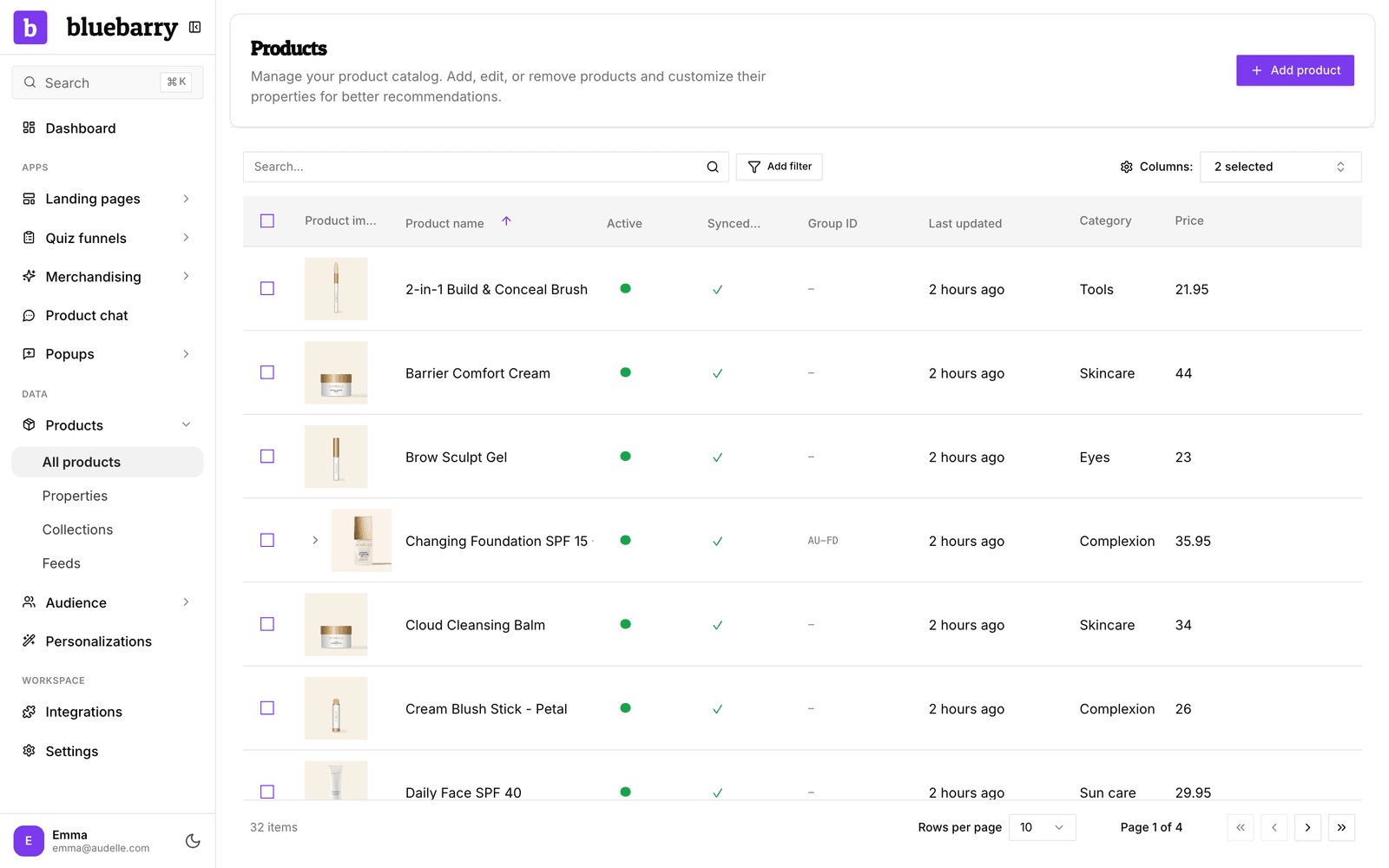
- In the sidebar, go to Store data → Products.
- Search by product name, or click Add filter to narrow the table by a property.
- Use Columns: to show the properties you care about, such as category or price, next to each product.
- Look for products without an image or URL, and for empty property values. Those are the products that show up badly or not at all.
- Click a product to open it and see all its details.
What the table tells you
| Column | What it means |
|---|---|
| Active | Whether the product can be recommended and shown. Inactive products stay in the catalog but are left out. |
| Synced | Whether the product came in through a feed or store sync, or was added by hand. |
| Group ID | The parent product that variants share, such as sizes or colors of one shoe. |
| Last updated | When the product last changed, by a sync or by hand. |
| Property columns | Any property you pick under Columns, so you can spot missing values quickly. |
Properties and collections
Properties are the facts about a product that bluebarry can match on, such as color, skin type, material or price. Quiz answers filter on them, search turns them into filters, and product chat uses them to answer questions. Manage them under Store data → Properties. See Manage product properties.
Collections are the collections or categories from your store, synced into bluebarry. You can view them under Store data → Collections but you manage them in your store. See Browse synced collections.
Good to know
- A synced product is updated again on the next sync. Fix names, links and images in the source (your store or feed), or your change is overwritten.
- The catalog is shared by all your quizzes, search configurations, product chat and popups. You don't need a separate catalog per feature.