
Most products reach bluebarry through a store sync or a feed. Sometimes you still want to add one product by hand, or fill in a property that is missing. You can do both on the product page in Studio.
Edit a product
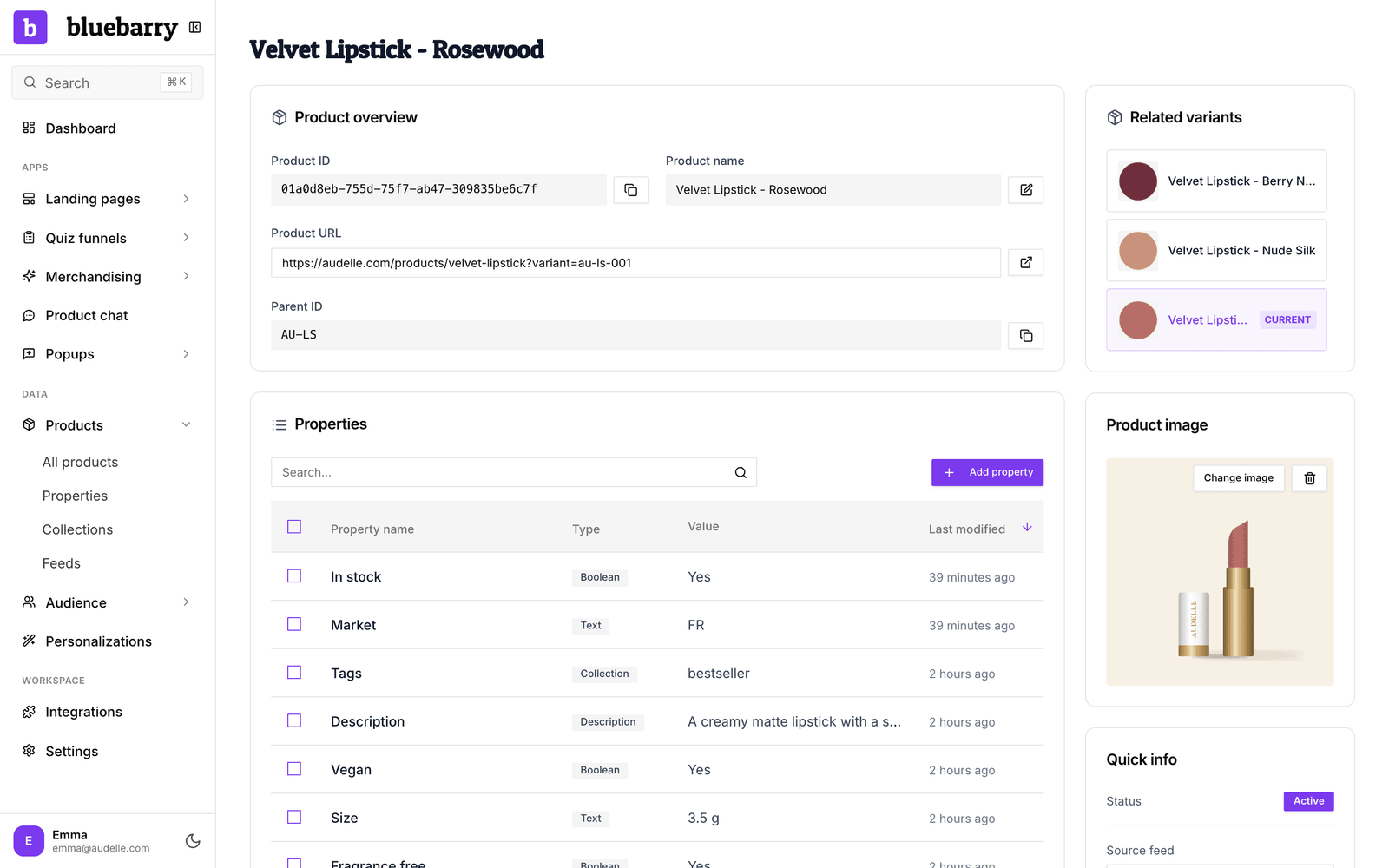
- In the sidebar, go to Store data → Products.
- Click the product you want to change.
- Under Product overview, check the Product name, Product URL and Parent ID. The Product ID is the identifier from your store or feed.
- Under Properties, click Add property to give the product a value it is missing, or edit an existing value.
- Check Product image. Shoppers see this image in quiz results, search and product chat.
Quick info on the right shows whether the product is active, which feed it came from and its views and clicks from the last 30 days. When the product has variants, Related variants lists the other products with the same Parent ID.
Add a product by hand
- Go to Store data → Products and click Add product.
- Enter a Name and click Create Product.
- On the product page, add the URL, image and the properties your quizzes and search rely on.
Good to know
- Products that came from a sync or feed are updated again on the next sync. Change names, links and images in the source, or your edit is overwritten. The Source feed link under Quick info takes you to that feed.
- Manual products suit a small catalog or a quick test. For anything bigger, a feed saves you work. See Importing your product feed.