
Result cards are the products a shopper sees at the end of your quiz. Each card holds one product. Three cards means three recommendations, and you decide what each one is for: the best match, a cheaper alternative, a premium pick.
Add a result card
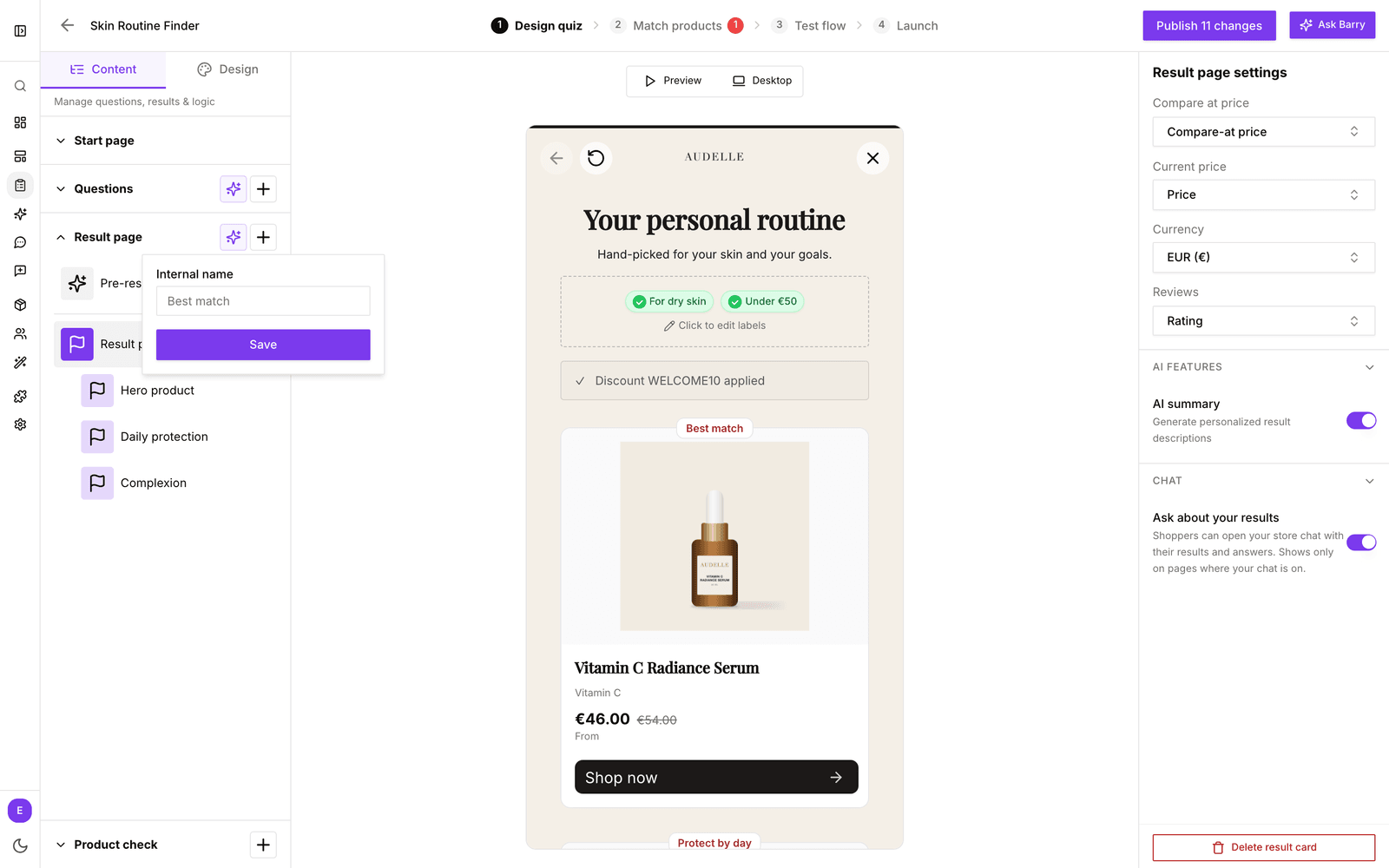
- In the sidebar, go to Quizzes and click Edit on your quiz.
- Open the Design quiz tab. On the Content tab on the left, expand Result page.
- Click the + next to Result page, or Click to add result in the preview.
- Give the card an Internal name, such as "Best match", and click Save. Shoppers don't see this name.
- Click the card to set it up: which product it shows, the label and button text, and what the button does. See Working with quiz result settings.
- Drag cards in the list to change their order.
Short on ideas? The sparkle icon next to Result page opens Generate Result Cards with AI. Describe what you want, such as "Best overall, best value and premium choice", and bluebarry drafts the cards for you.
How cards are filled
bluebarry fills the cards from top to bottom. Each card takes the best remaining product for its settings, and a product never shows twice. Variants of one product count as one, unless you turn on Treat variants as separate products. If a card finds no product, it is left out.
Give a card its own filters
A card can have filters on top of the quiz answers, for example "Price less than 30" for a budget card. Set them in the Match products tab under Results: select the card, then add rules the same way you do for answers. You can also switch between quiz-based and fixed products and set the sort order there.
Card ideas
| Card | How to set it up |
|---|---|
| Best match | Quiz-based product, no extra settings. Put it first. |
| Best value | Quiz-based product with price as Order property, Ascending. |
| Top rated | Quiz-based product with rating as Order property, Descending. |
| Premium pick | Quiz-based product with a card filter such as price at least 100. |
| Always recommend | Fixed product, for a bestseller or an add-on that goes with everything. |
Tips
- Two to four cards is usually enough. More choice makes the decision harder, not easier.
- Give each card a clear label, so shoppers understand why they see it.
- Check the cards on the Test flow tab with a few answer paths before you publish.