
By default, landing pages live on your bluebarry subdomain. Connect a domain of your own, such as quiz.example.com, when you want a branded address or want the page to show up in search results.
Add the domain
- Go to Landing pages → Settings.
- In Custom domains, type the domain under Add a domain and click Add.
- bluebarry shows the DNS records to add, each with a Type, Name and Value: a CNAME record, and sometimes TXT records to issue the security certificate.
- Add the records at your domain provider. Use the copy buttons to avoid typos.
- Back in bluebarry, click I've added the records. Verify now.
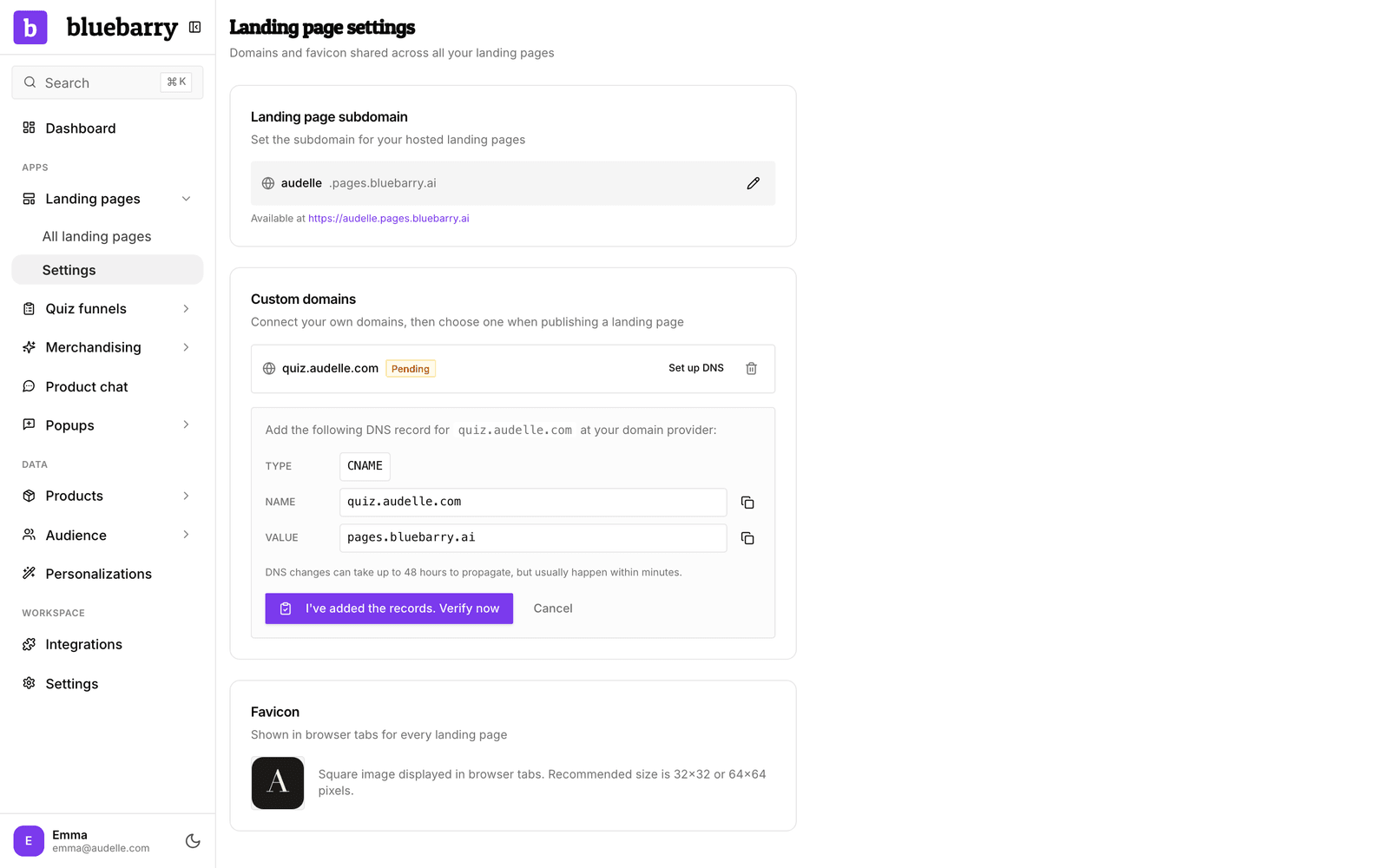
When the records are found, you see Domain verified! and the domain gets a Verified badge. DNS changes can take up to 48 hours. Until then the domain shows Pending; click Set up DNS next to it to see the records again and retry.
Publish a page on the domain
- Open the landing page and click the Launch tab.
- Click Continue to publishing, or Manage publish settings if the page is already live. Under Domain, pick your verified domain.
- Optionally set a Path, then click Publish page, or Save changes if the page is already live.
A domain that is not verified yet shows as "needs verification" and cannot be used until it is.