
The SEO settings decide how a landing page looks in Google results and when someone shares its link: the title, the description and the preview image.
Search engines only index landing pages on your own verified domain. Pages on your bluebarry subdomain are hidden from search, which makes them fine for ads and testing.
Set the title, description and image
- Go to Landing pages → All landing pages and open a page.
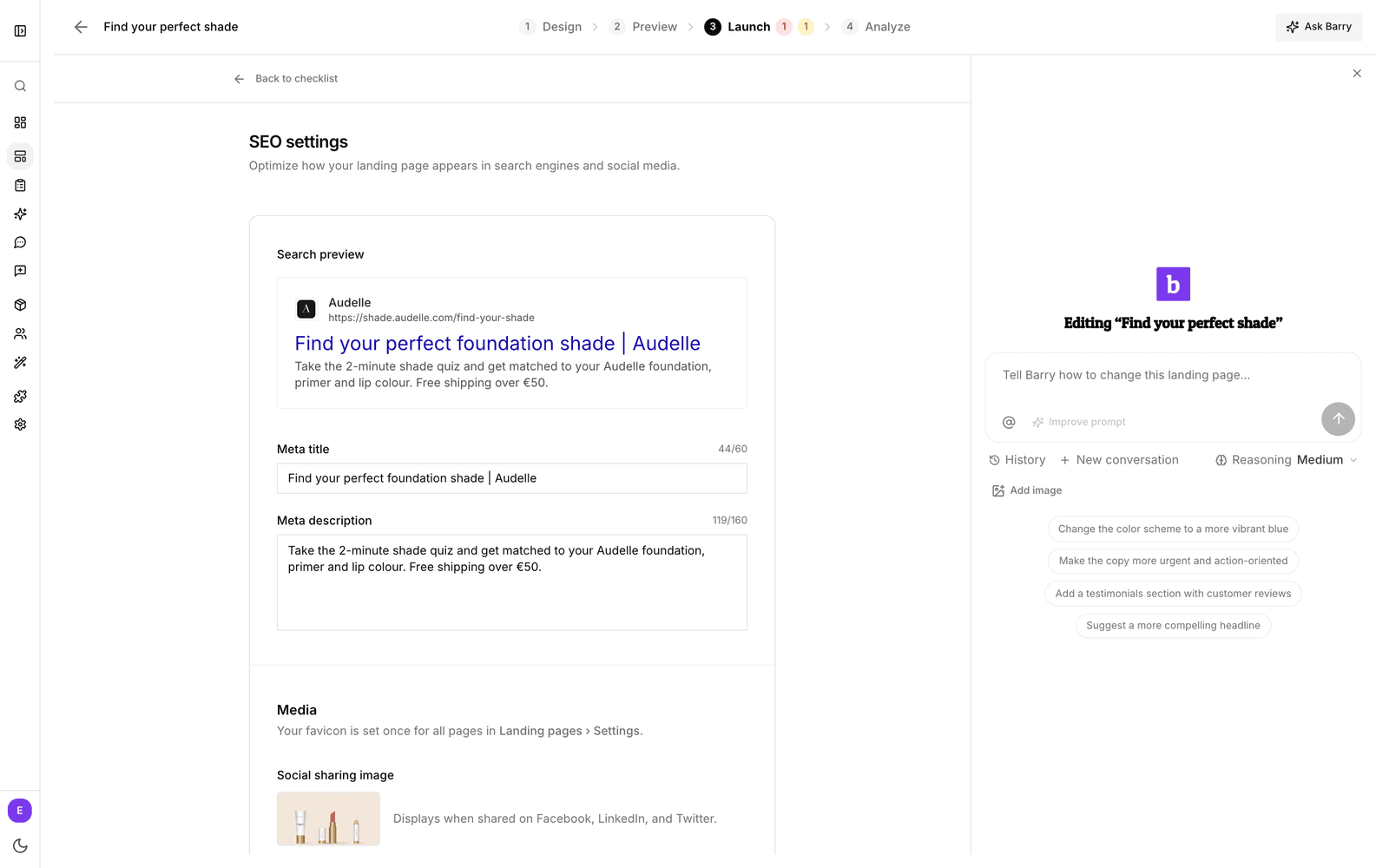
- Click the Launch tab. The Launch checklist lists what is missing, such as Missing page title or No social sharing image.
- Click Add title, Optimize or Edit next to one of those items. SEO settings opens.
- Fill in the Meta title (up to 60 characters) and Meta description (up to 160). The Search preview updates as you type.
- Under Media, upload a Social sharing image. It shows when the link is shared on Facebook, LinkedIn and X.
- Click Back to checklist.
Without a meta title, the page uses its name. The favicon is set once for all your landing pages, under Landing pages → Settings.
Next steps
To have a page found in search, publish it on your own domain. See connect a custom domain.