
Landing pages that bluebarry hosts for you live on your own subdomain, such as yourbrand.pages.bluebarry.ai. Set it once, before you publish your first landing page.
Set the subdomain
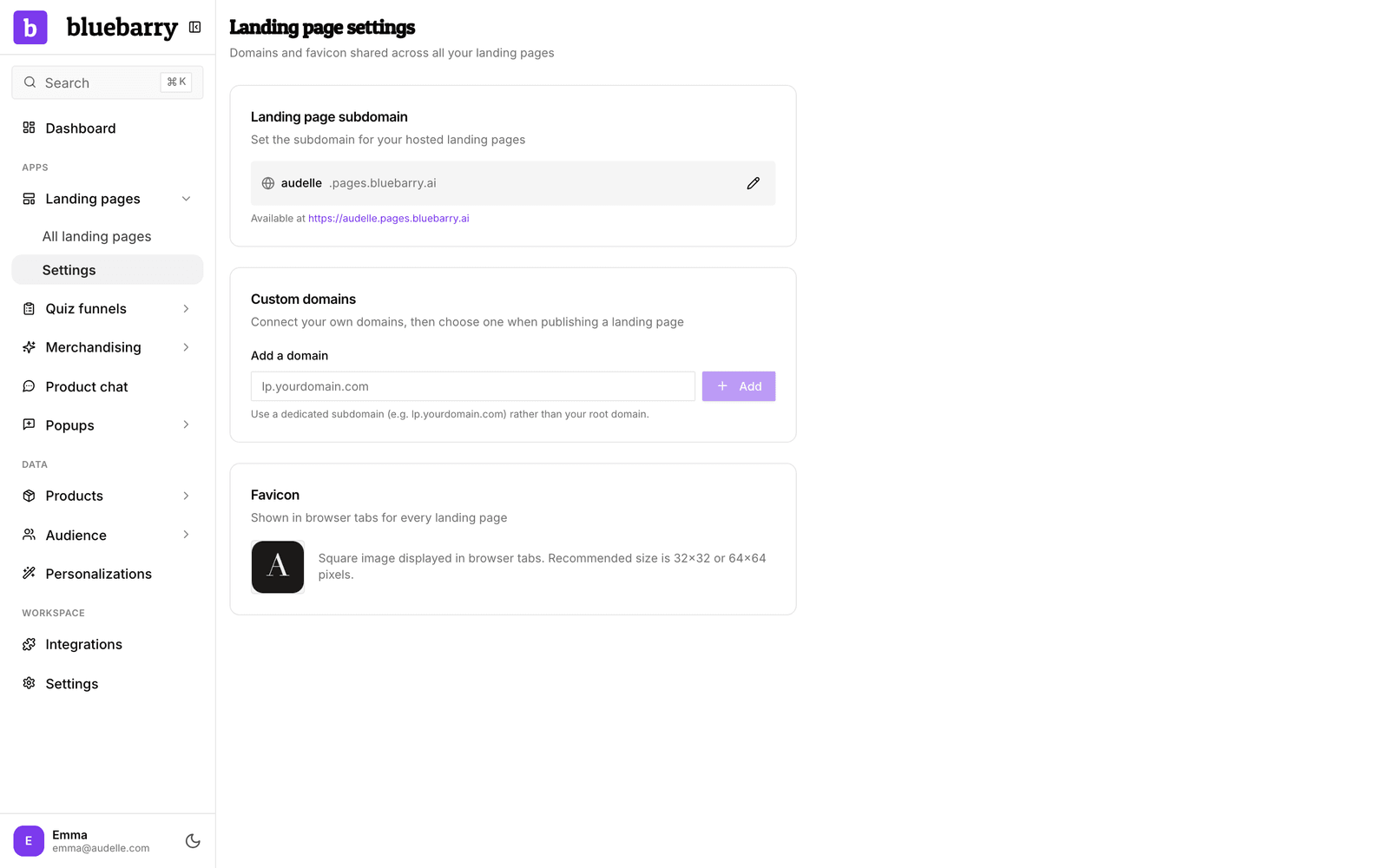
- In the sidebar, go to Landing pages → Settings. No landing page yet? Then Landing pages is not in the sidebar: click Search at the bottom of the sidebar and open Landing page settings.
- In Landing page subdomain, type the name you want, for example your brand name.
- Click Set subdomain.
The card then shows the full address under Available at. If the name is taken, bluebarry tells you so and you can pick another.
Change it later
Click the pencil icon, type the new name and click Save. Be careful: every published page on the old subdomain stops working straight away, and someone else can claim the old name. Update any links you have shared, in ads, emails or on social media, before you change it.
Good to know
- You can use lowercase letters, numbers and hyphens. Anything else is left out as you type.
- Want pages on your own domain instead, such as quiz.yourbrand.com? Add it under Custom domains on the same page. See connect a custom domain.
- The Favicon card on the same page sets the small icon shown in browser tabs for all your landing pages.