
Filter analytics when you need to compare one quiz funnel, a specific date range, or the overall account performance.
Change Filters
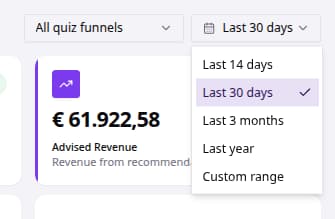
- Go to Dashboard.
- Open the quiz selector.
- Choose All quiz funnels or a specific quiz.
- Open the date range selector.
- Choose Last 14 days, Last 30 days, Last 3 months, Last year, or Custom range.
- If using Custom range, choose the start and end dates.
The dashboard refreshes to show metrics for the selected quiz and date range.