
Each published landing page has its own report. It follows visitors from the page view through the quiz to a purchase, and shows where your traffic comes from.
Review landing page analytics
- Go to Landing pages → All landing pages and open a page.
- Click the Analyze tab.
- Pick a date range.
- Click Filters to narrow the report by traffic source, campaign, medium, device, browser or referrer. The report updates after a short pause.
- Click Refresh to load the latest sessions.
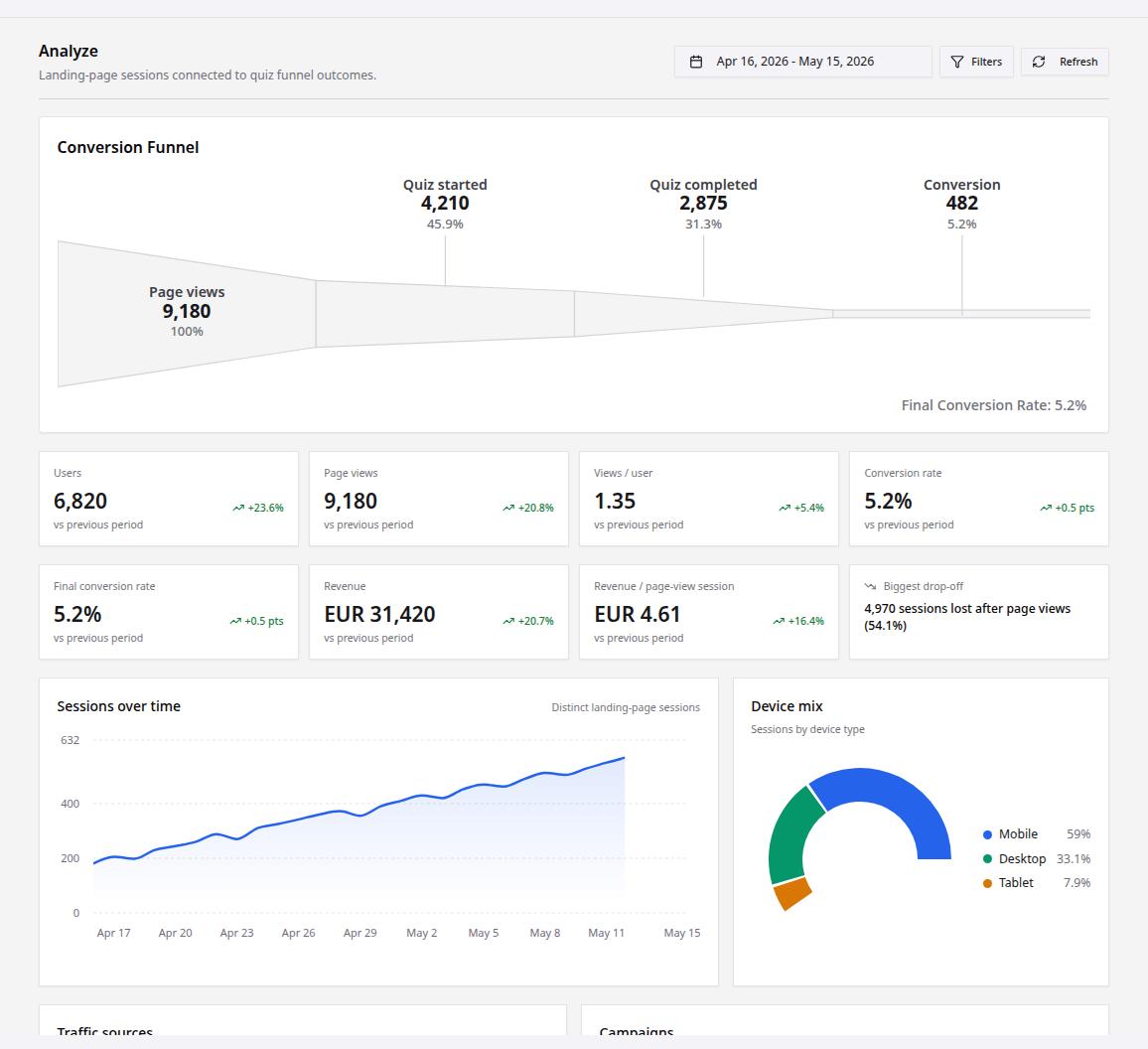
What you see
- Conversion Funnel: page views, quiz started, quiz completed and conversion, each with its share of page views.
- Key numbers such as users, page views, conversion rate and revenue, compared with the previous period, plus the step where most visitors drop off.
- Sessions over time, device mix, traffic sources and campaigns.
Good to know
- The report only fills once the page is published and has a quiz on it.
- Tag your ad links with UTM parameters, so campaigns and sources show up by name.