
Product Check lets shoppers ask whether the product page they are viewing matches their quiz answers. Use it for product-page guidance and better alternatives.
Configure Product Check
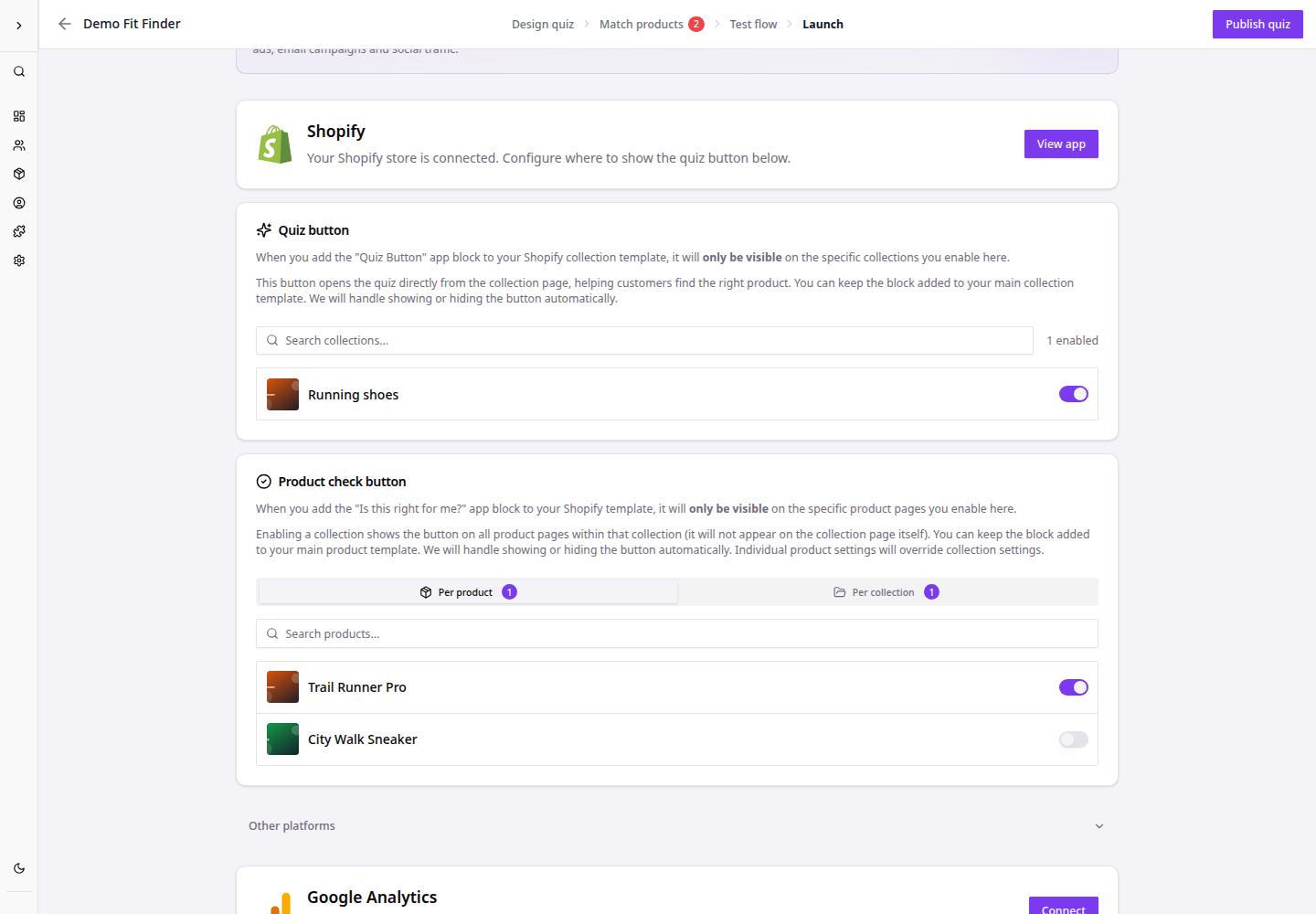
- Go to Dashboard.
- Open the quiz funnel.
- Click Launch.
- Open Product check button.
- Choose Per product or Per collection.
- Enable the product or collection where the button should appear.
- Review the shopper-facing button text, such as Is this right for me?.
- Test the storefront page after publishing.
After setup, eligible product pages can show a product-check button that uses the shopper's quiz answers to explain fit or recommend alternatives.