
No matching products usually means a filter is too strict, a product property is missing values, or global filters removed the entire catalog before answer filters ran.
Find the Zero-Product Rule
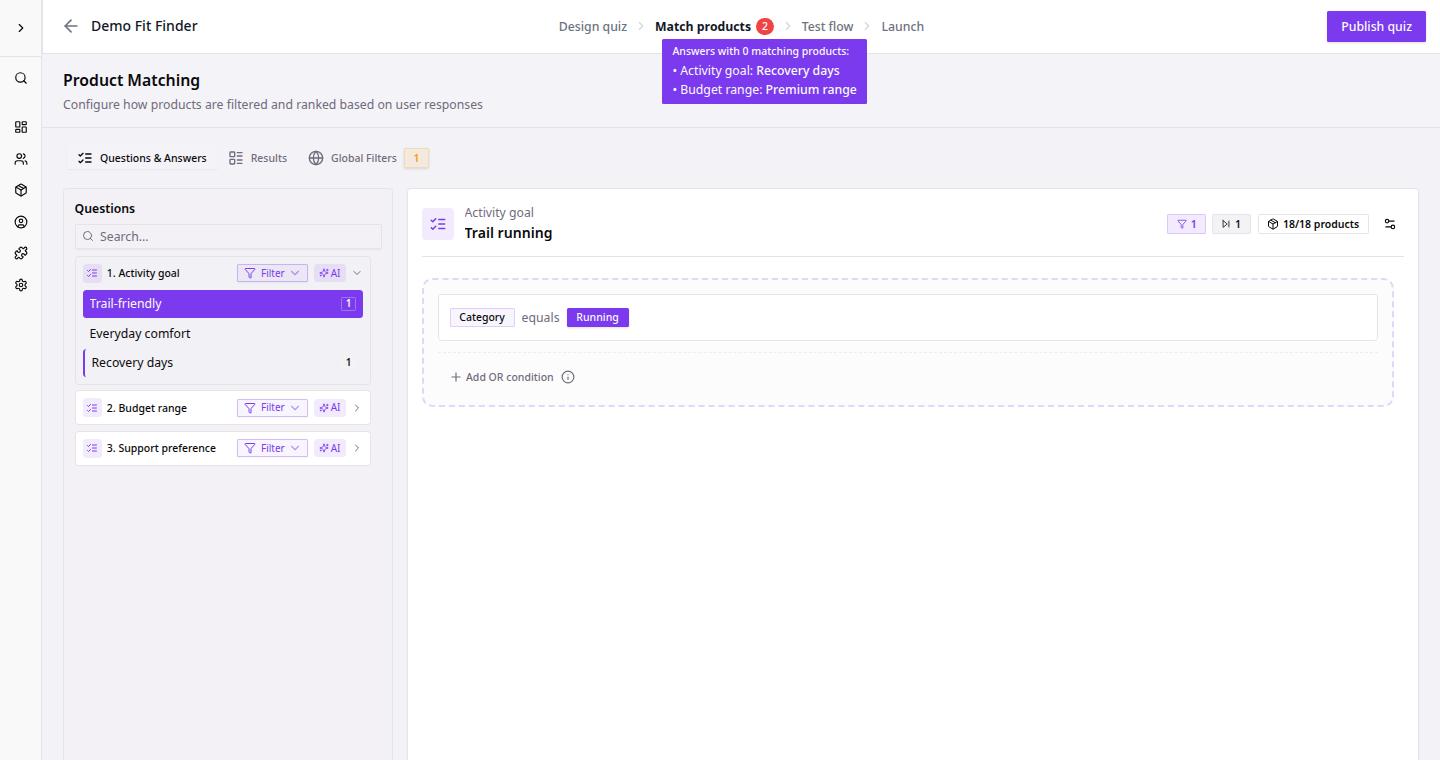
- Go to Dashboard.
- Open the quiz with empty results.
- Click Match products.
- Check for a warning on the tab or workspace.
- Open Global Filters and review the product count.
- Select the answer path that leads to empty results.
- Loosen or remove the most restrictive rule.
- Preview the quiz again.
Common Causes
| Cause | What to review |
|---|---|
| Global filters match zero products | Remove the global filter first, then add it back more carefully. |
| Answer filter is too strict | Use a broader property value or fewer conditions. |
| Product property values are missing | Fix feed mapping or edit product values. |
| Catalog is too small | Add more eligible products before relying on strict filters. |
| Variant behavior changes counts | Review Treat variants as separate products. |