
Below the charts in quiz analytics, bluebarry lists what stands out in your quizzes: questions that lose shoppers, answers that do not help, groups that buy more or less, and products that underperform. You do not have to dig through tables. Each row tells you what to look at.
Find the insights
- Go to Quizzes → Results.
- Pick one quiz, or All quiz funnels, and a date range.
- Scroll past the charts to the insight cards.
- Hover the number on a row to see what it is compared with. Rows about a question or answer open that question in the quiz editor when you click them.
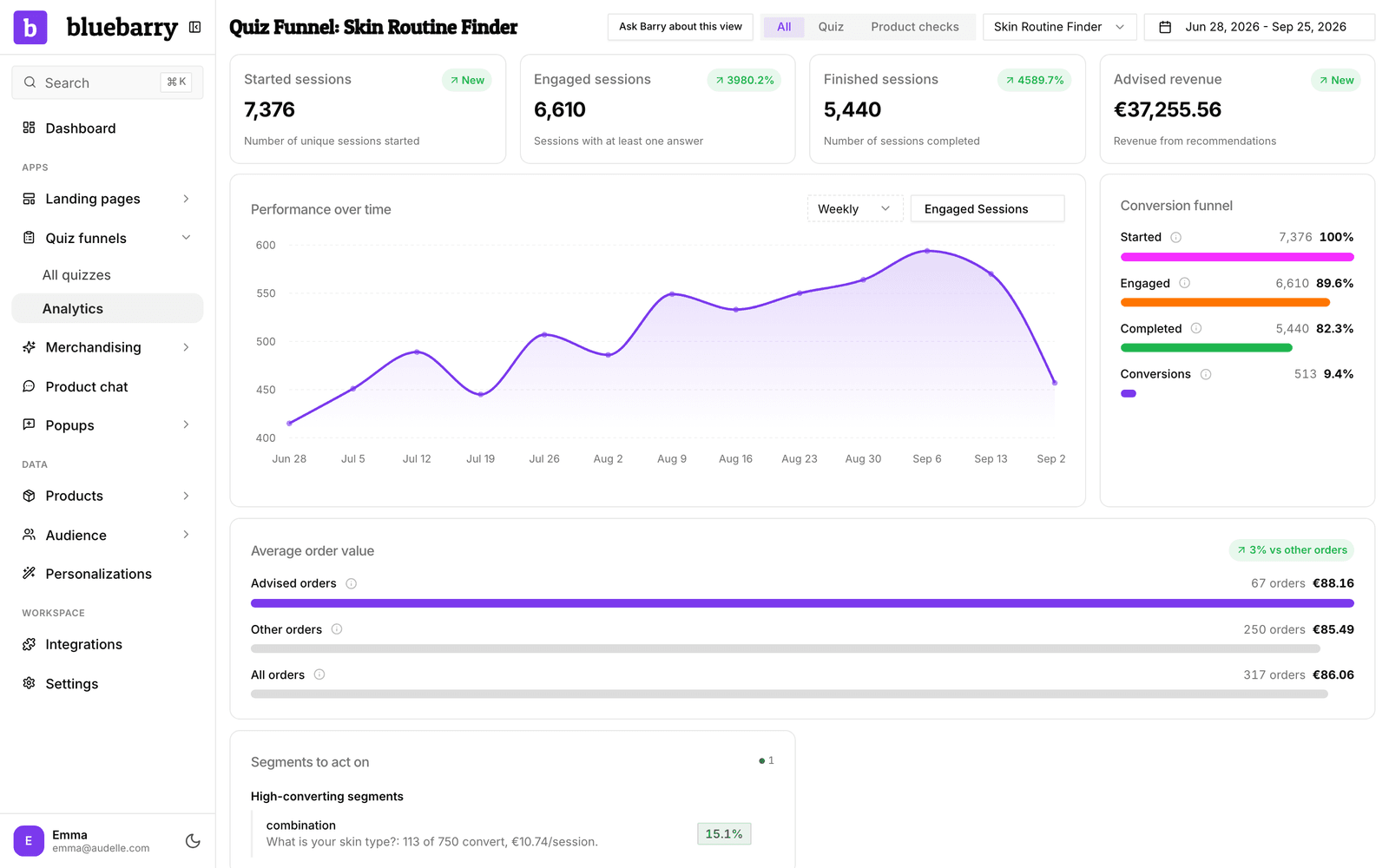
A dot count in each card header shows how many findings are serious and how many are good news. With too little traffic you see Not enough data yet to surface insights. A finding needs at least 30 sessions behind it.
The four cards
| Card | What it flags | What to try |
|---|---|---|
| Questions to take a look at | Drop-off: questions where many shoppers leave. Slow to answer: questions that take more than twice as long as your others. | Simplify the wording, cut answer options, or move the question later. |
| Answers to reconsider | Rarely chosen: answers under 5% of picks. Almost always chosen: answers over 90%, so the question does not tell shoppers apart. | Merge or remove the rare option. Rework or drop a question everyone answers the same way. |
| Segments to act on | Answers whose shoppers buy clearly more, or less, than others who reached the same question, and quizzes that convert below your others. | Feature the strong group earlier. Check the recommendations the weak group gets. |
| Recommendations to review | Products that get fewer clicks than their spot deserves, top performers, products recommended but never bought, and whether shoppers only click the first result. | Swap weak products, reorder results, or review the result page. |
See the numbers per question
For every question, not only the ones flagged, open the quiz itself.
- Go to Quizzes and open a quiz.
- Click the Test flow tab.
- Make sure Analytics is switched on (shortcut M) and pick a Timeframe.
- Each question shows Drop-off and Avg time. Each answer shows the share of shoppers who picked it.
- Click answers to walk a path through the quiz. The numbers of the following questions then show how shoppers on that path behaved.
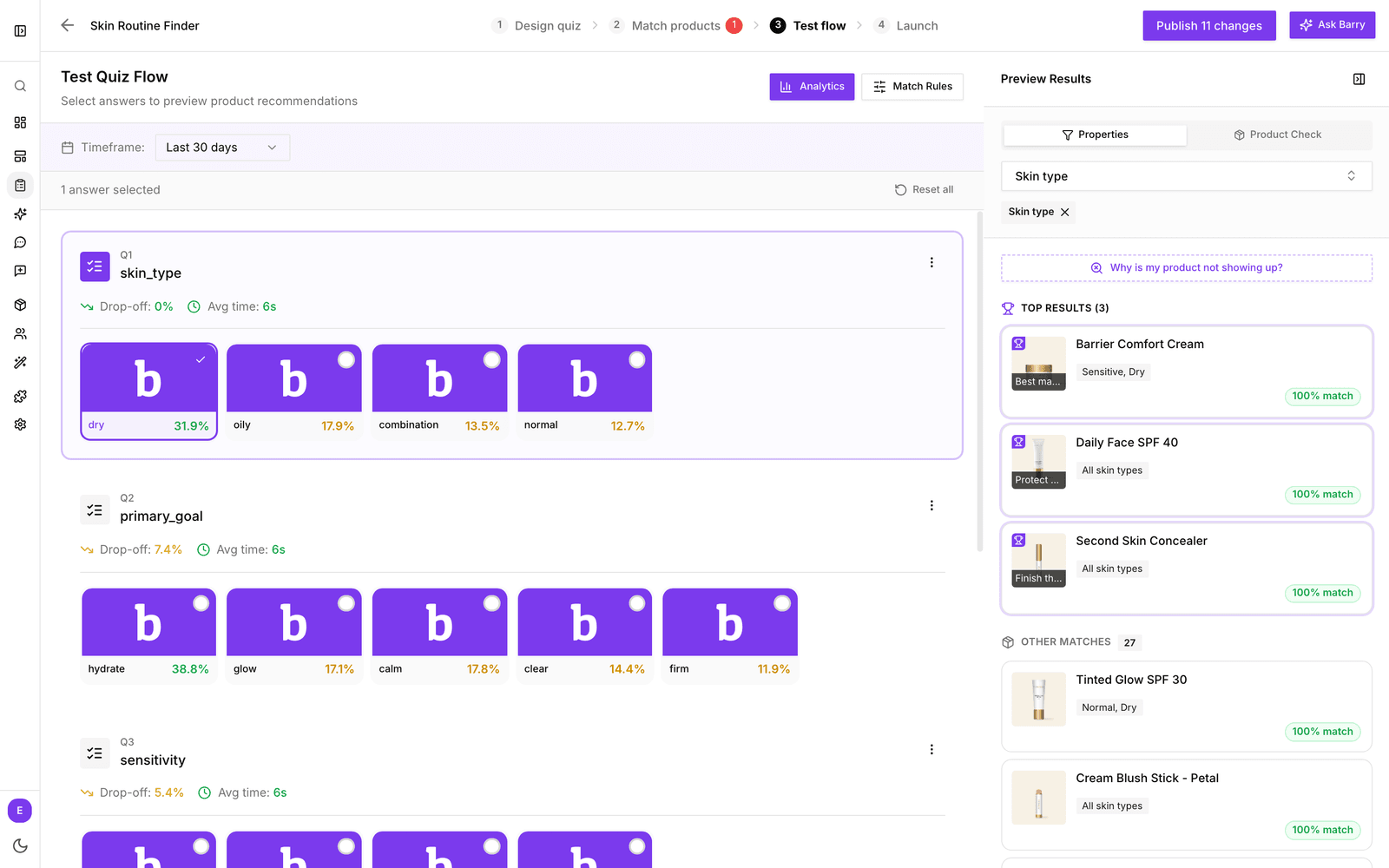
Colors help you scan: drop-off above 25% is red and below 5% is green. An average time under 10 seconds is green and over 20 seconds is red.
Tips
- Some drop-off at the first question is normal: people open a quiz to look. Watch the questions in the middle.
- Change one thing, then compare the same period length before and after.
- Rather ask it in words? Click Ask Barry about this view. See quiz analytics overview.