Bluebarry
  • Pricing
  • Reviews
  • Resources
Sign inStart building
Help Center
Recommendations and results
Use Full-Match Requirements

Use Full-Match Requirements

MD
Martijn Douma · Co-founder bluebarry
Last updated: May 15, 2026

Use full-match requirements when result cards should only show products that satisfy every required match rule.

Reference Workflow
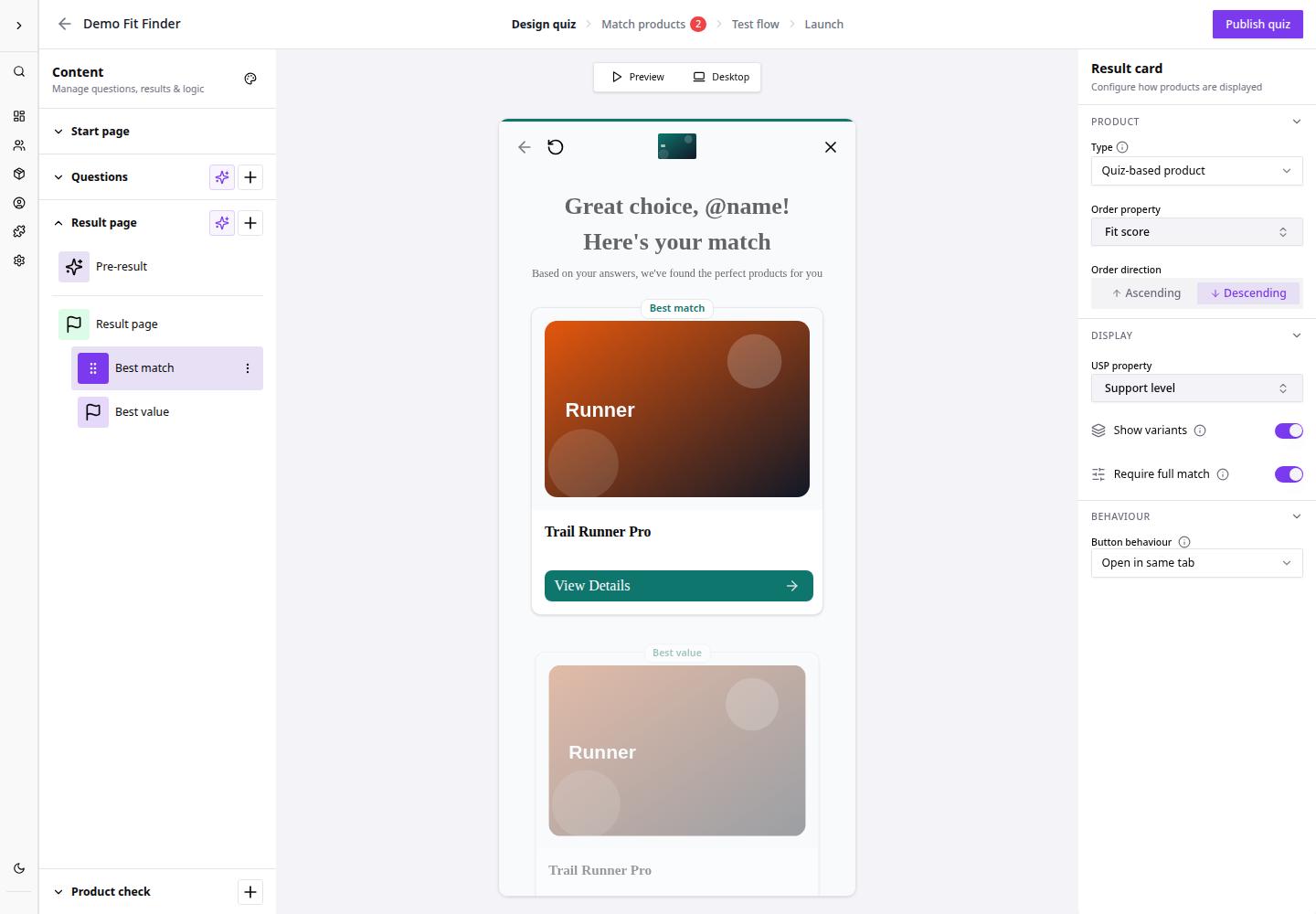
Use Full-Match Requirements screen in BlueBarry.
  1. Open the bluebarry area for Use Full-Match Requirements.
  2. Review the visible settings or status.
  3. Make one change at a time.
  4. Save or test the workflow.
  5. Confirm the expected result.

After completing the workflow, review the related bluebarry screen or connected system to confirm the change is visible.

Related articles

Configure Answer Product Filters

Answer product filters connect shopper choices to product properties. Use them when selecting an answer should narrow or shape the recommendations shown at the end.

Troubleshoot No Matching Products

No matching products usually means a filter is too strict, a product property is missing values, or global filters removed the entire catalog before answer filters ran.

Join the bluebarry community on Discord

Ask questions, share wins, and get support from the team and other e-com brands building with bluebarry.

Join Discord (free forever)

Need help?

If you can't figure it out, we probably can. Just give us a heads up in Discord or email ([email protected]).

Contact us

Platform

  • E-Com Funnels
  • Landing pages
  • Product Quiz
  • Recommendations
  • Integrations
  • Search
  • Pricing
  • Features
  • Reviews

Integrations

  • Shopify
  • Magento
  • WooCommerce
  • Klaviyo

Resources

  • Getting started
  • Resources
  • Help center
  • Shopify Quiz FAQ
  • Klaviyo Quiz FAQ

Contact

  • Partners & affiliate
  • Contact us
  • Request demo

[email protected]

+31 6 57 16 10 87

Hamburgerstraat 10, 9714 JB Groningen (The Netherlands)

LinkedInYouTube
Martijn Douma
Stan van Rooy
Anco Postma
Jelmer Reitsma

© 2026 Bluebarry AI. All rights reserved.

Privacy PolicyCookie PolicyTerms & Conditions