
Set the bluebarry-hosted subdomain used by standalone landing pages before publishing campaign pages.
Set the Subdomain
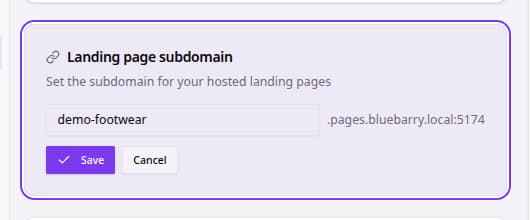
- Go to Settings.
- Click Organization.
- Find Landing page subdomain.
- Enter the subdomain you want to use.
- Click Set subdomain or Save.
- Review the generated landing page URL preview.
- Publish or update landing pages after confirming the URL is correct.
Subdomain Checklist
| Area | What to review |
|---|---|
| Format | Use lowercase letters, numbers, and hyphens only. |
| Brand fit | Choose a subdomain customers can recognize. |
| Availability | If bluebarry reports the value is unavailable, choose another subdomain. |
| Publishing | Confirm landing pages use the expected URL before sending traffic. |